Character Modelling in Maya
Basic interface and how to create a project folder
A course by Fer Aguilera Reyes , Illustrator and 3D Generalist

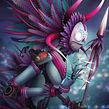




About the video: Basic interface and how to create a project folder
Overview
“Once in Maya, we will prepare our project folder in which we will store all our files. I will also show you how I like to fit the interface of the program to model.”
In this video lesson Fer Aguilera Reyes addresses the topic: Basic interface and how to create a project folder, which is part of the Domestika online course: Character Modelling in Maya. Learn to conceptualize and illustrate characters in 3D.
Partial transcription of the video
“Have you seen the reference images from MambaCore? How about we start importing them into our Maya project? Let's also create our project folder where we'll work throughout the course. First. create the project folder for storing scenes and importing images by navigating to File. then Project Window. This is where all our work will reside. Right now. we just need to press this 'new' button and here we enter the name of our folder. which in this case will be called Mambo Cor. don Bajo Maya. And I will be saving it on my desktop. Mine has a strange name. so I changed it. Save it on your deskt...”
This transcript is automatically generated, so it may contain mistakes.
Course summary for: Character Modelling in Maya
-
Category
3D & Animation -
Software
Adobe Photoshop, Maya -
Areas
3D, 3D Modeling

Fer Aguilera Reyes
A course by Fer Aguilera Reyes
Fernando Aguilera is an illustrator and 3D artist. His works are characterized by his use of color and exaggerated figures.
Fernando is passionate about 3D illustration. He is fascinated by the freedom that modeling gives him when it comes to discovering new processes and tools. In fact, his work process differs depending on the project at hand, since he focuses more on the idea and how to carry it out than on continuously polishing the same technique.
Throughout his career as a 3D artist and illustrator, he has worked in different fields. At Rockstar VFX he collaborated with the advertising department, at Zebra Studio he developed his work as a 3D generalist, at Lienzo he modeled for video games, and at Huevo Cartoon he worked as a lightning artist.
- 98% positive reviews (198)
- 3,884 students
- 26 lessons (5h 19m)
- 13 additional resources (6 files)
- Online and at your own pace
- Available on the app
- Audio: Spanish, English, French, Italian, Portuguese, Turkish
- Spanish · English · Portuguese · Italian · French · Turkish
- Level: Intermediate
- Unlimited access forever
Recommended software & tools for this course
 Adobe Photoshop
 Maya
MayaCategory
Areas