Introduction to Voxel Art for Character Design
A course by Zach Soares , Voxel Artist and Animator

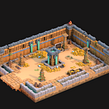
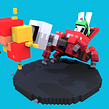

Think outside the box and bring your characters to life with Qubicle, Maya or Blender, and Unity

Step into the Voxel art universe, to create your own fantasy character made entirely of 3D cubes with Zach Soares, a self-taught Voxel artist with almost a decade of experience in the field. Start from the very basics and work your way up to creating a full Voxel render from scratch.
Learn how to model, rig, and animate your character, going through scale and color technique, learning Zach’s blocking and animating methodology, and push yourself into a new creative challenge made entirely of 3D blocks.
What will you learn in this online course?
24 lessons & 24 downloads



- 94% positive reviews (93)
- 3,720 students
- 24 lessons (5h 13m)
- 24 additional resources (10 files)
- Online and at your own pace
- Available on the app
- Audio: English, Spanish (Latam), French, Italian, Portuguese
- English · Spanish · Portuguese · German · French · Italian · Polish · Dutch
- Level: Beginner
- Unlimited access forever
 Blender
 Maya
Maya Qubicle
 Unity 3D
What is this course's project?
Create a Voxel art character and their surroundings using 3D blocks. Zach creates a female character in a mechanical context which you can do along with him.

Projects by course students


Who is this online course for?
This course is for anyone who wants to learn about Voxel art, beginners included, who want to push themselves to new creative challenges.
Requirements and materials
Knowledge of how to use Qubicle, Maya, and Unity will be useful. However, each software will be explained throughout the course.
You will need a computer, the Qubicle software, as well as other software you want to use to model and animate your character, such as Maya and Unity.

Reviews

Zach Soares
A course by Zach Soares
Zach is a French Canadian self-taught Voxel artist living in the UK. Although he has almost a decade of experience in working in the game industry, Zach initially studied Urban Design. While creating 3D designs for cities, he started exploring game design on the side, which spurred him to further explore and understand the world of game development through Voxel art.
His stylized and clean Voxel art has led him to work with many small-scale projects for indie developers, as well as for larger projects with clients like Hipster Whale. Zach works on freelance projects and is the creative director of his own studio Bunnyhug, currently creating their own game that is soon to be launched.
Content
-
U1
Introduction
-
About Me
-
Influences
-
What We Will Do in the Course?
-
-
U2
Resources to Save Your Day
-
How to Start: Thinking of Ideas
-
Searching for Reference & Organizing Them
-
Figuring Out Scale
-
Figuring Out Color
-
Building Animation References
-
-
U3
Producing Your Voxel Art
-
Blocking Out Your Scene 1
-
Blocking Out Your Scene 2
-
Blocking Out Your Scene 3
-
Pre-Rigging/Character Testing 1
-
Pre-Rigging/Character Testing 2
-
Pre-Rigging/Character Testing 3
-
Character Rigging 1
-
Character Rigging 2
-
Character Rigging 3
-
Animating in Maya (Transferable Skills to Blender)
-
Frame Based Animation Setup 1
-
Frame Based Animation Setup 2
-
-
U4
Putting Your Art Out to the World
-
Setting up Your Scene and Lighting in Unity
-
Finalizing Your Scene 1
-
Finalizing Your Scene 2
-
Capturing and Rendering Your Animation/Project
-
-
FP
Final project
-
Introduction to Voxel Art for Character Design
-
What to expect from a Domestika course
-
Learn at your own pace
Enjoy learning from home without a set schedule and with an easy-to-follow method. You set your own pace.
-
Learn from the best professionals
Learn valuable methods and techniques explained by top experts in the creative sector.
-
Meet expert teachers
Each expert teaches what they do best, with clear guidelines, true passion, and professional insight in every lesson.
-
Certificates
PlusIf you're a Plus member, get a custom certificate signed by your teacher for every course. Share it on your portfolio, social media, or wherever you like.
-
Get front-row seats
Videos of the highest quality, so you don't miss a single detail. With unlimited access, you can watch them as many times as you need to perfect your technique.
-
Share knowledge and ideas
Ask questions, request feedback, or offer solutions. Share your learning experience with other students in the community who are as passionate about creativity as you are.
-
Connect with a global creative community
The community is home to millions of people from around the world who are curious and passionate about exploring and expressing their creativity.
-
Watch professionally produced courses
Domestika curates its teacher roster and produces every course in-house to ensure a high-quality online learning experience.
FAQs
Domestika courses are online classes that allow you to learn new skills and create incredible projects. All our courses include the opportunity to share your work with other students and/or teachers, creating an active learning community. We offer different formats:
Original Courses: Complete classes that combine videos, texts, and educational materials to complete a specific project from start to finish.
Basics Courses: Specialized training where you master specific software tools step by step.
Specialization Courses: Learning paths with various expert teachers on the same topic, perfect for becoming a specialist by learning from different approaches.
Guided Courses: Practical experiences ideal for directly acquiring specific skills.
Intensive Courses (Deep Dives): New creative processes based on artificial intelligence tools in an accessible format for in-depth and dynamic understanding.
All courses are 100% online, so once they're published, courses start and finish whenever you want. You set the pace of the class. You can go back to review what interests you most and skip what you already know, ask questions, answer questions, share your projects, and more.
The courses are divided into different units. Each one includes lessons, informational text, tasks, and practice exercises to help you carry out your project step by step, with additional complementary resources and downloads. You'll also have access to an exclusive forum where you can interact with the teacher and with other students, as well as share your work and your course project, creating a community around the course.
You can redeem the course you received by accessing the redeeming page and entering your gift code.
 Blender
 Maya
Maya Qubicle
 Unity 3D
anderchg1
Me encanta , me parece muy completo (pasa desde inspiraciones para sacar ideas para tus proyectos , modelado , animación, etc ) 100% recomendado
henao_montesdf97
A pesar de que el curso tiene la iniciación de principiantes, yo como principiante que nunca había estado en el mundo del voxel pixel , siento que el profesor va demasiado rápido en las lecciones no entiendo como es que modela demasiado rápido y me cuesta seguir el curso, en mi opinión la verdad no me gusto el curso tendré que buscar en YouTube tutoriales más básicos y tal vez después regrese aquí.
dj34562016
A pesar de que el curso tiene la iniciación de principiantes, yo como principiante que nunca había estado en el mundo del voxel pixel , siento que el profesor va demasiado rápido en las lecciones no entiendo como es que modela demasiado rápido y me cuesta seguir el curso, en mi opinión la verdad no me gusto el curso tendré que buscar en youtube tutoriales más básicos y tal vez después regrese aquí.
magiafonte
esse curso esta me dado possibilidade de crescer na area
rdarida
i would to learn Qubicle more and detailed in this course