


Domestika Projects: Time Management Disorder

Discover the creative process behind Dorin Olaru in this self-portrait photo project
Dorin Olaru, Austrian photographer and editor, shares all the details on how he conceived the idea for this photo project by understanding the emotions of despair and stress caused by daily life, and how he solved the problem of representing it graphically.
Hi! I’m Dorin Olaru (@dorinolaru), a creative, introvert and a dreamer photographer artist. The idea behind my project consists of me representing a person who works under pressure and it cannot manage his time, hence the theme title, Time Management Disorder.
I wanted this image to represent a small portion of my daily routine. Due to my way of thinking, I get stressed, I become angered by the twisted mentality which embraces my mind and takes control of my retention power and the importance of keeping my temper.
The emotion behind the image
The reason behind this reaction of losing temper defines the frustration that lies deep into me by not being able to do everything I have planned, the things I love to do and the fear of not being able to achieve that climax of my existence to overcome my condition and to evolve mentally, professionally and spiritually.
The main subject is gonna show and angered expression, flanked by two ghosting silhouettes showing me working under pressure with two different expressions: depression and focused concentration.
The mood is gonna be chaos. Natural light, movement, flour lifted in the air, cookies flying into the air, and a smoke machine behind me to accentuate the hot air floating in the kitchen witch is gonna represent my hot temper.
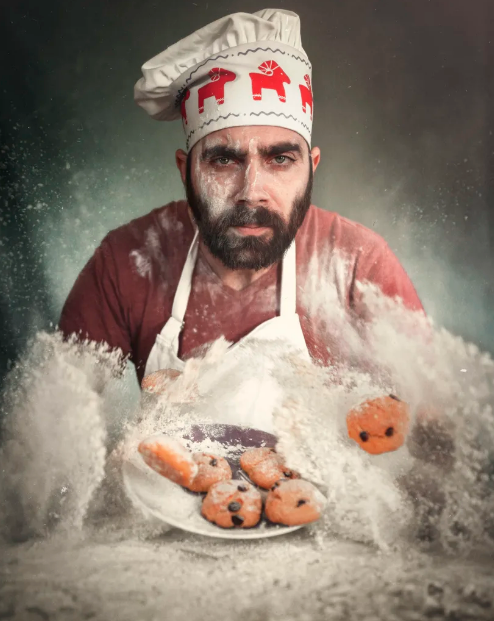
Means and effects
I used the natural light from a window close to the table, an improvised background by using a blue bed blanket which I used in the image below as well, a reflector to light the shaded part of my face (just a bit) so that any expression would be easily visible.
Behind me, I mounted a fill light to get a small contour of the head. On the table, I had a cutting board with some cookies and a lot of flour. The flour was supposed to be lifted in the air from hitting the cutting board with my palms. The cookies were mounted to the lighting fixture or ceiling with nylon thread to make them appear flying in the air.
The two ghosting silhouettes worked on both sides of me. One in the right placing some cookies into an oven pan and the one from the left, "painting" a flying cookie with a brush by using egg yolk (this idea was not implemented due to lack of space and a wider objective).
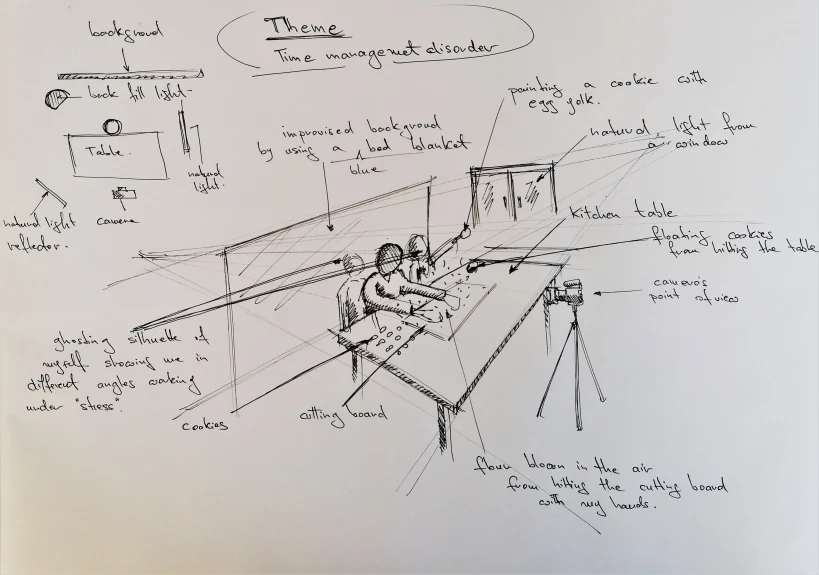
This is how we put everything in place:

And this is how I created the flour air movement:

You can see my first attempt below. These two were the favorite photos at that moment but overall, the photo shooting was a failure because I was not achieving the results I planned, the light was disappointing and my facial expression bland.
I dreamed of flying cookies and more movement and drama.
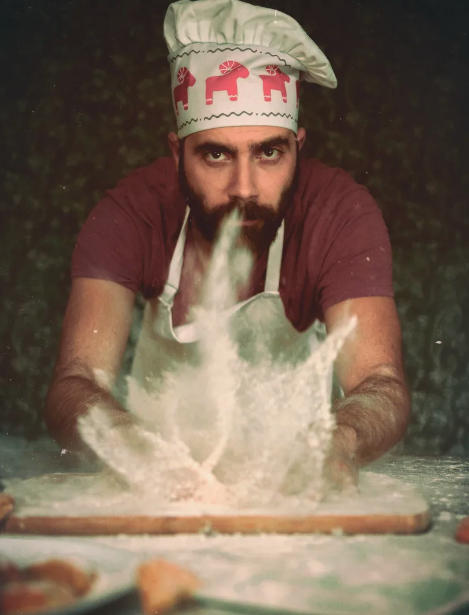

The real challenge
As you can see, there were a lot of fails as well. I had a hard time to shoot the right expression, without getting scared from hitting the table too hard:


Finally: this was the best image. Not perfect, but good enough to get the most out of it in Photoshop:
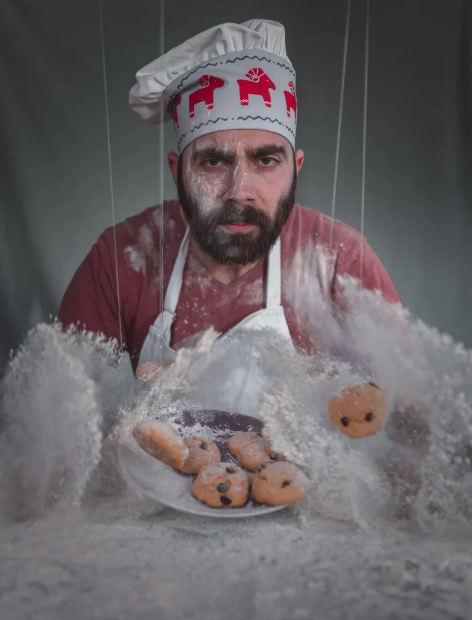
Time for edition
After some basic adjustments and color grading in Lightroom, it ended looking like this. The background was detailed later in Photoshop using some "flying" flour from another picture, by simply overlaying the image and deleting what was extra by using a layer mask. The nylon strings were deleting by selecting them with the Lasso tool and deleting them by using the content-aware fill function.

On the next step, I added some layers to manipulate the color a little more, like selective color and adding that light pop in the eyes:
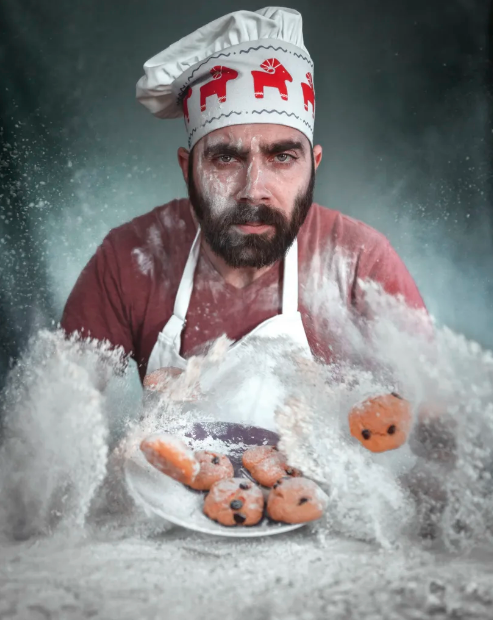
Next, I applied a texture over the entire image with a mask applied to it. I deleted the texture from my face leaving the effect to be visible only around my body:
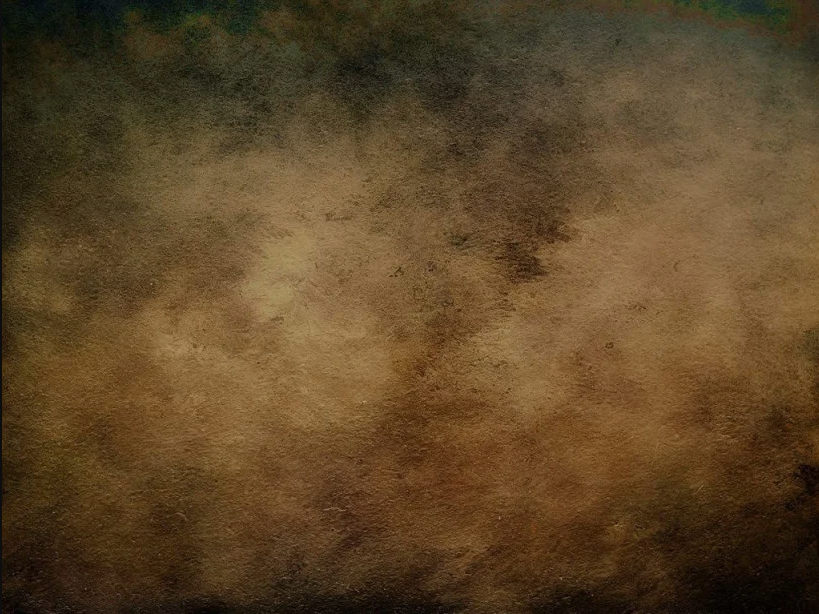

Then I applied adjustment curves to the entire image to crush the black and the highlights, a selective color pop on the hat, a vintage-style vignette and a fill light from the left side of my face.

And finally, I applied a subtle vintage-like film effect with some little white dirt specks floating around me. This is the final result:
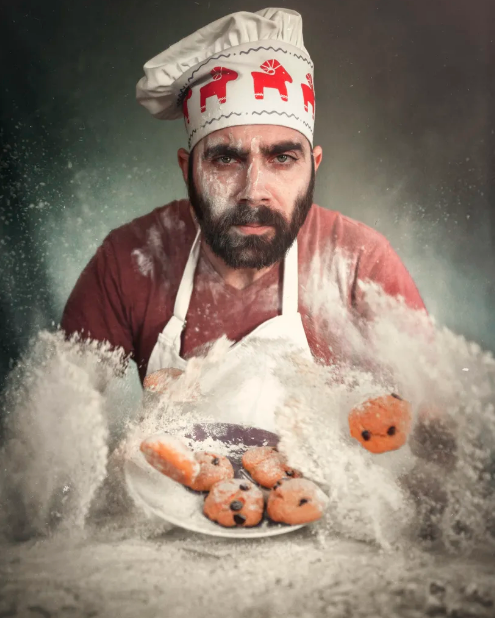
I hope you liked my project, and that this inspires you to make yours!
Article written by Dorin Olaru (@dorinolaru), photographer and editor, based on the project developed after Krishna VR's course, Conceptual Photo Self-Portrait.
Don't forget to share your projects here!
You may be interested in:
-Domestika Projects: Watercolor Portrair Notebook
-The Best Photo Editing Apps
-10 Tips for Creating a Collage


0 comments