


After Effects Tutorial: How to Create a Loop
Learn to loop an animation in After Effects with Moncho Massé
One of our favorite features from After Effects is that it enables you to create loop animations. A loop animation has no beginning nor end–it repeats itself infinitely. This makes it easy to create gifs and is a very useful tool for generating social media content.
Freelance illustrator and animator Moncho Massé will show you how to create your own loop animation in After Effects in the following video. You just need to have already designed the character that you’ll be using to create your continuous loop.
Creating a composition
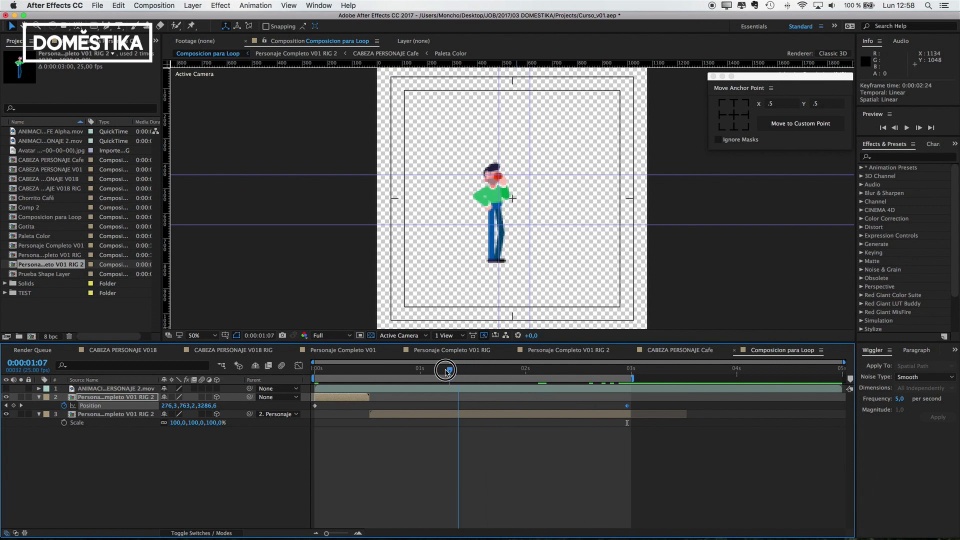
We begin by creating a composition measuring 1080x1080–this will be the final composition for our loop. We can save it as whatever we like, for example “Loop Composition”, and set the duration to five seconds–we wouldn’t want anything much longer than that for a gif.

Cover a loop with the next one
Although we are working with 2D layers in After Effects, we can position our character so that we have space we can use to give depth to our layer. The idea is that, during the loop, the character moves backwards until it is covered by the next character that appears, and this is repeated. To do this, we have to cover the end of the first loop with the beginning of the next loop. In this case, we have to cover the entire character from the first loop with the mug from the second loop.

Creating depth with the loop
For this next step, we import the character that we have already designed and activate "Toggle Switch Modes” in order to move it more easily around the image. Now, we just need to adjust its position along the timeline so it moves where we want it to: in this case, the idea is that it appears from the left side and moves towards the center of our square until it disappears and is covered by the next loop.

Easy Ease tool
If the way the character moves around the image seems too abrupt or unnatural, we can use Easy Ease to control the curve of the movement. Remember: the curve will accelerate at the beginning until it reaches the middle point, at which point it will begin to slow down. We can make changes to the curve so that the character moves at the right speed.

Freezing the last frame
Another way to change our loop’s rhythm is to take advantage of the final frame getting covered by the mug in the next loop, and freeze it so that it lasts longer. To do so, we cut the frame to separate it from the rest of the animation and we freeze it by clicking Time>Freeze Frame.

If you want to learn how to tell infinite stories through short animations with Moncho Massé, check out his online course, Animation and Design of Characters in After Effects.
If you’re looking to add depth to your animations bit by bit, without using 3D software, you should explore his online course, Animation Techniques with 3D Effects in After Effects.


0 comments