Digital Art Direction
A course by Adrián Somoza , Art Director and Interactive Designer





Learn to design a visual and interactive landing page
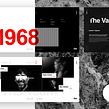

In this online course, learn to design a functional and attractive landing page to help you reinforce a message in a visual and interactive way, and prepare it for programming.
Discover the secrets to turning your career as an offline designer into a brilliant future as a digital art director alongside Adrián Somoza, a digital designer with experience in companies such as Google, Samsung, Nike, and Netflix.
What will you learn in this online course?
12 lessons & 10 downloads


- 94% positive reviews (357)
- 5,911 students
- 12 lessons (2h 2m)
- 10 additional resources (2 files)
- Online and at your own pace
- Available on the app
- Audio: Spanish, English, French, Indonesian, Italian, Portuguese, Romanian, Turkish
- Spanish · English · Portuguese · German · French · Italian · Polish · Dutch · Turkish · Romanian · Indonesian
- Level: Beginner
- Unlimited access forever
Recommended software & tools for this course
 Adobe Photoshop
 Sketch
What is this course's project?
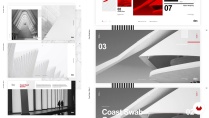
By the end of this course, you'll have all the necessary skills to plan and design a landing page based on a preexisting app—one of the most commonly required jobs in the digital design industry—as well as know how to prepare a project to deliver to the client or web developer.
Projects by course students


Who is this online course for?
Graphic designers, both professionals and students, who are looking to enter the digital world but have not yet dared to take the leap.
Requirements and materials
No development or programming knowledge is required to take this course. All you need is some basic design knowledge and access to the design software of your choice.

Reviews

Adrián Somoza
A course by Adrián Somoza
Adrián Somoza started out working as a freelance digital graphic designer for family and friends. It wasn't long however, before Aerolab came knocking on his door offering him work with startups from Silicon Valley as well as major companies in his home country of Argentina.
He later began working for R/GA, which led him to collaborate with big-name clients including Google, Samsung, Nike, and Netflix, acquiring the responsibility of impacting the lives of many with his designs.
Content
-
U1
Introduction
-
Presentation
-
Influences
-
-
U2
How to get a job
-
You already have a job
-
Work as a freelance and in an agency
-
-
U3
A project from start to finish
-
The beginning of a project
-
Creative direction: the concept
-
Art direction: graphic universe
-
Art direction: graphic system (Part I)
-
Art direction: graphic system (Part II)
-
Art direction: graphic system (Part III)
-
-
U4
The finishing touch
-
Delivery of the project
-
Show yourself to the world
-
-
FP
Final project
-
Digital art direction
-
What to expect from a Domestika course
-
Learn at your own pace
Enjoy learning from home without a set schedule and with an easy-to-follow method. You set your own pace.
-
Learn from the best professionals
Learn valuable methods and techniques explained by top experts in the creative sector.
-
Meet expert teachers
Each expert teaches what they do best, with clear guidelines, true passion, and professional insight in every lesson.
-
Certificates
PlusIf you're a Plus member, get a custom certificate signed by your teacher for every course. Share it on your portfolio, social media, or wherever you like.
-
Get front-row seats
Videos of the highest quality, so you don't miss a single detail. With unlimited access, you can watch them as many times as you need to perfect your technique.
-
Share knowledge and ideas
Ask questions, request feedback, or offer solutions. Share your learning experience with other students in the community who are as passionate about creativity as you are.
-
Connect with a global creative community
The community is home to millions of people from around the world who are curious and passionate about exploring and expressing their creativity.
-
Watch professionally produced courses
Domestika curates its teacher roster and produces every course in-house to ensure a high-quality online learning experience.
FAQs
What are Domestika's online courses?
Domestika courses are online classes that allow you to learn new skills and create incredible projects. All our courses include the opportunity to share your work with other students and/or teachers, creating an active learning community. We offer different formats:
Original Courses: Complete classes that combine videos, texts, and educational materials to complete a specific project from start to finish.
Basics Courses: Specialized training where you master specific software tools step by step.
Specialization Courses: Learning paths with various expert teachers on the same topic, perfect for becoming a specialist by learning from different approaches.
Guided Courses: Practical experiences ideal for directly acquiring specific skills.
Intensive Courses (Deep Dives): New creative processes based on artificial intelligence tools in an accessible format for in-depth and dynamic understanding.
When do the courses start and when do they finish?
All courses are 100% online, so once they're published, courses start and finish whenever you want. You set the pace of the class. You can go back to review what interests you most and skip what you already know, ask questions, answer questions, share your projects, and more.
What do Domestika's courses include?
The courses are divided into different units. Each one includes lessons, informational text, tasks, and practice exercises to help you carry out your project step by step, with additional complementary resources and downloads. You'll also have access to an exclusive forum where you can interact with the teacher and with other students, as well as share your work and your course project, creating a community around the course.
Have you been given a course?
You can redeem the course you received by accessing the redeeming page and entering your gift code.
 Adobe Photoshop
 Sketch
buen curso, recomendado
Este curso me ayudó mucho para la creación de la idea principal de una landing page. Hice el curso en un día. Más que nada buscaba darle estructura al conocimiento que ya traía. Me encantó ver la capacidad y todo el mundo del expertise del profesor en acción, es un crack en este arte. Aprendí mucho con sus sugerencias.
Me encanta! E suna entrada hacia la dirección de arte en diseño web. Me gusto mucho.
Excelente Curso, de lo mejor
Perhaps I am too demanding, but of new and noteworthy info in this entire course there were around 5 phrases, which I wrote down. 😅