


Illustrator Tutorial: How to Create a Brush for Vector Portraits
Learn how to create a brush for digital illustration with Rogério Puhl
A great set of brushes is very valuable to illustrators working with Adobe Illustrator. Each brush will have its own characteristics–thicker or finer, rounded or straight line, textured or plain effect–and these characteristics will impact your end results. Brushes are so important that many digital artist create them and then make them available for other professionals to download, either for free or for a fee.
In this tutorial, illustrator, art director and graphic designer Rogério Puhl (@rogeriopuhl) will teach you how to create your own brush set in an easy and intuitive way. Discover more in the video below:
Create a brush for vector portraits in Illustrator in four easy steps
1. Locate brushes

Select Window > Brushes. You will likely discover brushes you do not need already saved in this panel. Rogério recommends selecting them and deleting them. Drag the Brush panel to the Tools menu on the right.
Then, select the shape tool and choose an ellipse. Draw a small black circle with no outline on your blank document.
2. Convert the circle into a brush stroke

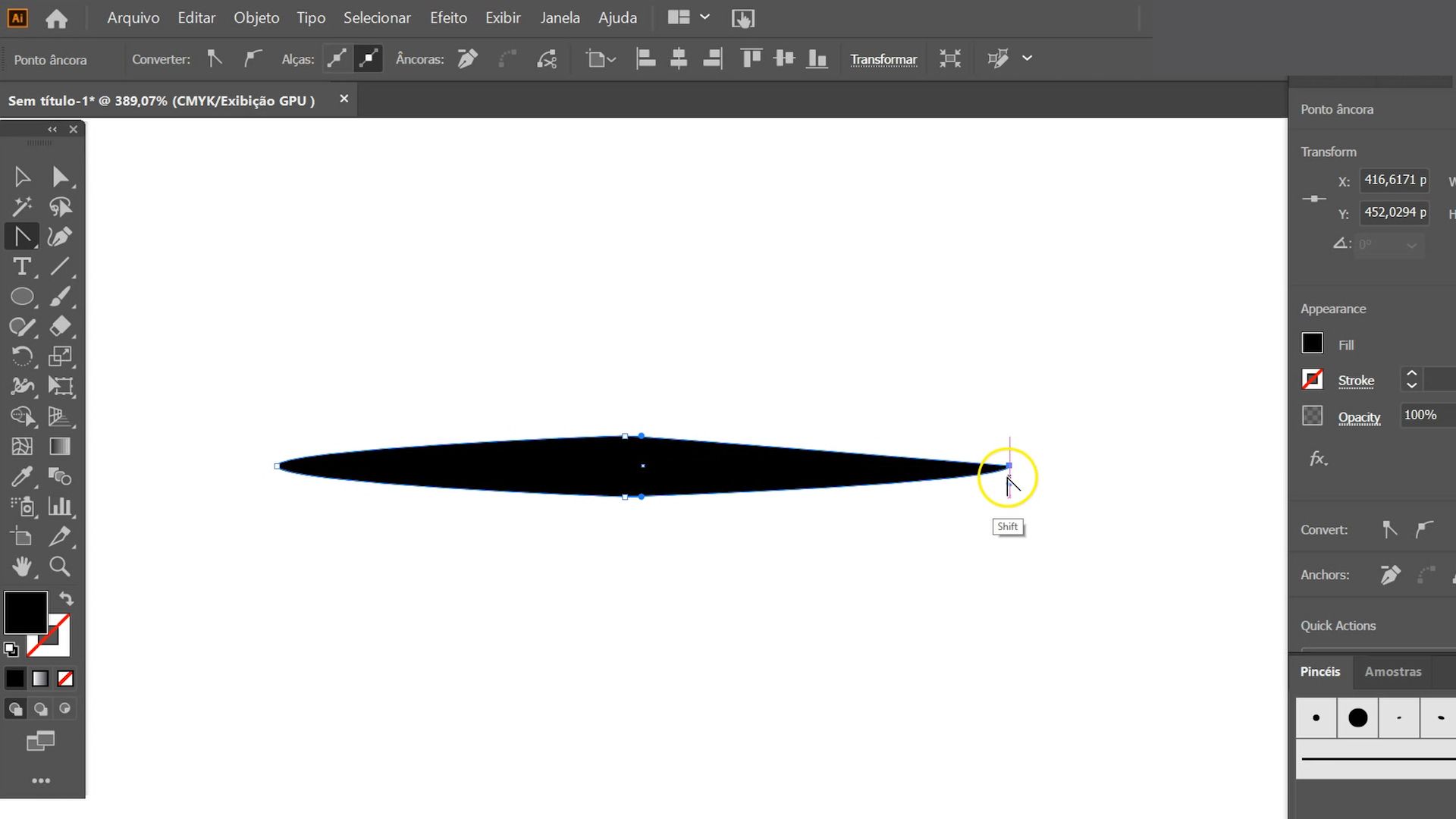
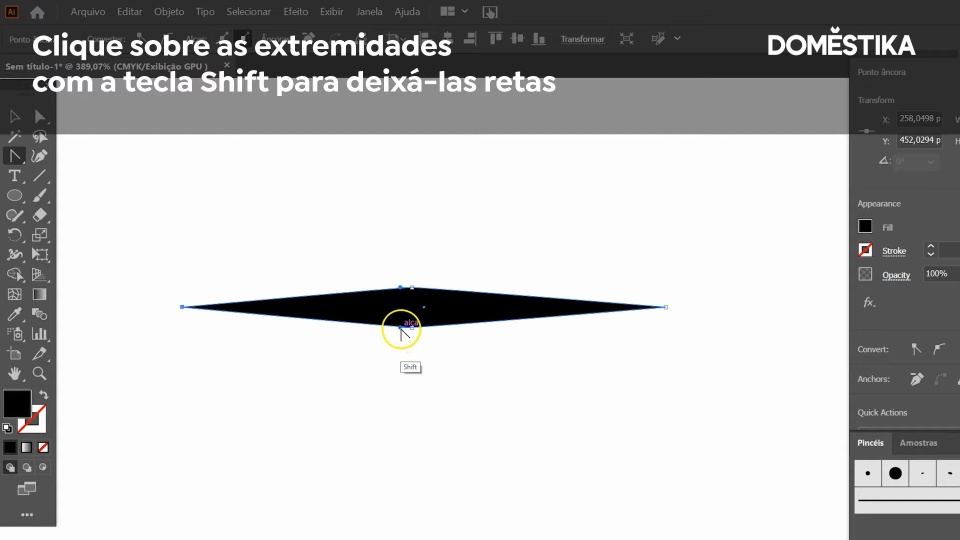
Use the command Shift + C to bring up the anchor point tool. Drag the sides of the circle to the right and left, creating a stroke.
Press Shift to polish the ends of the stroke and make them straight. Round the top and bottom points at the center of the stroke.
3. Add your new brush to your brush panel

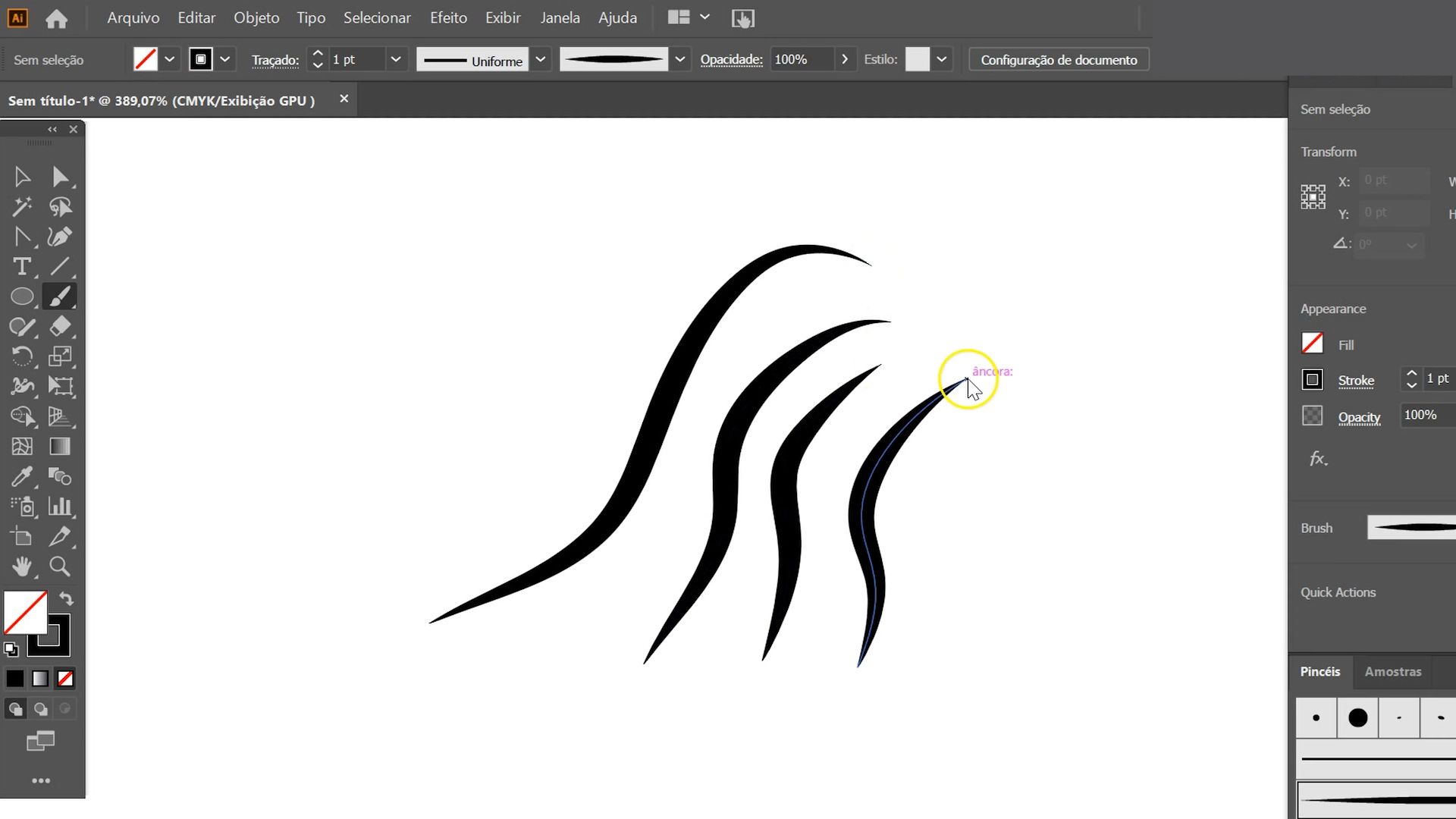
Once you created the basic form of your stroke, drag it to the brush panel, which you previously dragged to the right of your work space. A "New Brush" window will automatically open. Select "Art Brush". Name it "Main Brush".
4. Choose your settings

You have now reached the stage where you must choose the settings for your Main Brush. Rogério recommends keeping its width fixed and selecting the option "Stretch to Fit Stroke Length".
For "Method", select "Tints", which will allow you to change the color of the stroke. Voilà: you have created your first brush!
Enjoyed this tutorial? You can explore the possibilities of digital illustration with Rogério and learn to create portraits full of personality by signing up to his course, Portrait Illustration Techniques with Illustrator and Photoshop.
You may also like:
–Doodle-Style Vector Illustration, a course by Mauro Martins
–Flat Illustration with Photoshop, a course by Willian Santiago
–Dynamic Vector Illustration: Keys to Color and Composition, a course by Pietari Posts / Studio Posti


0 comments