Digital Illustration in Procreate: Detailed Compositions
Make the flat colors for each element of the illustration
A course by Bertrand Aznar, Illustrator

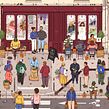

About the video: Make the flat colors for each element of the illustration
Overview
“I will teach you how to apply the basic colors of the illustration. This step is essential because these colors will then allow you to apply the different effects, details, etc. ”
In this video lesson Bertrand Aznar addresses the topic: Make the flat colors for each element of the illustration, which is part of the Domestika online course: Digital Illustration in Procreate: Detailed Compositions. Craft intricate narratives with Procreate! Create realistic outdoor scenes, fine-tune details, and elevate your digital artistry today..
Partial transcription of the video
“In this lesson. we will be able to work on the flat colors. This step is important because it will be the foundation of our work on color. So to start. i'm going back to the iPad. I open my layers and begin saving space by removing the sketches from the previous step. This helps streamline my workspace efficiently. If you want. you can always look at the last sketch. it's the most important of all. I select my two sketch layers that are no longer useful and delete them. And now. we can start working. I will take your layers and place them under the anchor layer. I rename it colors. flat. So...”
This transcript is automatically generated, so it may contain mistakes.
Course summary for: Digital Illustration in Procreate: Detailed Compositions
-
Category
Illustration -
Software
Adobe Photoshop, Procreate -
Areas
Digital Drawing, Digital Illustration, Drawing

Bertrand Aznar
A course by Bertrand Aznar
Bertrand Aznar is a digital illustrator with a passion for modern art and innovative techniques. For several years, he has specialized in creating detailed compositions that tell captivating visual stories. His expertise extends to the use of software such as Procreate and Photoshop, which he masters perfectly to bring his concepts to life. Bertrand draws his inspiration from nature, scenes of daily life and moments of contemplation, which he skillfully integrates into his illustrations.
His work is distinguished by a keen attention to detail and an ability to capture the essence of the scenes he depicts. He places great importance on visual research and careful preparation of his projects. Bertrand enthusiastically shares his creative techniques, including the use of brushes and layer optimization. He strives to encourage everyone to explore their own artistic style, emphasizing the importance of research and planning in the creative process.
- 5.0 100% positive ratings (12)
- 830 students
- 16 lessons (2h 42m)
- 14 additional resources (5 files)
- Online and at your own pace
- Available on the app
- Audio: French, English, Spanish (Latam), Indonesian, Italian, Portuguese, Romanian, Turkish
- French · Spanish · English · Portuguese · German · Italian · Polish · Dutch · Turkish · Indonesian · Romanian
- Level: Beginner
- Unlimited access forever
Recommended software & tools for this course
 Adobe Photoshop
 Procreate
Category
Areas

