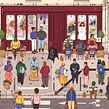
Digital Illustration in Procreate: Detailed Compositions
Prepare the Procreate file
A course by Bertrand Aznar , Illustrator


About the video: Prepare the Procreate file
Overview
“I will start by showing you how to plan and optimize the different layers of your file. Indeed, depending on the power of the iPad, the Procreate app is limited and it is important to prepare your file in advance so that it is clean and to work without worrying too much about the layers. I will also show you the different brushes that I will use to carry out this project.”
In this video lesson Bertrand Aznar addresses the topic: Prepare the Procreate file, which is part of the Domestika online course: Digital Illustration in Procreate: Detailed Compositions. Craft intricate narratives with Procreate! Create realistic outdoor scenes, fine-tune details, and elevate your digital artistry today..
Partial transcription of the video
“In this lesson. we will begin using Procreate. I'll guide you on how to effectively organize your file for optimal workflow. I just created an A3 format file on my iPad. I chose the A3 format for its large working area. which is ideal for detailed projects. Reducing the size won't compromise quality. ensuring clarity even in smaller versions. However. enlarging an A4 file to A3 results in a significant loss of resolution quality. affecting the clarity of the enlarged image. You should know that in Procreate. the number of layers is limited by the power of the iPad. I'll show you on my iPad....”
This transcript is automatically generated, so it may contain mistakes.
Course summary for: Digital Illustration in Procreate: Detailed Compositions
-
Category
Illustration -
Software
Adobe Photoshop, Procreate -
Areas
Digital Drawing, Digital Illustration, Drawing

Bertrand Aznar
A course by Bertrand Aznar
Bertrand Aznar is a digital illustrator with a passion for modern art and innovative techniques. For several years, he has specialized in creating detailed compositions that tell captivating visual stories. His expertise extends to the use of software such as Procreate and Photoshop, which he masters perfectly to bring his concepts to life. Bertrand draws his inspiration from nature, scenes of daily life and moments of contemplation, which he skillfully integrates into his illustrations.
His work is distinguished by a keen attention to detail and an ability to capture the essence of the scenes he depicts. He places great importance on visual research and careful preparation of his projects. Bertrand enthusiastically shares his creative techniques, including the use of brushes and layer optimization. He strives to encourage everyone to explore their own artistic style, emphasizing the importance of research and planning in the creative process.
- 100% positive reviews (9)
- 620 students
- 16 lessons (2h 42m)
- 14 additional resources (5 files)
- Online and at your own pace
- Available on the app
- Audio: French, English, Spanish (Latam), Indonesian, Italian, Portuguese, Romanian, Turkish
- Spanish · English · Portuguese · German · French · Italian · Polish · Dutch · Turkish · Romanian · Indonesian
- Level: Beginner
- Unlimited access forever
Recommended software & tools for this course
 Adobe Photoshop
 Procreate
Category
Areas