


Essential Keyboard Shortcuts for Ableton Live 10

Discover the basic keyboard shortcuts of one of the most popular digital audio editing programs
Ableton Live 10 is a complete digital audio editing studio. It's incredibly popular among musicians, editors, and audio professionals because not only is it an excellent tool for composing, creating masters, recording, and mixing; it also allows working with live music, both for DJ sets and instrumental music.
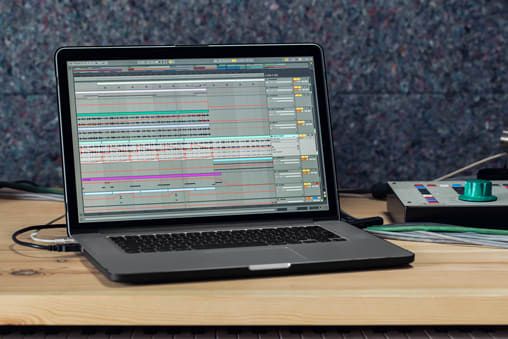
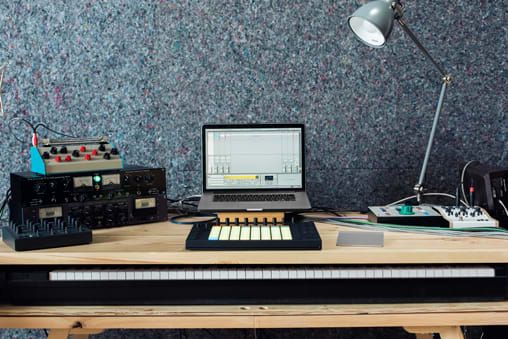
The different view modes allow you to use samples or MIDI files, control live sessions, and edit or produce music using the tools of a classic sequencer. Get to know the most used shortcuts that will allow you to improve your productivity and save time. You can download a PDF with these shortcuts at the end of this post.
Show and hide values
- Activate full screen mode: F11 / Ctrl + Cmd + F
- Activate second window: Ctrl + Shift + W / Cmd + Shift + W
- Arrangement view: space bar
- Activate Hot Swap Mode: Q
- Activate Drum Rack: D
- Show and hide information view: Shift +?
- Show and hide video window: Ctrl + Alt + V
- Show and hide search engine: Ctrl + Alt + B / Cmd + Alt + B
- Show and hide Overview: Ctrl + Alt + O / Cmd + Alt + O
- Show and hide In / Out: Ctrl + Alt + I / Cmd + Alt + I
- Show and hide Sends: Ctrl + Alt + S / Cmd + Alt + S
- Show and hide Mixer: Ctrl + Alt + M / Cmd + Alt + M
- Open preferences: Ctrl +, / Cmd +,
- Close window or dialog: Esc
Access to menus
- On Windows, use Alt + first letter of the menu (for example, Alt + F for Files or archives). Then use the arrows to navigate the menus and Enter to choose a menu item.
- On Mac use Cmd + ? to open different options. Use the arrows to navigate and Enter to choose menu items.
Search
- Go up or go down: up and down arrow keys
- Close and open folders: left and right arrow keys
- Load selected item from the search engine: Enter
Transport
- Play from marker or stop: Space bar
- Continue playback from Stop point: Shift + Space bar
- Play selection from Arrangement View: Space bar
- Record: F9
- Return to Arrangement View: F10
- Enable or disable tracks 1 to 8: F1 to F8
Edit
- Cut: Ctrl + X / [Cmd + X
- Copy: Ctrl + C / Cmd + C
- Paste: Ctrl + V / Cmd + V
- Duplicate: Ctrl + D / Cmd + D
- Delete: Delete
- Undo: Ctrl + Z / Cmd + Z
- Redo: Ctrl + Y / Cmd + Y
- Rename: Ctrl + R / Cmd + R
- Select all: Ctrl + A / Cmd + A
Session View Commands
- Launch selected clip: Enter
- Select attached clip: arrow keys
- Select all clips: Ctrl + A / [Cmd + A
- Copy clips: Ctrl + drag / Alt + drag
- Add or remove Stop button: Ctrl + E / Cmd + E
- Insert MIDI clip: Ctrl + Shift + M / Cmd + Shift + M
- Insert scene: Ctrl + I / Cmd + I
- Disable selected clip: 0 (zero)
Arrangement View Commands
- Split clip into selection: Ctrl + E / Cmd + E
- Consolidate selection in clip: Ctrl + J / Cmd + J
- Create Fade / Crossfade: Ctrl + Alt + F / Cmd + Alt + F
- Activate loop selection: Ctrl + L / Cmd + L
- Insert silence: Ctrl + I / Cmd + I
- Go left or right of the selection: Ctrl + Alt / Cmd + Alt

Track control
- Show grouped tracks: +
- Hide grouped tracks: -
- Deactivate selected track: 0 (zero)
Zoom, Display and Selections Commands
- Zoom in: +
- Zoom out: -
- Drag to a selection: Shift
Working with Sets and the Program
- New live set: Ctrl + N / Cmd + N
- Open live set: Ctrl + O / Cmd + O
- Save set: Ctrl + S / Cmd + S
- Save set as: Ctrl + Shift + S / Cmd + Shift + S
- Exit live mode: Ctrl + Q / Cmd + Q
- Export audio or video: Ctrl + Shift + R / Cmd + Shift + R
- Export MIDI file: Ctrl + Shift + E / Cmd + Shift + E
Download now a PDF with the Essential shortcuts for Ableton Live 10.
Inscrivez-vous gratuitement et téléchargez
Essential Shortcuts for Ableton Live 10.pdf


0 commentaire