Guided Project: Colorful Vector Illustration in Adobe Illustrator
A guided course by Pietari Posti / Studio Posti
, Illustrator
Illustrator.
Barcelona, Spain.
Joined April 2020
-

-
-


Joined April 2020

Master dynamic vector illustration by focusing on color, composition, and creative design with Adobe Illustrator
Joined April 2020
Explore the world of dynamic vector illustration where vibrant colors and striking compositions take center stage. You'll embark on an artistic journey using Adobe Illustrator, starting with sketching the fundamental elements and gradually integrating intricate details. Discover how simplicity in design can be achieved by mastering composition and color principles. Throughout this creative process, you'll refine your ability to observe and interpret the world around you, transforming everyday scenes into captivating visual narratives.
Dive deeper into the art of vector illustration by applying color techniques that bring your sketches to life. Learn to balance hues and contrasts, creating depth and dynamism in your artwork. This course offers a hands-on experience, encouraging experimentation with different styles and approaches to develop your unique artistic voice. By the end, you'll have a polished piece that reflects your growth as an illustrator, equipped with skills to continue crafting vibrant illustrations that captivate and inspire.
What will you learn in this online course?
6 lessons & 19 downloads

- 100% positive reviews (5)
- 413 students
- 6 lessons (1h 11m)
- 19 additional resources (8 files)
- Online and at your own pace
- Available on the app
- Audio: English, Spanish
- English · Spanish · Portuguese · German · French · Italian · Polish · Dutch · Turkish · Romanian · Indonesian
- Level: Beginner
- Unlimited access forever
Recommended software & tools for this course
 Adobe Illustrator
What is this course's project?
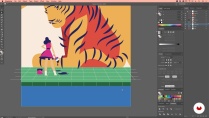
Create vibrant vector illustrations using Adobe Illustrator by drawing main elements, adding intricate details, and applying dynamic colors. Focus on mastering composition and color basics to transform sketches into cohesive, lively artworks, enhancing your creative eye and design skills.
Who is this online course for?
Aspiring illustrators, graphic designers, and creative enthusiasts keen on mastering vector art will find this course ideal. It’s perfect for those eager to enhance their skills in Adobe Illustrator, focusing on dynamic composition and vibrant color application for striking visuals.
Requirements and materials
No extensive prior knowledge is needed, just a basic understanding of Adobe Illustrator. You'll require a computer with Adobe Illustrator installed, a graphics tablet or mouse, and a keen interest in exploring vector illustration through color and composition.

Reviews

Pietari Posti / Studio Posti
A guided course by Domestika
Content
-
Guided Project: Colorful Vector Illustration in Adobe Illustrator
-
Podcast: The Art of Saying More with Less: Minimalist Vector Illustration
-
Drawing the Basic Elements 1
-
Drawing the Basic Elements 2
-
Drawing the Basic Elements 3
-
Drawing the Basic Elements 4
-
Drawing the Basic Elements 5
-
Final project
-
What to expect from a Domestika course
-
Learn at your own pace
Enjoy learning from home without a set schedule and with an easy-to-follow method. You set your own pace.
-
Learn from the best professionals
Learn valuable methods and techniques explained by top experts in the creative sector.
-
Meet expert teachers
Each expert teaches what they do best, with clear guidelines, true passion, and professional insight in every lesson.
-
Certificates
PlusIf you're a Plus member, get a custom certificate signed by your teacher for every course. Share it on your portfolio, social media, or wherever you like.
-
Get front-row seats
Videos of the highest quality, so you don't miss a single detail. With unlimited access, you can watch them as many times as you need to perfect your technique.
-
Share knowledge and ideas
Ask questions, request feedback, or offer solutions. Share your learning experience with other students in the community who are as passionate about creativity as you are.
-
Connect with a global creative community
The community is home to millions of people from around the world who are curious and passionate about exploring and expressing their creativity.
-
Watch professionally produced courses
Domestika curates its teacher roster and produces every course in-house to ensure a high-quality online learning experience.
FAQs
Yes, this course is designed for intermediate users who already have basic knowledge of Adobe Illustrator and want to refine their vector illustration skills with advanced techniques.
You will need access to Adobe Illustrator on a Mac or PC. A graphics tablet is optional but can help with freehand drawing and detailing.
You'll learn techniques for creating, editing, and organizing vector shapes, managing layers, tracing sketches, applying color, and using tools like Pathfinder, Pen Tool, and Shape Builder for professional digital illustrations.
Basic drawing skills are helpful but not required. The course guides you through tracing sketches and using reference images to develop your vector illustration skills.
The course covers grouping, naming, and organizing vector shapes and layers to make complex illustrations easier to edit and manage.
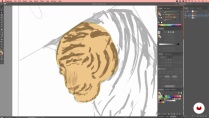
Yes, step-by-step lessons show how to trace animal shapes, refine features like tiger stripes, and use shape-building tools for detail and realism.
You'll learn how to combine, divide, and refine shapes using the Pathfinder and Shape Builder tools, essential for creating clean, complex vector art.
 Adobe Illustrator
Very good and inspiring course.
Good
Sono molto soddisfatto di questo corso, molto semplice e completo
esta genial aprender de manera rapida con este curso
Curso extraordinario.