Guided Project: Colorful Vector Illustration in Adobe Illustrator
Drawing the Basic Elements 4
A guided course by Pietari Posti / Studio Posti

Joined April 2002

Joined April 2020


About the video: Drawing the Basic Elements 4
Overview
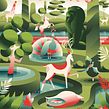
“Next, we can start to draw more details on the girl and the tiger, clothing, tiger´s face, stripes, claws, etc.”
In this video lesson Domestika addresses the topic: Drawing the Basic Elements 4, which is part of the Domestika online course: Guided Project: Colorful Vector Illustration in Adobe Illustrator. Master dynamic vector illustration by focusing on color, composition, and creative design with Adobe Illustrator.
Partial transcription of the video
“and add one stripe to the two. Okay, so now we have the tiger stripes down, we can still Go and adjust them. Now let's draw some details on the girl. Her legs could be a little bit taller, so I'll crop them. And just stretch them a little bit. Okay, let's go to draw some details on the girl. I can use the same dark color to mark the dress here. Maybe we can draw like a bell. and I also select the dress and then I go to the Shape builder. And press option. to cover up. To parts that we don't want like before. And I was thinking adding like Cheers, till the moment. For that, I'm just going to...”
This transcript is automatically generated, so it may contain mistakes.
Course summary for: Guided Project: Colorful Vector Illustration in Adobe Illustrator
-
Category
Illustration -
Software
Adobe Illustrator -
Areas
Digital Illustration, Editorial Illustration, Traditional illustration, Vector Illustration

Pietari Posti / Studio Posti
A guided course by Domestika
- 5.0 100% positive ratings (5)
- 440 students
- 6 lessons (1h 11m)
- 19 additional resources (8 files)
- Online and at your own pace
- Available on the app
- Audio: English, Spanish, French, Italian, Portuguese, Turkish
- English · Spanish · Portuguese · German · French · Italian · Polish · Dutch · Turkish · Romanian · Indonesian
- Level: Beginner
- Unlimited access forever
Recommended software & tools for this course
 Adobe Illustrator
Category
Areas