Digital Sculpture of Fantastic Creatures with ZBrush
A course by Luis Alberto Gayoso Berrospi , 3D Artist

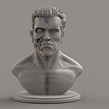
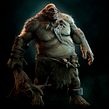
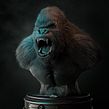

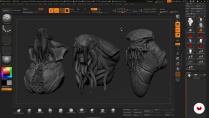
Learn alternative 3D modeling techniques and methods to create a kraken

In the world of 3D modeling, specialists give life not only to human characters and figures but also creatures straight out of a science fiction movie or video game. 3D artist Luis Gayoso specializes in the creation of fantastic characters and has a proven track record as a digital artist, and now he’s ready to help you take your first steps in digital sculpture.
In this online course, Luis shows you, first and foremost, that you don't need an expert level of ZBrush to get awe-inspiring results. Follow along as he shows you his simple methodology for designing and modeling creatures.
What will you learn in this online course?
18 lessons & 46 downloads
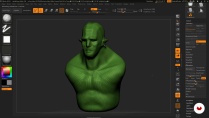
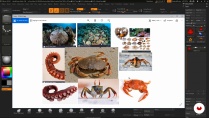
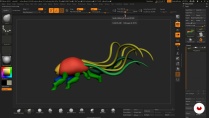
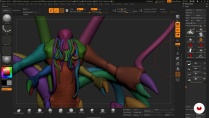
- 96% positive reviews (230)
- 7,914 students
- 18 lessons (3h 17m)
- 46 additional resources (32 files)
- Online and at your own pace
- Available on the app
- Audio: Spanish
- Spanish · English · Portuguese · German · French · Italian · Polish · Dutch
- Level: Beginner
- Unlimited access forever
Recommended software for this course
 ZBrush
What is this course's project?
Prepare a proposal for a kraken, using the one from Clash of the Titans as a starting point. After that, you can propose and structure your own fantastic creature.

Projects by course students


Who is this online course for?
Beginner and experienced modelers, illustrators, and hobbyists looking to discover alternative 3D sculpting methods and techniques.
Requirements and materials
To participate, knowledge of any basic 2D or 3D design software is required since that is what Luis uses to show you the step-by-step process for creating your creature.
In terms of materials, you need a computer with ZBrush 2018.1 (or higher) and Keyshot installed.

Reviews
Luis Alberto Gayoso Berrospi
A course by Luis Alberto Gayoso Berrospi
Luis Gayoso has extensive experience producing digital, animated, design, and illustrated content, as well as a proven track record with composition and post-production for diverse digital media, including graphic advertising, digital production for TV, animated short films, and feature films.
He has worked with different agencies, production houses, brands, and companies in the field and has served as instructor of 3D animation and visual effects at different design and digital production training institutions.
Content
-
U1
Introduction
-
Presentation
-
Influences
-
-
U2
Introduction to the ZBrush and conceptual proposal of the modeling of a kraken
-
Introduction to the ZBrush platform (part 1)
-
Introduction to the ZBrush platform (part 2)
-
Collection and registration of references for the project
-
Blocking and 3D conceptual proposal (part 1)
-
Blocking and conceptual 3D proposal (part 2)
-
-
U3
HD sculpture of the kraken
-
Modeling the head (part 1)
-
Modeling the head (part 2)
-
Torso modeling (part 1)
-
Torso modeling (part 2)
-
Modeling of the extremities
-
Modeling of secondary extremities
-
-
U4
Textures and details for a realistic finish
-
General Modeling Detail
-
Adding micro details to modeling
-
Modeling of the scenery
-
-
U5
Posing and render
-
Perched of the character
-
Lighting and render
-
-
FP
Final project
-
x Introduction to creature modeling with ZBrush
-
What to expect from a Domestika course
-
Learn at your own pace
Enjoy learning from home without a set schedule and with an easy-to-follow method. You set your own pace.
-
Learn from the best professionals
Learn valuable methods and techniques explained by top experts in the creative sector.
-
Meet expert teachers
Each expert teaches what they do best, with clear guidelines, true passion, and professional insight in every lesson.
-
Certificates
PlusIf you're a Plus member, get a custom certificate signed by your teacher for every course. Share it on your portfolio, social media, or wherever you like.
-
Get front-row seats
Videos of the highest quality, so you don't miss a single detail. With unlimited access, you can watch them as many times as you need to perfect your technique.
-
Share knowledge and ideas
Ask questions, request feedback, or offer solutions. Share your learning experience with other students in the community who are as passionate about creativity as you are.
-
Connect with a global creative community
The community is home to millions of people from around the world who are curious and passionate about exploring and expressing their creativity.
-
Watch professionally produced courses
Domestika curates its teacher roster and produces every course in-house to ensure a high-quality online learning experience.
FAQs
Domestika's courses are online classes that provide you with the tools and skills you need to complete a specific project. Every step of the project combines video lessons with complementary instructional material, so you can learn by doing. Domestika's courses also allow you to share your own projects with the teacher and with other students, creating a dynamic course community.
All courses are 100% online, so once they're published, courses start and finish whenever you want. You set the pace of the class. You can go back to review what interests you most and skip what you already know, ask questions, answer questions, share your projects, and more.
The courses are divided into different units. Each one includes lessons, informational text, tasks, and practice exercises to help you carry out your project step by step, with additional complementary resources and downloads. You'll also have access to an exclusive forum where you can interact with the teacher and with other students, as well as share your work and your course project, creating a community around the course.
You can redeem the course you received by accessing the redeeming page and entering your gift code.
 ZBrush

luzziwaltergabriel
Excelente curso una maravilla para quien este iniciando en el software, lo recomiendo
View translation
Hide translation
abu962020
This course is absolutely stunning — incredibly detailed and creative in exploring the complex features of ZBrush. ⭐⭐⭐⭐⭐
anthonyaltamiranohinojosa
En muy poco tiempo te enseñan mucho.
View translation
Hide translation
sebastian_lopez_90
Excelente el curso. me sirvió bastante.
View translation
Hide translation
schgallery23
Excelente curso, estoy emocionada por seguir aprendiendo.
View translation
Hide translation