Illustration with Procreate: Draw Extraordinary Scenes
A course by Óscar Lloréns , Illustrator

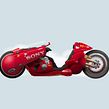
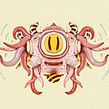


Learn to illustrate creative compositions from scratch and achieve professional results using simple techniques

Transform any idea that crosses your mind into a creative illustration. Using his own surreal narrative style, illustrator and designer Óscar Lloréns blurs the lines between reality and fantasy to create impossible compositions.
In this course, learn how to create incredible illustrations by combining unbelievable situations in Procreate. And if you'd like to dive deeper into the world of illustration, take a look at Óscar's other courses: Express Illustration with Illustrator and Photoshop, Express Illustration for Press with Photoshop, Digital Illustration with Procreate, and Illustration Techniques and Styles with Procreate.
What will you learn in this online course?
16 lessons & 17 downloads
- 98% positive reviews (83)
- 3,003 students
- 16 lessons (3h 4m)
- 17 additional resources (3 files)
- Online and at your own pace
- Available on the app
- Audio: Spanish
- Spanish · English · Portuguese · German · French · Italian · Polish · Dutch · Turkish · Romanian · Indonesian
- Level: Beginner
- Unlimited access forever
Recommended software & tools for this course
 Procreate
What is this course's project?
Create a digital composition in Procreate by mixing two unreal situations.

Projects by course students


Who is this online course for?
To all those who want to learn to translate their creative ideas into an illustration using a simple technique, but with professional results.
Requirements and materials
To take this course, no previous knowledge is necessary, neither of drawing nor of Procreate.
As for materials, you will only need an iPad with the application installed and, if possible, the Apple Pencil.

Reviews

Óscar Lloréns
A course by Óscar Lloréns
Óscar Lloréns is an illustrator and designer. Over the course of his nearly two-decade career, he has worked for leading advertising agencies in Spain, the United States, Canada, France, and the United Kingdom.
His illustrations have been the driving force behind major campaigns for big-name brands, including Coca-Cola, Fiat, Red Bull, Vodafone, Movistar, and Cepsa, and have covered the pages of newspapers and magazines such as El País Semanal and Vanity Fair. His crowded illustrations have also been seen by millions of viewers as the backdrop in the confession room on the TV show Gran Hermano.
Content
-
U1
Introduction
-
Presentation
-
Influences
-
-
U2
Knowing Procreate
-
Procreate interface and overview
-
Drawing and Sketch Brushes
-
Lights and shadows
-
-
U3
Fantastic illustration
-
Navadijos project
-
Scene preparation
-
-
U4
Our illustration
-
Sketch 1
-
Sketch 2
-
Color: brushes and application 1
-
Color: brushes and application 2
-
Color: light and shadow 1
-
Color: light and shadow 2
-
Review of pencil drawing 1
-
Pencil Drawing Review 2
-
Final adjustments, color and texture correction
-
-
FP
Final project
-
Creative illustration in Procreate
-
What to expect from a Domestika course
-
Learn at your own pace
Enjoy learning from home without a set schedule and with an easy-to-follow method. You set your own pace.
-
Learn from the best professionals
Learn valuable methods and techniques explained by top experts in the creative sector.
-
Meet expert teachers
Each expert teaches what they do best, with clear guidelines, true passion, and professional insight in every lesson.
-
Certificates
PlusIf you're a Plus member, get a custom certificate signed by your teacher for every course. Share it on your portfolio, social media, or wherever you like.
-
Get front-row seats
Videos of the highest quality, so you don't miss a single detail. With unlimited access, you can watch them as many times as you need to perfect your technique.
-
Share knowledge and ideas
Ask questions, request feedback, or offer solutions. Share your learning experience with other students in the community who are as passionate about creativity as you are.
-
Connect with a global creative community
The community is home to millions of people from around the world who are curious and passionate about exploring and expressing their creativity.
-
Watch professionally produced courses
Domestika curates its teacher roster and produces every course in-house to ensure a high-quality online learning experience.
FAQs
Domestika courses are online classes that allow you to learn new skills and create incredible projects. All our courses include the opportunity to share your work with other students and/or teachers, creating an active learning community. We offer different formats:
Original Courses: Complete classes that combine videos, texts, and educational materials to complete a specific project from start to finish.
Basics Courses: Specialized training where you master specific software tools step by step.
Specialization Courses: Learning paths with various expert teachers on the same topic, perfect for becoming a specialist by learning from different approaches.
Guided Courses: Practical experiences ideal for directly acquiring specific skills.
Intensive Courses (Deep Dives): New creative processes based on artificial intelligence tools in an accessible format for in-depth and dynamic understanding.
All courses are 100% online, so once they're published, courses start and finish whenever you want. You set the pace of the class. You can go back to review what interests you most and skip what you already know, ask questions, answer questions, share your projects, and more.
The courses are divided into different units. Each one includes lessons, informational text, tasks, and practice exercises to help you carry out your project step by step, with additional complementary resources and downloads. You'll also have access to an exclusive forum where you can interact with the teacher and with other students, as well as share your work and your course project, creating a community around the course.
You can redeem the course you received by accessing the redeeming page and entering your gift code.
 Procreate
buenncurso y todo muy bien explicado
Muy bueno, me gustó el curso. Ahora a ponerlo en práctica.
This is a great course that shows you how to use Procreate to make a stunning illustration. You're shown step-by-step instructions and no detail is overlooked. Thoroughly enjoyed this class and it's packed with valuable information.
excelente course muy interesante el proceso
Excelent course, it was a great decision.