




Course summary
- 8 courses (64 lessons)
- 118 downloads (92 files)
- 1 exercise
-
 Adobe Photoshop
-
Course 1: Basic Principles
-
U1: Welcome
-
U2: What is Matte Painting?
-
U3: My first file
-
U4: preferences
-
U5: Workspace and navigation
-
U6: The toolbar
-
U7: Keyboard shortcuts: what are they and how to create them
-
U8: Practice
-
-
Course 2: Let’s Paint! Get to Grips with the Brushes
-
U1: Brush: the quintessential tool
-
U2: Color: how to create and apply it
-
U3: Let's play with the brushes
-
U4: Gradient tool
-
U5: The amazing mixer brush
-
U6: Practice: let's use the brushes and the gradient
-
-
Course 3: Understanding Layers
-
U1: The layers panel
-
U2: Layer types
-
U3: Clipping masks
-
U4: Blending modes
-
U5: Smart objects
-
U6: Practice: let's do a still life
-
-
Course 4: Mastering Color
-
U1: Color modes
-
U2: Color settings
-
U3: Curves and levels
-
U4: Tone and saturation
-
U5: Color looks
-
U6: Practice: apply color adjustments
-
-
Course 5: Selections, Masks, and Channels
-
U1: Basic selection tools
-
U2: Automatic selections
-
U3: Pen tool
-
U4: The secret is in the masks
-
U5: Let's paint with selections: quick "Q" masks
-
U6: Channel masks
-
U7: Create masks using layers
-
U8: Practice: let's make a photocomposition
-
-
Course 6: Adapting the image to your needs
-
U1: Basic transformations
-
U2: Free position deformation
-
U3: Perspective warp
-
U4: Delete unwanted items
-
U5: Liquefy filter
-
U6: Filter displace
-
U7: Practice: use the distortion tools
-
-
Course 7: Composition and Perspective
-
U1: Composition techniques
-
U2: Importance of perspective
-
U3: Atmospheric perspective
-
U4: Conical perspective
-
U5: Lights and shadows
-
U6: Shades: artificial light and natural light
-
U7: Filters: lens blur and field blur
-
U8: Solar lighting creation
-
U9: Practice: create a cube using perspectives and textures
-
-
Course 8: Basic Workflow
-
U1: Defining the composition
-
U2: Let's look for images
-
U3: Let's build our scene
-
U4: Color and lighting
-
U5: Paying attention to details
-
U6: Color look
-
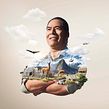
David Vega Palacios
By David Vega Palacios
Teacher
Plus
Graphic Designer
Peruvian-born David Vega is passionate about the entire creative and transformational process of a photo-compositional project. Founder of MIDAS studio, he dedicates his time to creating impossible images in a fast-paced, constantly evolving environment.
He has collaborated with brands like Toyota, Movistar, Mitsubishi, Nissan, Coca-Cola, Scotiabank, UPC, Oreo, Backus, Renault, Cartavio, Honda, Ford, and many other brands and advertising agencies. In 2019, he made the “200 Best Digital Artists” list from Lürzer’s Archive.
- 99% positive reviews (774)
- 20,917 students
- 64 lessons (14h 26m)
- 8 courses
- 118 downloads (92 files)
- Online and at your own pace
- Available on the app
- Audio: Spanish, English, French, Italian, Portuguese, Turkish
- Spanish · English · Portuguese · German · French · Italian · Polish · Dutch · Turkish · Romanian · Indonesian
- Level: Beginner
- Unlimited access forever
Recommended software & tools for this course
 Adobe Photoshop
Category
Areas
 Adobe Photoshop