
My project for course: Atmospheric Scenes in Procreate: Paint with Color and Light
My project for course: Atmospheric Scenes in Procreate: Paint with Color and Light
di Joshua Valbuena @joshuavalilalure
- 114
- 3
- 1
Hi! First of all, I genuinely enjoyed this course. It felt like doing homework I actually liked doing! Above all, I really feel like I've learned a few new tricks that will help me massively improve my digital illustration skills. One of these things, and probably the biggest, is learning to work with values from the start. This is something I've never even considered doing. The second is thumbnailing to compose. The combination of these last two techniques feels like a paradigm shift in my art-making journey.
Anyways, here is my final project in steps.
First, I thought about what I wanted to paint. Here, I did take a lazy shortcut. I skipped the mind map step as I am an extremely impatient person and the mere introduction of the other steps to my process already felt like an enormous effort. I never think too much about what I want to paint before my pencil hits the screen.
I knew that what I wanted to paint was going to have vibrant colors and a mysterious nighttime atmosphere (which later changed to a cozy and warm atmosphere, I'll explain). Next, keeping Ramona's lotus plant illustration in mind, I picked a plant that also behaves dynamically in interesting lighting scenarios. So, I picked a cactus in the desert with a cat (cats are very aesthetically pleasing to me) as my subject.
REFERENCES
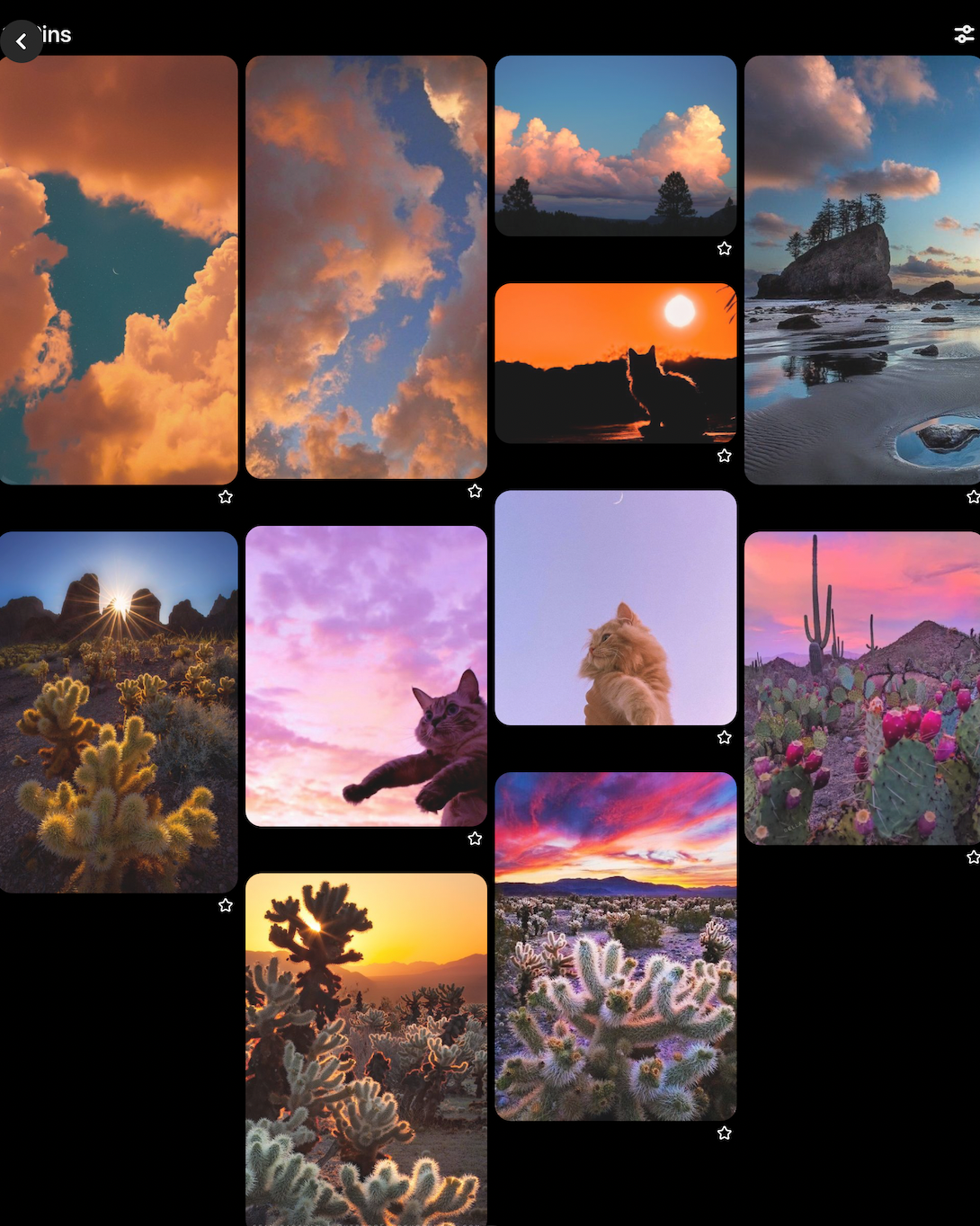
So, I looked up references (which I barely do, but now I will do any time I can because of the results of this project). Of cacti, of cats during sunset, and of skies with pretty clouds.
Image 1.
THUMBNAIL
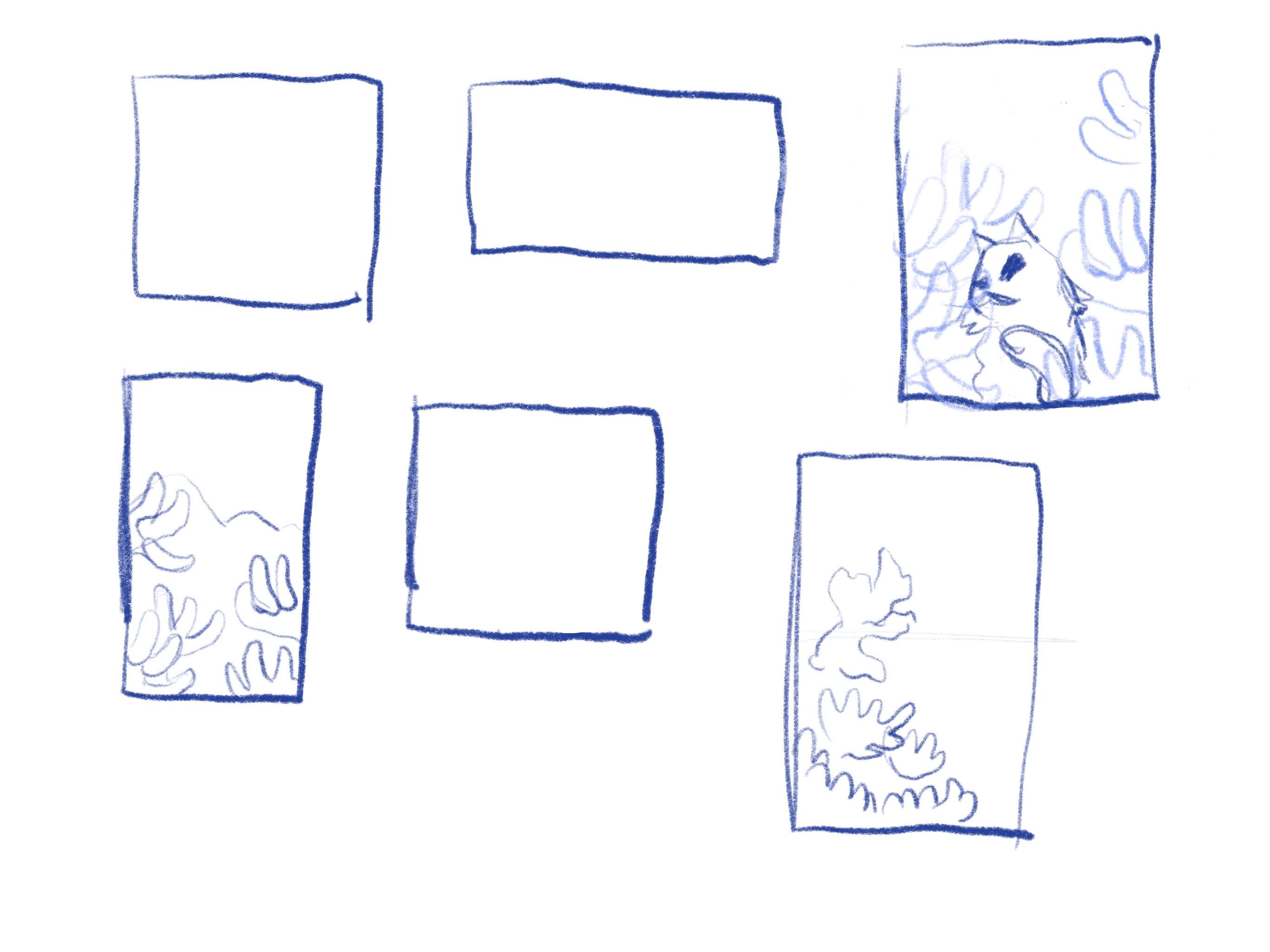
Next, I drew random rectangles and filled them with cactus plants and the cat. I picked on and refined it.
Image 2.
SKETCH
Next, I made a sketch based on my chosen thumbnail adding more detail and a moon to the composition.
Image 3.
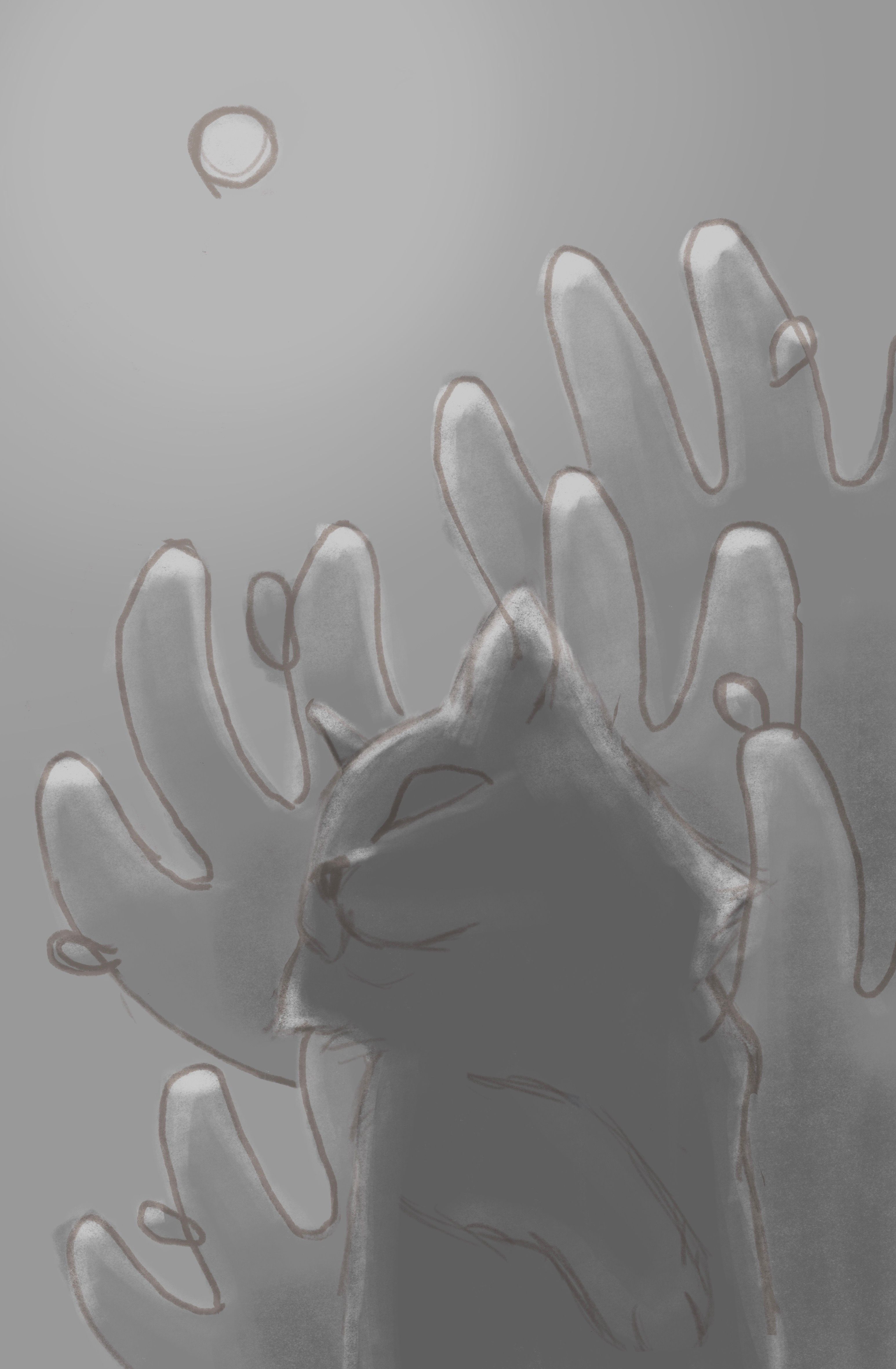
VALUE STRUCTURE
Here, I filled the values for all elements in the piece. I did experiment with different value scenarios because at this point I had a pretty solid idea of what the painting was going to end up looking like.
Image 4.
SHADING
In this step, I added light (the moon) and its reflection to all elements.
Image 5.
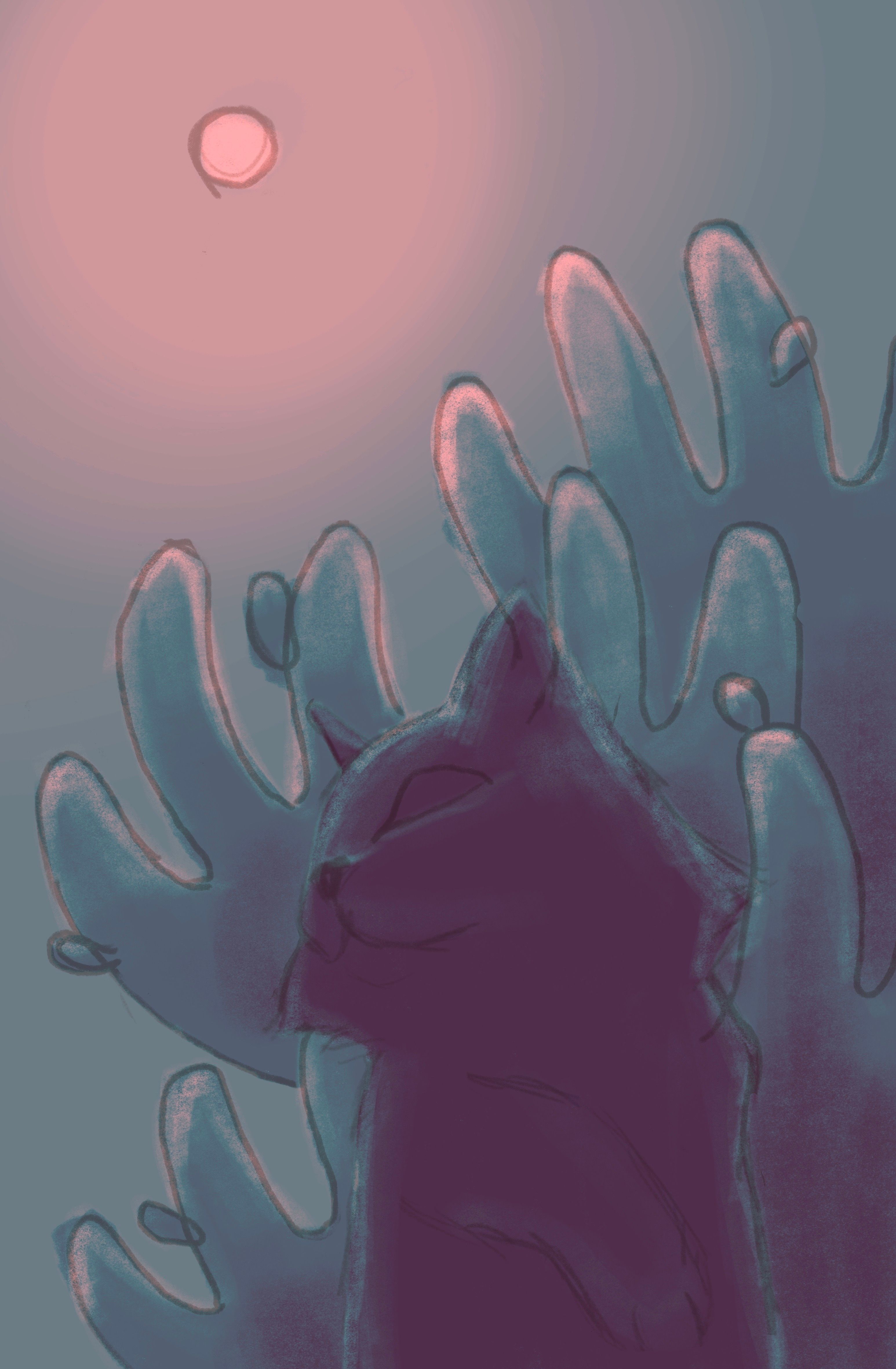
COLOR SCHEME
After filling in the shading, I lazily used Procreate's Gradient Map feature to settle for the initial color scheme.
Image 6.
PAINTING (FINALLY, JESUS)
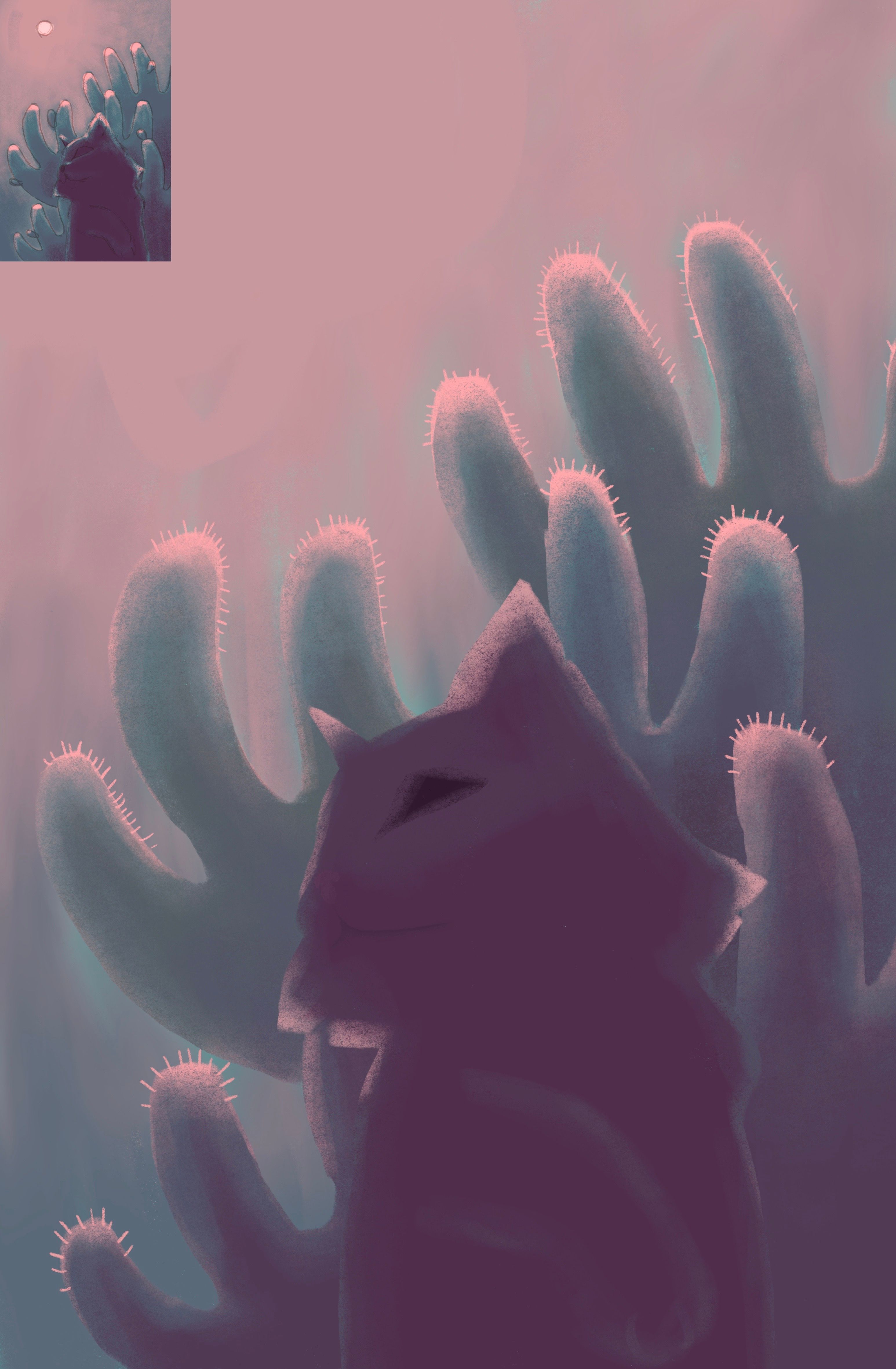
Ok, introducing another new technique to me that I would've never considered in a million years, I flicked the current image I had already worked so hard on into the corner of the canvas and started painting! During this process, I was having trouble with the lighting and value of the subject. I felt like, under the moonlight, the cat would not have enough clarity and would be too dark so I replaced this scenario with sunset so that more light would come from the sides. Here, I looked up references of clouds during sunset and continued.
Image 7.
FINISHING TOUCHES
Finally, I added some finishing details to my painting which included some lighting, edge softening, and color balancing.
Image 8.



1 commento
Grazie per aver spiegato il tuo processo in modo così dettagliato. È stato molto interessante e divertente da leggere. Non preoccuparti se ritieni che alcuni passaggi non siano piacevoli per te. Probabilmente non l'ho detto abbastanza chiaramente durante le lezioni, ma sentiti libero di saltare e modificare i passaggi quando non funzionano per te. Si tratta di scegliere ciò che funziona e saltare ciò che non funziona in modo da poter trovare il proprio processo. Mi piace molto il risultato che hai ottenuto e le modifiche che hai apportato per arrivarci. L'atmosfera e la composizione sono davvero accattivanti. Ben fatto!
Grazie per aver seguito il corso e per aver caricato qui il tuo progetto finale! <3
Accedi o iscriviti gratuitamente per commentare