Guided Course: Written stories to Creative Illustrations with Photoshop
A guided course by Marcos Chin , Illustrator

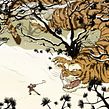

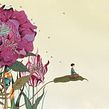

Transform written stories into creative illustrations using composition, color, and textures with a mix of analog and digital techniques.
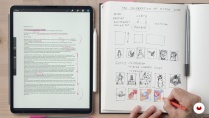
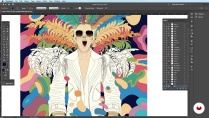
Transform a brief text, such as a poem, song, or article, into a vivid and expressive illustration with this guided project. Begin by visually interpreting the text and generating quick sketches to explore various ideas. Progress by developing the strongest sketch into a detailed and well-defined drawing, paying special attention to composition and color.
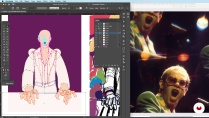
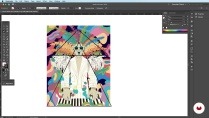
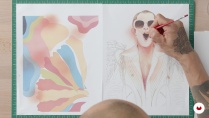
Personalize your artwork by manually adding textures to printed versions of your drawing, bridging the gap between digital and analog techniques. Use Photoshop to overlay these textures, enriching your illustration with depth and character. Adjust colors, textures, and effects to reflect your unique style, achieving a cohesive final piece. Upon completion, you'll have navigated every step of the creative process, from concept to digital finish, blending your personal touch with a solid focus on composition and color.
What will you learn in this online course?
12 lessons & 6 downloads

- 19 students
- 12 lessons (2h 17m)
- 6 additional resources (2 files)
- Online and at your own pace
- Available on the app
- Audio: English, Spanish
- English · Spanish · Portuguese · German · French · Italian · Polish · Dutch · Turkish
- Level: Beginner
- Unlimited access forever
Recommended software & tools for this course
 Adobe Photoshop
What is this course's project?
Transform a short text into a vibrant illustration by interpreting and visualizing themes, creating detailed sketches, and refining compositions. Add personal textures manually, integrate them digitally with Photoshop, and adjust colors to complete a cohesive artwork.
Who is this online course for?
Creative individuals eager to explore the fusion of analog and digital illustration techniques will thrive here. Ideal for artists seeking to transform texts into vibrant visual stories, enhancing their skills in composition, color, and texture while infusing personal style.
Requirements and materials
No extensive prior knowledge is needed. Basic necessities include a short text for interpretation, sketching materials like pencils and paper, and access to Photoshop for digital work. A curious mindset and willingness to explore creative techniques enhance the experience.


Marcos Chin
A guided course by Marcos Chin
Marcos Chin is an award-winning illustrator whose work has appeared on surface and wall designs, on book and CD covers, advertisements, fashion catalogs, and magazines. He has worked with companies such as MTA Arts for Transit, Neiman Marcus, Fiat, Budweiser, Time, Rolling Stone Magazine, The New Yorker, GQ, Sports Illustrated, and The New York Times.
Marcos has given lectures and workshops throughout the US and abroad. He currently lives in New York, where he teaches Illustration at the School of Visual Arts.
Content
-
U1
Turn a Text into a Creative Illustration
-
Podcast: When Words Become Images: The History of Literary Illustration
-
Interpreting and Depicting Your Text
-
Brainstorm: The Thumbnail Stage
-
Refining Your Sketch
-
Creating the Final Drawing
-
Creating the Final Drawing - Part 2
-
Evaluating and Refining Your Final Drawing
-
Where Digital Meets Analog: Painting on Your Prints
-
Creating Your Own Textures: Show Your Personality
-
Putting It All Together
-
Applying Your Textures Using Photoshop
-
On Creativity
-
-
FP
Final project
-
Guided Course: Turn a Text into a Creative Illustration
-
What to expect from a Domestika course
-
Learn at your own pace
Enjoy learning from home without a set schedule and with an easy-to-follow method. You set your own pace.
-
Learn from the best professionals
Learn valuable methods and techniques explained by top experts in the creative sector.
-
Meet expert teachers
Each expert teaches what they do best, with clear guidelines, true passion, and professional insight in every lesson.
-
Certificates
PlusIf you're a Plus member, get a custom certificate signed by your teacher for every course. Share it on your portfolio, social media, or wherever you like.
-
Get front-row seats
Videos of the highest quality, so you don't miss a single detail. With unlimited access, you can watch them as many times as you need to perfect your technique.
-
Share knowledge and ideas
Ask questions, request feedback, or offer solutions. Share your learning experience with other students in the community who are as passionate about creativity as you are.
-
Connect with a global creative community
The community is home to millions of people from around the world who are curious and passionate about exploring and expressing their creativity.
-
Watch professionally produced courses
Domestika curates its teacher roster and produces every course in-house to ensure a high-quality online learning experience.
FAQs
What are Domestika's online courses?
Domestika courses are online classes that allow you to learn new skills and create incredible projects. All our courses include the opportunity to share your work with other students and/or teachers, creating an active learning community. We offer different formats:
Original Courses: Complete classes that combine videos, texts, and educational materials to complete a specific project from start to finish.
Basics Courses: Specialized training where you master specific software tools step by step.
Specialization Courses: Learning paths with various expert teachers on the same topic, perfect for becoming a specialist by learning from different approaches.
Guided Courses: Practical experiences ideal for directly acquiring specific skills.
Intensive Courses (Deep Dives): New creative processes based on artificial intelligence tools in an accessible format for in-depth and dynamic understanding.
When do the guided courses start and when do they finish?
All guided courses are 100% online, so once they're published, guided courses start and finish whenever you want. You set the pace of the class. You can go back to review what interests you most and skip what you already know, ask questions, answer questions, share your projects, and more.
What do Domestika's guided courses include?
The guided courses are divided into different modules. Each one includes lessons, informational text, tasks, and practice exercises to help you carry out your project step by step, with additional complementary resources and downloads. You'll also have access to an exclusive forum where you can interact with other students, as well as share your work and your final project, creating a community around the guided courses.
Have you been given a guided courses?
You can redeem the guided courses you received by accessing the redeeming page and entering your gift code.
 Adobe Photoshop