Guided Course: Create Traditional Style Digital Portraits in Photoshop
Establishing the Values
A guided course by Daniel Ibanez

Joined April 2002

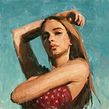

About the video: Establishing the Values
Overview
“Time to begin adding value. The shapes of light and dark make the painting come to life. ”
In this video lesson Domestika addresses the topic: Establishing the Values, which is part of the Domestika online course: Guided Course: Create Traditional Style Digital Portraits in Photoshop. Create expressive digital paintings in Photoshop using traditional art techniques for unique handmade-style artworks.
Partial transcription of the video
“ Establishing the Values In the previous lesson, we used lines to find big shapes. In this lesson, we'll use value to do the same. Finding the planes of light and dark to help us understand light direction and form. Let's get to it. Now, we're onto step two. I'll create a new layer. I'll use a mixture of different brushes. I'll start with the Canvas Grunge brush and make it as big as I can tolerate. This next section is called establishing the values. We have two options. We can either use the Alt key to color sample and get the exact color there or choose our colors using the Color window...”
This transcript is automatically generated, so it may contain mistakes.
Course summary for: Guided Course: Create Traditional Style Digital Portraits in Photoshop
-
Category
Illustration -
Software
Adobe Photoshop -
Areas
Digital Illustration, Digital Painting, Traditional illustration

Daniel Ibanez
A guided course by Domestika
- 100% positive reviews (2)
- 295 students
- 6 lessons (1h 12m)
- 20 additional resources (9 files)
- Online and at your own pace
- Available on the app
- Audio: English
- Spanish · English · Portuguese · German · French · Italian · Polish · Dutch · Turkish · Romanian · Indonesian
- Level: Beginner
- Unlimited access forever
Recommended software & tools for this course
 Adobe Photoshop
Category
Areas