Guided Course: Create Traditional Style Digital Portraits in Photoshop
A guided course by Daniel Ibanez , Fine Artist and Illustrator

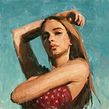
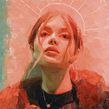

Create expressive digital paintings in Photoshop using traditional art techniques for unique handmade-style artworks
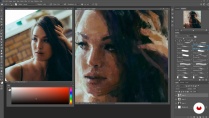
Discover the artistry of creating digital portraits with a traditional flair using Photoshop. Learn to seamlessly blend traditional painting techniques with digital tools to produce expressive artwork that mimics the charm and depth of handmade pieces. Begin by mastering warm-up exercises that set the foundation for your creative journey. Progress to capturing the essence of a portrait, focusing on big shapes to establish composition and form. Explore the intricacies of establishing values, ensuring your artwork captures the right balance and contrast to bring your subject to life.
Dive deeper into the details that define a portrait, honing in on the eyes, nose, and mouth to give your artwork character and emotion. The journey doesn't end there; refine your piece further, adding layers of detail and texture to achieve a polished, professional result. This guided project not only enhances your digital painting skills but also serves as a unique way to connect with your creative self and the world around you. Embrace this opportunity to expand your artistic repertoire and transform your digital canvas into a masterpiece that feels truly personal and handcrafted.
What will you learn in this online course?
6 lessons & 20 downloads
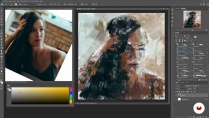
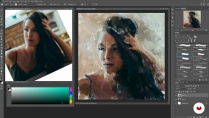

- 100% positive reviews (2)
- 295 students
- 6 lessons (1h 12m)
- 20 additional resources (9 files)
- Online and at your own pace
- Available on the app
- Audio: English
- Spanish · English · Portuguese · German · French · Italian · Polish · Dutch · Turkish · Romanian · Indonesian
- Level: Beginner
- Unlimited access forever
Recommended software & tools for this course
 Adobe Photoshop
What is this course's project?
Create digital paintings in Photoshop that mimic traditional styles, exploring techniques to develop expressive portraits. Master big shapes, establish values, and refine facial features. Achieve a hand-made feel while connecting creatively with the world around you.
Who is this online course for?
Aspiring digital artists, graphic designers, and creative enthusiasts eager to explore traditional painting techniques in a digital environment will find this course beneficial. Ideal for those looking to enhance their artistic skills and achieve a handcrafted look using Photoshop.
Requirements and materials
A basic understanding of Photoshop is helpful, while having access to a computer and a digital pen tablet is essential. No extensive prior knowledge is needed. A willingness to explore digital art and experiment with traditional painting concepts digitally will enhance your experience.

Reviews

Daniel Ibanez
A guided course by Domestika
Content
-
Guided Course: Create Traditional Style Digital Portraits in Photoshop
-
Warm Up Exercises
-
Start with Big Shapes
-
Establishing the Values
-
Eyes, Nose and Mouth
-
Refinement and More Refinements
-
Podcast: Traditional Painting with Analog Style in Photoshop
-
Final project
-
What to expect from a Domestika course
-
Learn at your own pace
Enjoy learning from home without a set schedule and with an easy-to-follow method. You set your own pace.
-
Learn from the best professionals
Learn valuable methods and techniques explained by top experts in the creative sector.
-
Meet expert teachers
Each expert teaches what they do best, with clear guidelines, true passion, and professional insight in every lesson.
-
Certificates
PlusIf you're a Plus member, get a custom certificate signed by your teacher for every course. Share it on your portfolio, social media, or wherever you like.
-
Get front-row seats
Videos of the highest quality, so you don't miss a single detail. With unlimited access, you can watch them as many times as you need to perfect your technique.
-
Share knowledge and ideas
Ask questions, request feedback, or offer solutions. Share your learning experience with other students in the community who are as passionate about creativity as you are.
-
Connect with a global creative community
The community is home to millions of people from around the world who are curious and passionate about exploring and expressing their creativity.
-
Watch professionally produced courses
Domestika curates its teacher roster and produces every course in-house to ensure a high-quality online learning experience.
FAQs
What are Domestika's online courses?
Domestika courses are online classes that allow you to learn new skills and create incredible projects. All our courses include the opportunity to share your work with other students and/or teachers, creating an active learning community. We offer different formats:
Original Courses: Complete classes that combine videos, texts, and educational materials to complete a specific project from start to finish.
Basics Courses: Specialized training where you master specific software tools step by step.
Specialization Courses: Learning paths with various expert teachers on the same topic, perfect for becoming a specialist by learning from different approaches.
Guided Courses: Practical experiences ideal for directly acquiring specific skills.
Intensive Courses (Deep Dives): New creative processes based on artificial intelligence tools in an accessible format for in-depth and dynamic understanding.
When do the guided courses start and when do they finish?
All guided courses are 100% online, so once they're published, guided courses start and finish whenever you want. You set the pace of the class. You can go back to review what interests you most and skip what you already know, ask questions, answer questions, share your projects, and more.
What do Domestika's guided courses include?
The guided courses are divided into different modules. Each one includes lessons, informational text, tasks, and practice exercises to help you carry out your project step by step, with additional complementary resources and downloads. You'll also have access to an exclusive forum where you can interact with other students, as well as share your work and your final project, creating a community around the guided courses.
Have you been given a guided courses?
You can redeem the guided courses you received by accessing the redeeming page and entering your gift code.
 Adobe Photoshop
Muy ameno y divertido, además de aportar una gran cantidad de contenido util para aumentar la experiencia de pintar con herramientas digitales.
Excelente como el profesor explica paso a paso. Además los recursos son muy buenos, sobre todo los pinceles. Muy recomendable.