Introduction to Texture Creation with Substance Designer
A course by Angel Fernandes , Environment Artist

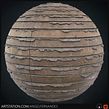
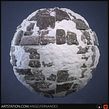
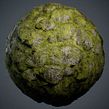

Learn to generate, modify, and render materials for 3D video games and productions

In a video game, the setting is not just the environment but is also part of the game, and its development depends on the skill with which the character moves through it. The materials and textures, therefore, are part of the user experience. Angel Fernandes is a 3D artist and works as an environment artist, creating materials and textures for games like Hellbound, Drone Strike Force, Quantum League, and Endless Legend.
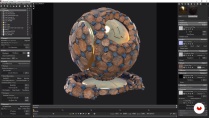
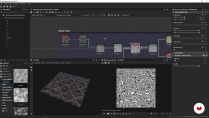
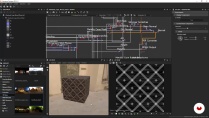
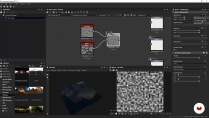
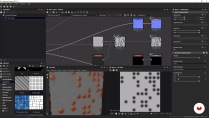
In this course, he teaches you how to create rock textures and materials for video games and 3D productions using Substance Designer. In addition, learn the basics to be able to develop any other material from scratch.
What will you learn in this online course?
31 lessons & 19 downloads
- 100% positive reviews (217)
- 6,278 students
- 31 lessons (6h 11m)
- 19 additional resources (9 files)
- Online and at your own pace
- Available on the app
- Audio: Spanish, English, French, Italian, Portuguese, Turkish
- Spanish · English · Portuguese · German · French · Italian · Polish · Dutch · Turkish · Romanian · Indonesian
- Level: Beginner
- Unlimited access forever
Recommended software & tools for this course
 Adobe Photoshop
 Substance Designer
What is this course's project?
Create materials and textures for video games and 3D projects.

Projects by course students


Who is this online course for?
This course is for digital artists, designers, concept artists, 3D artists, and anyone interested in learning to simulate textures and materials on the computer.
Requirements and materials
No previous knowledge is necessary, as Angel guides you through the entire process and teaches you the interface and the fundamental tools of the software to create textures.
Regarding the materials, you only need a computer with Substance Designer, Substance Player, Marmoset Toolbag, and Adobe Photoshop installed.

Reviews

Angel Fernandes
A course by Angel Fernandes
Angel Fernandes is passionate about 3D graphics, the world of video games, and cinema. He has been working in the video-game industry for four years and currently holds the position of Environment Artist at NGD Studios as part of the team responsible for creating AAA scenarios.
He also has a career as a teacher both online and onsite, and his mission is clear: to tell stories through procedural materials and environments.
Content
-
U1
Introduction
-
Presentation
-
Influences
-
-
U2
Substance Designer
-
What is Substance Designer?
-
PBR materials
-
User interface I
-
User interface II
-
Nodal system and main nodes I
-
Nodal system and main nodes II
-
-
U3
Causeway of the Giants - Height and Normal
-
Breakdown of the material
-
Patterns and primary forms
-
Patterns and primary forms II
-
Patterns and primary forms III
-
Edge wear
-
Edge wear II
-
Cracks or crevices
-
Macro and micro detail
-
Grass generator
-
Grass Generator II
-
Water generator
-
-
U4
Causeway of the Giants - Roughness and Base Color
-
Roughness
-
Roughness II
-
Nodes for the Base Color
-
Base Color II
-
-
U5
Causeway of the Giants - Parameterization
-
Parameterization
-
Parameterization II
-
Forms of export
-
Basic Features of Substance Player
-
-
U6
Rendering and presentation of the material
-
Rendering in Marmoset Toolbag
-
Rendered in Marmoset Toolbag II
-
Retouching in Photoshop
-
How and where to present your material
-
-
FP
Final project
-
Introduction to creating textures with Substance Designer
-
What to expect from a Domestika course
-
Learn at your own pace
Enjoy learning from home without a set schedule and with an easy-to-follow method. You set your own pace.
-
Learn from the best professionals
Learn valuable methods and techniques explained by top experts in the creative sector.
-
Meet expert teachers
Each expert teaches what they do best, with clear guidelines, true passion, and professional insight in every lesson.
-
Certificates
PlusIf you're a Plus member, get a custom certificate signed by your teacher for every course. Share it on your portfolio, social media, or wherever you like.
-
Get front-row seats
Videos of the highest quality, so you don't miss a single detail. With unlimited access, you can watch them as many times as you need to perfect your technique.
-
Share knowledge and ideas
Ask questions, request feedback, or offer solutions. Share your learning experience with other students in the community who are as passionate about creativity as you are.
-
Connect with a global creative community
The community is home to millions of people from around the world who are curious and passionate about exploring and expressing their creativity.
-
Watch professionally produced courses
Domestika curates its teacher roster and produces every course in-house to ensure a high-quality online learning experience.
FAQs
Domestika courses are online classes that allow you to learn new skills and create incredible projects. All our courses include the opportunity to share your work with other students and/or teachers, creating an active learning community. We offer different formats:
Original Courses: Complete classes that combine videos, texts, and educational materials to complete a specific project from start to finish.
Basics Courses: Specialized training where you master specific software tools step by step.
Specialization Courses: Learning paths with various expert teachers on the same topic, perfect for becoming a specialist by learning from different approaches.
Guided Courses: Practical experiences ideal for directly acquiring specific skills.
Intensive Courses (Deep Dives): New creative processes based on artificial intelligence tools in an accessible format for in-depth and dynamic understanding.
All courses are 100% online, so once they're published, courses start and finish whenever you want. You set the pace of the class. You can go back to review what interests you most and skip what you already know, ask questions, answer questions, share your projects, and more.
The courses are divided into different units. Each one includes lessons, informational text, tasks, and practice exercises to help you carry out your project step by step, with additional complementary resources and downloads. You'll also have access to an exclusive forum where you can interact with the teacher and with other students, as well as share your work and your course project, creating a community around the course.
You can redeem the course you received by accessing the redeeming page and entering your gift code.
 Adobe Photoshop
 Substance Designer
Ótimo curso! Forma de ensino muito simple e eficaz!
Perfect course to capture all the details and learn making from scratch
TODO BIEN
Estuvo muy bien... en un inicio pensé: "Todo un curso para un solo material?" pero luego de hacerlo me doy cuenta de que aprendí muchísimo, no solo hice un material procedural sino que tambien aprendí gran parte del workflow de creacion de materiales y de Substance Designer.
Se ve super interesante y el profe explica muy bien!