Powerpoint Pro: How to Prepare a Persuasive Presentation
A course by Fritha Lewin , Graphic designer and illustrator


Make your powerpoint presentations engaging by creating animations. Design your template with interesting graphics and present your product in an innovative way.

Fritha Lewin will guide you on a creative journey where you'll transform your approach to using PowerPoint. You'll shift from viewing it as a mere presentation tool to seeing it as your creative design platform.
You'll learn a variety of advanced techniques to create visually stunning templates, impactful infographics, and dynamic animations.
You'll explore the full potential of PowerPoint to craft presentations that not only inform but also captivate and persuade your audience. Each slide will become an opportunity for innovative design, using visual and technical resources to stand out in any professional setting.
What will you learn in this online course?
15 lessons & 36 downloads
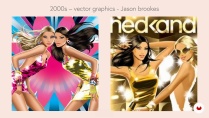
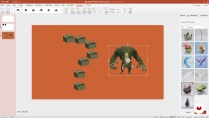
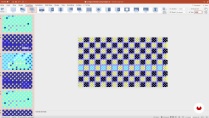
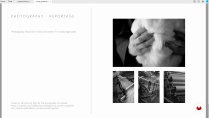
- 94% positive reviews (33)
- 2,976 students
- 15 lessons (2h 46m)
- 36 additional resources (13 files)
- Online and at your own pace
- Available on the app
- Audio: English, Spanish, French, Indonesian, Italian, Portuguese, Romanian, Turkish
- English · Spanish · Portuguese · German · French · Italian · Polish · Dutch · Turkish · Romanian · Indonesian
- Level: Beginner
- Unlimited access forever
What is this course's project?
The final project will consist of designing a complete PowerPoint presentation that integrates advanced animations and graphic design techniques, based on a real or fictional brief that reflects a typical professional challenge.
Who is this online course for?
Designed for professionals and students who use PowerPoint regularly and want to elevate their presentation skills.
This course is perfect for graphic designers, marketers, consultants, and anyone interested in enhancing their visual communication. Learn to create more effective and aesthetically pleasing presentations that clearly convey your ideas.
Requirements and materials
It is essential to have basic knowledge of PowerPoint before starting the course. Additionally, you will need access to the latest version of PowerPoint to follow the instructions and perform the proposed exercises.
Reviews

Fritha Lewin
A course by Fritha Lewin
Fritha Lewin is an artist and graphic designer who has turned her passion for patterns and design into a specialized career in crafting PowerPoint presentations.
With extensive experience working with top brands like Jo Malone, Burberry, and Lacoste, Fritha has proven that presentation design can be just as innovative and exciting as any other form of visual art.
Her unique approach blends her love for graphic design with a practical skill for transforming information into visual art.
Content
-
U1
Introduction
-
About Me
-
Influences
-
-
U2
Starting to Work on a Template
-
Overview of Powerpoint
-
Understanding Technical Aspects
-
Animation Exercise
-
-
U3
Organizing the Template
-
The Brief
-
Setting up a Template 1
-
Setting up a Template 2
-
Infographics
-
-
U4
Animation
-
Animation for the Template
-
Pattern Animation
-
Using Animation to Showcase Your Product 1
-
Using Animation to Showcase Your Product 2
-
-
U5
Tips for Presenting Your Project
-
Advanced Animation Techniques
-
How to Present and Publish Your Project
-
-
FP
Final project
-
Powerpoint Pro: How to Prepare a Persuasive Presentation
-
What to expect from a Domestika course
-
Learn at your own pace
Enjoy learning from home without a set schedule and with an easy-to-follow method. You set your own pace.
-
Learn from the best professionals
Learn valuable methods and techniques explained by top experts in the creative sector.
-
Meet expert teachers
Each expert teaches what they do best, with clear guidelines, true passion, and professional insight in every lesson.
-
Certificates
PlusIf you're a Plus member, get a custom certificate signed by your teacher for every course. Share it on your portfolio, social media, or wherever you like.
-
Get front-row seats
Videos of the highest quality, so you don't miss a single detail. With unlimited access, you can watch them as many times as you need to perfect your technique.
-
Share knowledge and ideas
Ask questions, request feedback, or offer solutions. Share your learning experience with other students in the community who are as passionate about creativity as you are.
-
Connect with a global creative community
The community is home to millions of people from around the world who are curious and passionate about exploring and expressing their creativity.
-
Watch professionally produced courses
Domestika curates its teacher roster and produces every course in-house to ensure a high-quality online learning experience.
FAQs
Yes, this course is designed for learners with intermediate PowerPoint skills who want to advance their expertise in design, illustration, animation, and branded presentations.
You’ll need Microsoft PowerPoint and Adobe Illustrator. Basic familiarity with these programs is recommended to get the most from the course’s advanced design and animation modules.
You’ll learn advanced animation techniques, how to create and customize branded templates, design infographics and motion graphics, integrate illustrations, and apply brand guidelines for persuasive and engaging presentations.
Yes, the course includes step-by-step guidance on designing and customizing branded PowerPoint templates, applying brand guidelines, and maintaining visual consistency across presentations.
The course teaches you to create and animate illustrations directly in PowerPoint, import vector art from Illustrator, and design motion graphics to enhance storytelling and audience engagement.
Yes, you’ll master techniques to animate infographic elements, use Morph transitions, and combine animations with data visualizations for clearer, more dynamic presentations.
Basic Illustrator skills are helpful but not required. The course introduces key Illustrator techniques relevant to creating and importing vector graphics for use in PowerPoint.

very goog
Good explanation.
SUPERB PRESENTATION
This is amazing how she mastered Power Point. Great job!
es interesante