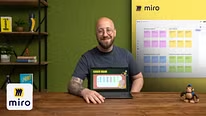
Miro for Collaborative Work
Creating a New Board and Adding Content
A course by Philip Wallage , UX designer


About the video: Creating a New Board and Adding Content
Overview
“In this lesson, you will learn how to create new boards in a step-by-step tutorial. I’ll demonstrate how to add and manipulate different types of content such as sticky notes, shapes, text, and images. ”
In this video lesson Philip Wallage addresses the topic: Creating a New Board and Adding Content , which is part of the Domestika online course: Miro for Collaborative Work. Become a Miro expert in no time and start collaborating with your team. .
Partial transcription of the video
“In this lesson, I'll show you how to create boards and customize elements such as shapes, text, sticky notes and images. Let's dive in. Let's start making some magic on this board. So we'll be adding some content. But before we do that, it's important to know what a frame is. In the creation toolbar, you have an option called frame or shortcut F. If I click this menu, I have a few choices. I'll be creating a new frame and since I'll be working a lot for workshops on desktop, I'll select the 16 by 9 ratio. As you can see, I have a few other options such as paper shapes or different ratios, o...”
This transcript is automatically generated, so it may contain mistakes.
Course summary for: Miro for Collaborative Work
-
Category
Marketing & Business -
Areas
Creativity, Design Management, Management & Productivity

Philip Wallage
A course by Philip Wallage
Philip Wallage is a freelance UX designer and Design Thinking expert with nearly two decades of experience. He has worked with renowned brands such as Air France KLM, ADIDAS, and LEGO, helping them improve collaboration and solve problems through workshop facilitation. Philip is passionate about collaborative design and has created Miroverse templates used by thousands of users globally. He is also part of Toptal’s top 3% of freelancers, showcasing his hands-on approach and ability to guide teams in solving complex problems.
- 100% positive reviews (7)
- 373 students
- 11 lessons (1h 10m)
- 15 additional resources (5 files)
- Online and at your own pace
- Available on the app
- Audio: English, Spanish
- Spanish · English · Portuguese · German · French · Italian · Polish · Dutch · Turkish · Romanian · Indonesian
- Level: Beginner
- Unlimited access forever
Category
Areas