Create Digital Illustrated Stories with Procreate
A course by fagostudio , Illustrator and trainer in digital illustration


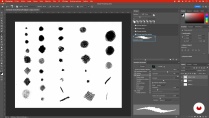
Creative digital illustration: Explore visual narration with procreate and photoshop, master textures and colors

Discover the art of digital illustration through a unique approach that combines color and texture to tell captivating stories. This course guides you through the exploration of visual storytelling using Procreate and Photoshop. With a methodology adapted to professional constraints, learn to create dynamic compositions in isometric perspective, master color and shadows, and enrich your creations with innovative textural techniques.
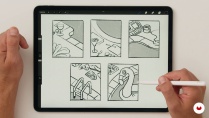
Embark on a final project where each step is designed to refine your style and technique. From creating mood boards and quick sketches to crafting your final illustration, each lesson is a step toward mastering digital illustration. Enhance your portfolio with works that stand out for their aesthetic and storytelling, while developing practical skills to bring your creative ideas to life.
What will you learn in this online course?
20 lessons & 14 downloads
- 100% positive reviews (1)
- 375 students
- 20 lessons (4h 5m)
- 14 additional resources (2 files)
- Online and at your own pace
- Available on the app
- Audio: French, English
- French · Spanish · English · Portuguese · German · Italian · Polish · Dutch
- Level: Beginner
- Unlimited access forever
Recommended software for this course
 Adobe Photoshop
 Procreate
What is this course's project?
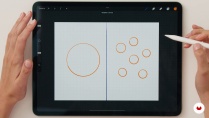
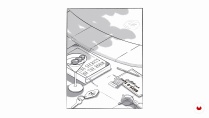
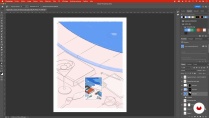
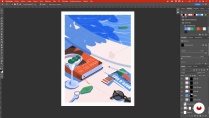
Students will create a digital still life illustration in isometric perspective, with a summery feel. They will learn to work with color, shadows, light, and transparency using Procreate and Photoshop.
Who is this online course for?
This course is for beginners and intermediate digital illustration enthusiasts who want to explore visual storytelling through color and texture. It's ideal for those looking to expand their creative skills by using Procreate and Photoshop in captivating projects.
Requirements and materials
No advanced knowledge is required, just familiarity with Procreate on iPad and Photoshop on desktop. A stylus and graphics tablet are also required. You should have the Procreate app installed to easily begin digital sketching.

Reviews

fagostudio
A course by fagostudio
Fagostudio is a collective of talented illustrators based in Nantes, composed of Léna, Axel, and Baptiste. All three trained at AGR, the School of Image Design, where they acquired skills in graphic design, illustration, and art direction. Their passion for illustration took shape during internships in creative studios, inspiring them to combine their talents to create Fagostudio. Their collaborative approach allows them to bring diverse projects in advertising, editorial, and video to life, while developing a unique style blending rich textures and vibrant colors.
Fagostudio's success is based on a combination of shared inspiration and technical innovation. Notable achievements include creating a poster for the "À l'Heure Bleue" festival and designing over 80 illustrations for the book "La géopolitique tout simplement" (Geopolitics Simply) published by Eyrolles. Their work was also featured in an exhibition at the Château de Cop Choux, where they explored the symbiosis between nature and urban planning. Constantly striving for improvement, they invest in advanced digital tools to refine their creative process and take on new artistic challenges.
Content
-
U1
Introduction
-
Presentation
-
Our sources of inspiration
-
-
U2
First steps
-
The keys to visual storytelling
-
Getting to Know Procreate
-
Understanding Isometric Perspective
-
Solid color technique
-
Create Brushes in Photoshop
-
-
U3
The project
-
The mood board
-
Sketching with Procreate
-
The final sketch outline on Procreate
-
Enrich the image with typography
-
The shadows
-
-
U4
Latest details
-
Color Search 1
-
Color Search 2
-
Creating the final color image 1
-
Creation of the final color image 2
-
Creation of the final color image 3
-
Creation of the final color image 4
-
Creation of the final color image 5
-
Switch the illustration's mood to night mode
-
-
FP
Final project
-
Digital illustration: telling a story combining colors and textures
-
What to expect from a Domestika course
-
Learn at your own pace
Enjoy learning from home without a set schedule and with an easy-to-follow method. You set your own pace.
-
Learn from the best professionals
Learn valuable methods and techniques explained by top experts in the creative sector.
-
Meet expert teachers
Each expert teaches what they do best, with clear guidelines, true passion, and professional insight in every lesson.
-
Certificates
PlusIf you're a Plus member, get a custom certificate signed by your teacher for every course. Share it on your portfolio, social media, or wherever you like.
-
Get front-row seats
Videos of the highest quality, so you don't miss a single detail. With unlimited access, you can watch them as many times as you need to perfect your technique.
-
Share knowledge and ideas
Ask questions, request feedback, or offer solutions. Share your learning experience with other students in the community who are as passionate about creativity as you are.
-
Connect with a global creative community
The community is home to millions of people from around the world who are curious and passionate about exploring and expressing their creativity.
-
Watch professionally produced courses
Domestika curates its teacher roster and produces every course in-house to ensure a high-quality online learning experience.
FAQs
Domestika's courses are online classes that provide you with the tools and skills you need to complete a specific project. Every step of the project combines video lessons with complementary instructional material, so you can learn by doing. Domestika's courses also allow you to share your own projects with the teacher and with other students, creating a dynamic course community.
All courses are 100% online, so once they're published, courses start and finish whenever you want. You set the pace of the class. You can go back to review what interests you most and skip what you already know, ask questions, answer questions, share your projects, and more.
The courses are divided into different units. Each one includes lessons, informational text, tasks, and practice exercises to help you carry out your project step by step, with additional complementary resources and downloads. You'll also have access to an exclusive forum where you can interact with the teacher and with other students, as well as share your work and your course project, creating a community around the course.
You can redeem the course you received by accessing the redeeming page and entering your gift code.
 Adobe Photoshop
 Procreate
zoline
Un cours très agréable, avec plein d'astuces et un joli partage d'univers graphique.
View translation
Hide translation