3D Toon-Style Environment Art with Arnold
A course by Calder Moore , 3D Artist

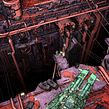
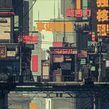

Learn to design, model, and render highly detailed sci-fi environments with a stylized look using Arnold, Photoshop, and Cinema 4D

From movies and video games to illustrations and image renders, visual art has the power to transport us to another dimension. Calder Moore is a 3D artist who specializes in designing environments for those fictional worlds. He’s worked on projects across the animation and gaming industries and has collaborated with clients including Google, Wizards of the Coast, Atheris Entertainment, and The Royal Canadian Mint.
In this online course learn how to create 3D environment renders using Cinema 4D and Arnold. Explore shadows, textures, lighting, and color to build atmospheric sci-fi scenes with a stylized look. Invite viewers to explore your imagination with detailed works of digital art.
What will you learn in this online course?
31 lessons & 19 downloads

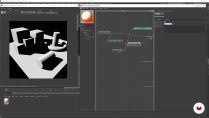
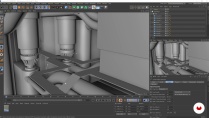
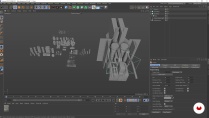
- 100% positive reviews (27)
- 1,482 students
- 31 lessons (7h 22m)
- 19 additional resources (6 files)
- Online and at your own pace
- Available on the app
- Audio: English
- English · Spanish · Portuguese · German · French · Italian · Polish · Dutch
- Level: Beginner
- Unlimited access forever
What is this course's project?
Create a detailed 3D render of a sci-fi environment.

Projects by course students


Who is this online course for?
Anyone who wants to learn how to create stylized 3D environments for personal or professional projects.
Requirements and materials
A working knowledge of Photoshop, Cinema 4D, and Arnold Renderer are required.
In terms of materials, you need a computer capable of rendering complex graphics with these programs installed.

Reviews

Calder Moore
A course by Calder Moore
Calder Moore is a 3D artist from British Columbia, Canada. Growing up, he loved the immersive worlds he saw in sci-fi and fantasy films. This inspired him to pursue 3D art, as he found it was the perfect tool for building his own. After graduating from CATO, he worked in the animation and gaming industries before making the leap to a full-time freelance career.
Since starting his professional journey, Calder has participated in a wide range of projects, from TV shows and video games to album covers and board game art. Thanks to this extensive experience, he’s developed an adaptable style and workflow that have led to collaborations with clients like Google, Wizards of the Coast, Atheris Entertainment, and The Royal Canadian Mint.
Content
-
U1
Introduction
-
About Me
-
Influences
-
-
U2
First Steps
-
The Materials
-
Gathering References
-
The Idea 1
-
The Idea 2
-
-
U3
Establishing the Scene
-
Arnold Basics 1
-
Arnold Basics 2
-
Setting Up 1
-
Setting Up 2
-
Blocking the Scene
-
Kitbashing and Scene Scaling 1
-
Kitbashing and Scene Scaling 2
-
Kitbashing and Scene Scaling 3
-
Modeling the Walkways
-
Applying the Shader: The First Pass 1
-
Applying the Shader: The First Pass 2
-
-
U4
The Main Structure
-
The Reactor 1
-
The Reactor 2
-
Tubes and Pipes 1
-
Tubes and Pipes 2
-
Kitbashing the Rest of the Scene
-
Adding Details 1
-
Adding Details 2
-
Finishing the Scene: Rendering and Exporting
-
-
U5
Postproduction
-
Photoshop: The Final Touches 1
-
Photoshop: The Final Touches 2
-
Sharing a Project Online
-
Arnold: Tips and Tricks 1
-
Arnold: Tips and Tricks 2
-
Arnold: Tips and Tricks 3
-
-
FP
Final project
-
3D Toon-Style Environment Art with Arnold
-
What to expect from a Domestika course
-
Learn at your own pace
Enjoy learning from home without a set schedule and with an easy-to-follow method. You set your own pace.
-
Learn from the best professionals
Learn valuable methods and techniques explained by top experts in the creative sector.
-
Meet expert teachers
Each expert teaches what they do best, with clear guidelines, true passion, and professional insight in every lesson.
-
Certificates
PlusIf you're a Plus member, get a custom certificate signed by your teacher for every course. Share it on your portfolio, social media, or wherever you like.
-
Get front-row seats
Videos of the highest quality, so you don't miss a single detail. With unlimited access, you can watch them as many times as you need to perfect your technique.
-
Share knowledge and ideas
Ask questions, request feedback, or offer solutions. Share your learning experience with other students in the community who are as passionate about creativity as you are.
-
Connect with a global creative community
The community is home to millions of people from around the world who are curious and passionate about exploring and expressing their creativity.
-
Watch professionally produced courses
Domestika curates its teacher roster and produces every course in-house to ensure a high-quality online learning experience.
FAQs
Domestika's courses are online classes that provide you with the tools and skills you need to complete a specific project. Every step of the project combines video lessons with complementary instructional material, so you can learn by doing. Domestika's courses also allow you to share your own projects with the teacher and with other students, creating a dynamic course community.
All courses are 100% online, so once they're published, courses start and finish whenever you want. You set the pace of the class. You can go back to review what interests you most and skip what you already know, ask questions, answer questions, share your projects, and more.
The courses are divided into different units. Each one includes lessons, informational text, tasks, and practice exercises to help you carry out your project step by step, with additional complementary resources and downloads. You'll also have access to an exclusive forum where you can interact with the teacher and with other students, as well as share your work and your course project, creating a community around the course.
You can redeem the course you received by accessing the redeeming page and entering your gift code.
jhonrodriguesvfx
Curso ótimo, não sabe como é raro achar alguma coisa de arnold toon shader na internet, espero que traga outro curso aprofundando mais no tema como animação, criação de smoke etc.
View translation
Hide translation
natalyramone
Insighful, beginner-friendly and overall very helpful course showcasing useful techniques for achieving that hand-drawn Moebiusesque (:)) feel. Huge recommendation!
theodoredaley
Calder goes through every single step and explains his rationale for each decision in a way that you will start to absorb not only the techniques but also the theory behind them to create your own style. Amazing thoughts and detail went into each section - highly recommend to all and a second re-watch even after completing for more little tips and tricks!
alxvillard
It is a really great course!
more as a tutorial feel but really well explained
gkartal
Great course!