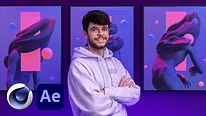
Design and animation of a human body in 3D
Finalizing in After Effects 2
A course by aeforia , Digital Artist



About the video: Finalizing in After Effects 2
Overview
“Then, you will see how to adjust the colors of the rendering as well as the different effects that I add to it. This lesson will also allow us to focus on how Cryptomattes are very useful when editing our animation.”
In this video lesson aeforia addresses the topic: Finalizing in After Effects 2, which is part of the Domestika online course: Design and animation of a human body in 3D. Learn 3D design and animation techniques and bring a surreal character to life through lighting and post-production..
Partial transcription of the video
“Finalize in After Effects I'm going to remove that layer. I'll just hide it and lower it down. We won't need it. And I will bring back my own stars that I created. We will now move on to the colo. When I create a static image or an animation, I spend a lot of time adjusting the colors of my visual. So I'll show you a preset which I have been using for quite a long time. First, I'm going to click in the blank area here, right click, New, Adjustment Layer. We mount this layer at the top and we will rename it Colo. Another way to import an effect layer, is to go to Layer, also Layer, New, Adju...”
This transcript is automatically generated, so it may contain mistakes.
Course summary for: Design and animation of a human body in 3D
-
Category
3D & Animation -
Software
Adobe After Effects, Cinema 4D, OctaneRender -
Areas
3D, 3D Modeling

aeforia
A course by
Alexy Préfontaine, better known as Aeforia, is a visual artist based in Montreal, Canada. His work revolves around colors, balance and emotion. After studying electrical engineering, he obtained a degree in graphic design.
His clients include Opera Browser, Pantone, Fizz, Cirque du Soleil and Bershka, and he has collaborated with artists like Dillon Nathaniel, Yung Gravy, Haywyre, Jake Miller, Hologram, Kidswaste, Deathpact, among others.
- 100% positive reviews (11)
- 745 students
- 27 lessons (6h 49m)
- 17 additional resources (3 files)
- Online and at your own pace
- Available on the app
- Audio: French
- Spanish · English · Portuguese · German · French · Italian · Polish · Dutch · Turkish · Romanian · Indonesian
- Level: Intermediate
- Unlimited access forever
Recommended software & tools for this course
 Adobe After Effects
 Cinema 4D
 OctaneRender
Category
Areas