Artistic Architectural Sketching with Procreate
Course final project
A course by Ehab Alhariri , Architect, Designer, and Digital Artist

Joined March 2021

Joined March 2021

About the final project for: Artistic Architectural Sketching with Procreate
Architectural Design in Procreate
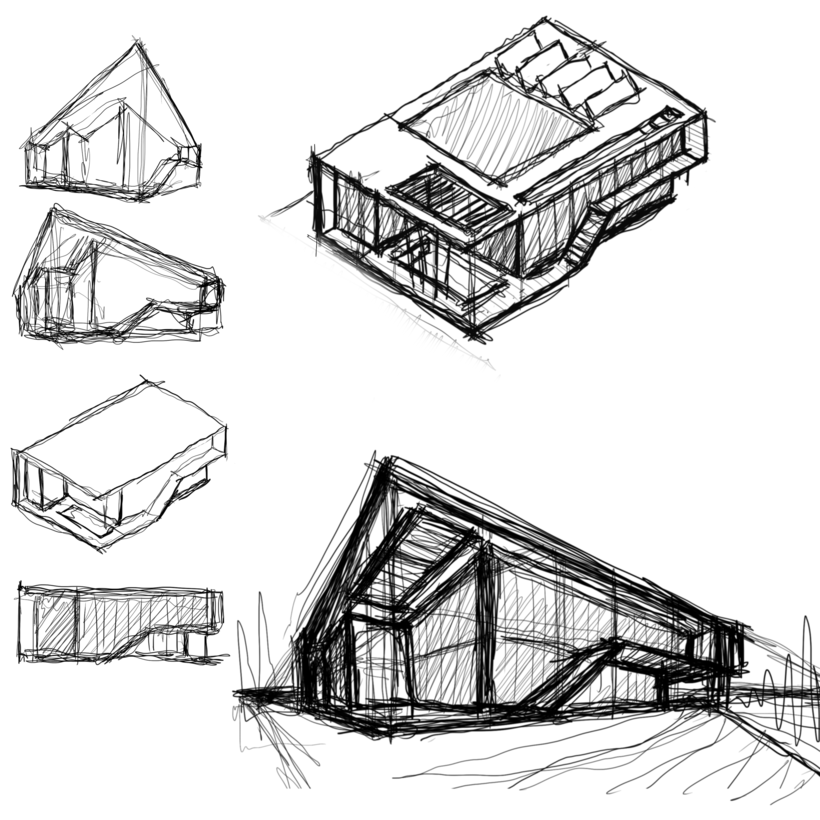
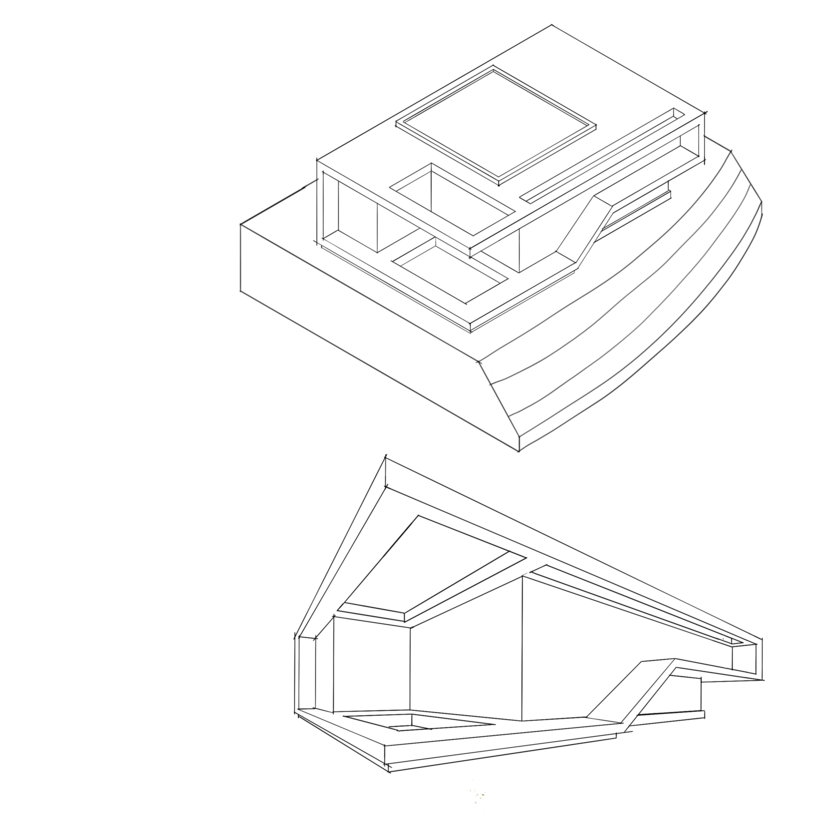
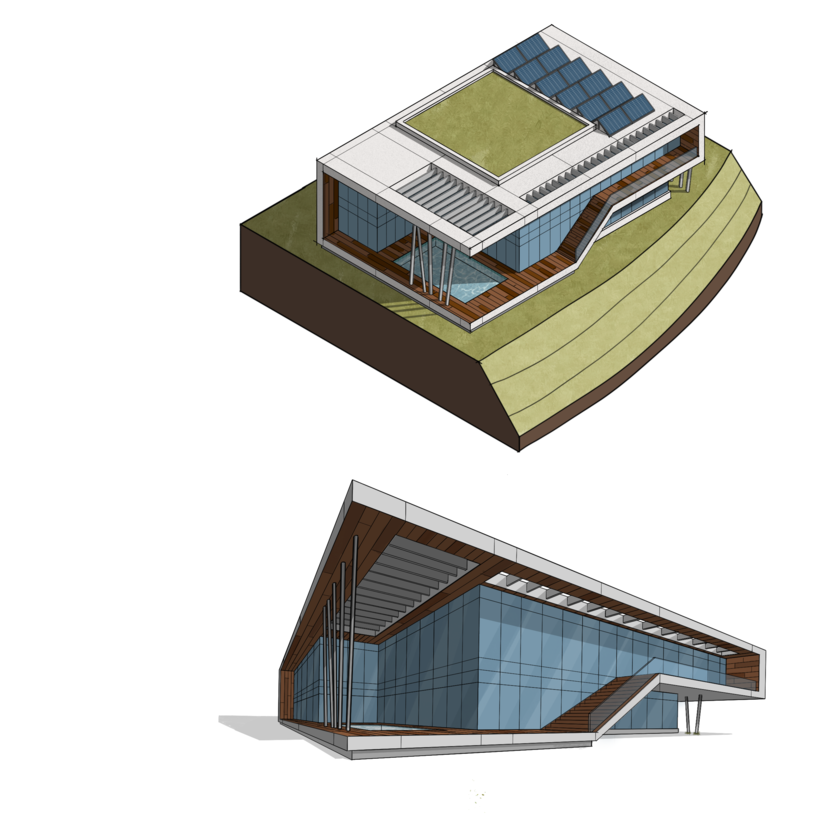
“Congrats you have finished the course! I really appreciate having you with me on this journey, and I hope it was useful. Now, for your final project! Here are some steps you saw during the course and that will be useful to complete your project: • Figure out what you are going to sketch (a house, a building, or maybe a skyscraper). • Make some small thumbnail rough sketches from different angles of your concept and choose the best one in your opinion. • Draw a rough sketch of the views you chose in a bigger format and with more details. • Use Procreate grid to make the final sketch and keep refining it until you get a clean outcome. • Choose a color palette from a reference image and start filling the surfaces with color. • Use each color as a base for your textures with the clipped mask layers. • Figure out your light source and draw your shadows in 2 to 3 layers. • Add some effects, background, and human figures. • Make a simplified design process diagram if you see fit. • Add your name or logo. • Export the poster to the format that fits you most. • Do some final color correction in some other software like Adobe Lightroom. • Share with your client or add it to your project with plans and sections. Here's how you can present your final project, showing us the most important steps of your process: Initial sketch
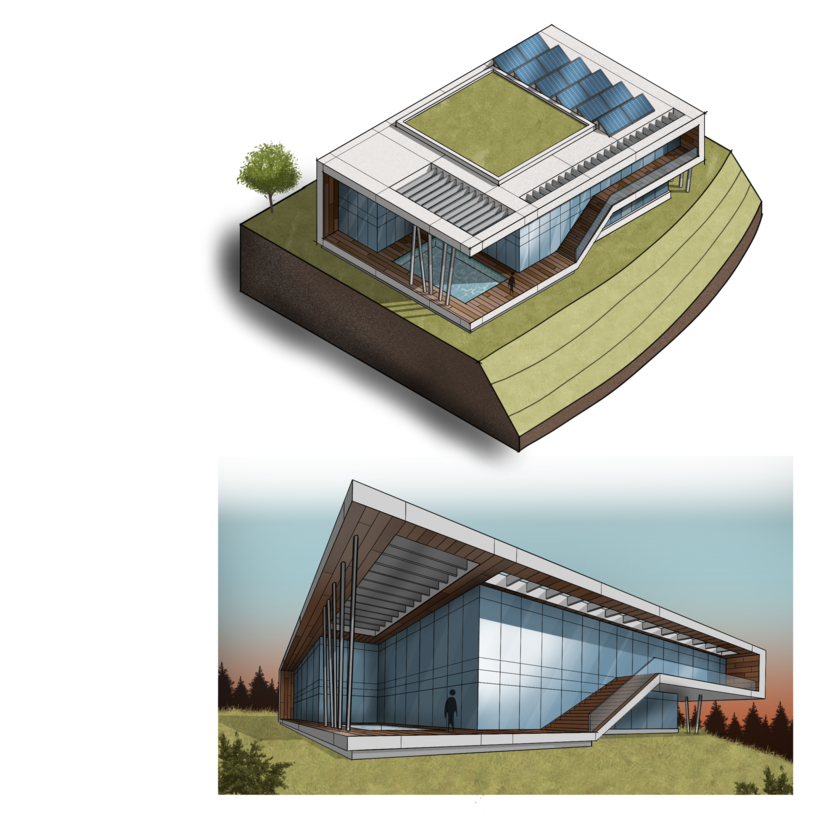
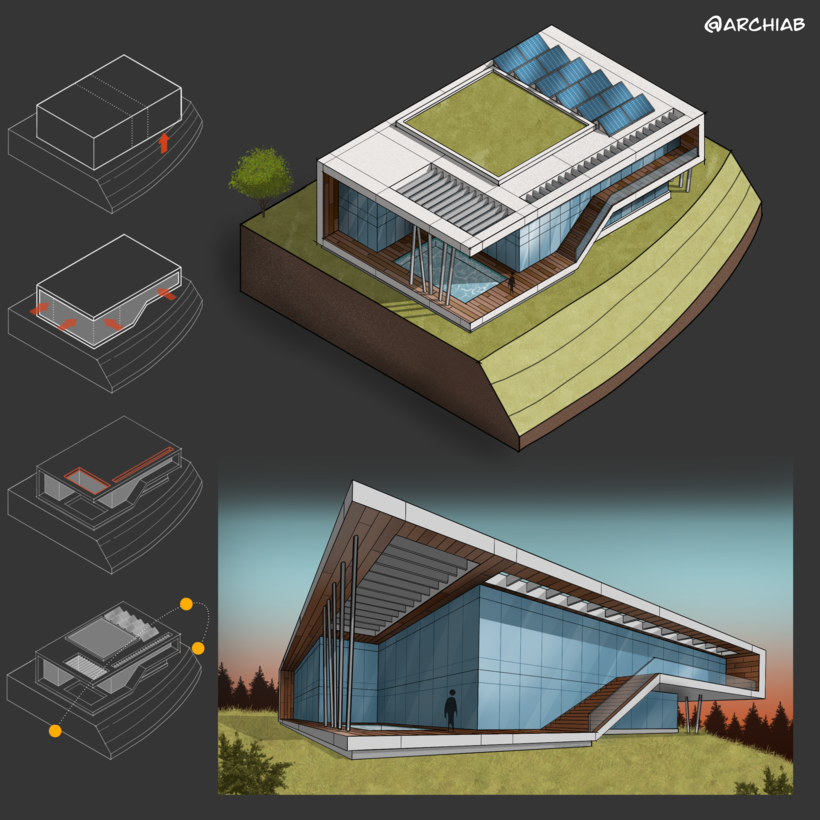
Partial transcription of the video
“Congratulations, you have finished the course. I would like to thank you and I really appreciate having you with me in this journey. I hope it was useful to you. Now that you have learned the formula, you can duplicate it on your own designs. And with time, you can add your personal touch and come up with your own style. Don't forget to start your project by sketching some small thumbnails. Those can help you visualize your design better. And to choose the view you think is best. While doing your final sketch, make sure your lines are clean and they fully intersect so you don't have problem...”
This transcript is automatically generated, so it may contain mistakes.
Course summary for: Artistic Architectural Sketching with Procreate
-
Category
Architecture & Spaces, Illustration -
Software
Procreate -
Areas
Architectural Illustration, Architecture, Digital Architecture, Digital Illustration, Sketching

Ehab Alhariri
A course by Ehab Alhariri
Ehab Alhariri is a Syrian architect and digital artist based in Washington, DC. He studied architecture in Damascus University, and after graduating in 2007, started his career as a design architect in Dubai. His professional experience in Dubai allowed him to work on major projects ranging from commercial and residential architecture, to hotels and high rise buildings.
He is currently the head architect at 4Space Interior Design. His designs have been featured in Architizer and CNN Arabic, among other news outlets, for his work on “A Futuristic Smart Sustainable Mountain” and “L-Lake House”. Since entering the digital illustration world, he has received wide online recognition, amassing over 102K followers on Instagram.
- 99% positive reviews (244)
- 15,804 students
- 14 lessons (2h 15m)
- 26 additional resources (13 files)
- Online and at your own pace
- Available on the app
- Audio: English, Spanish, French, Italian, Portuguese, Turkish
- Spanish · English · Portuguese · German · French · Italian · Polish · Dutch · Turkish · Romanian · Indonesian
- Level: Beginner
- Unlimited access forever
Recommended software & tools for this course
 Procreate
Category
Areas

