Creation of Photo-Realistic 3D Images
A course by Ro Bot , VFX Artist





Learn to replicate the lighting, textures, and colors of the real world in 3D scenes

Producer and VFX artist Ro Bot has worked in advertising and more recently for productions such as The Walking Dead, Club de Cuervos and Heroes Reborn. He has always used light as a volumetric element that brings realism to his 3D scenes.
In this online course, he teaches you how to work with photorealism from a less technical and more functional approach, generating credible images from CGI renders that allow you to imitate reality, transforming it at will.
This course is complementary to VFX Techniques for ArchViz Projects, where Ro Bot teaches you how to elevate your architectural visualization projects by integrating CGI and video.
What will you learn in this online course?
15 lessons & 17 downloads
- 96% positive reviews (202)
- 4,477 students
- 15 lessons (3h 11m)
- 17 additional resources (8 files)
- Online and at your own pace
- Available on the app
- Audio: Spanish, English, French, Italian, Portuguese, Turkish
- Spanish · English · Portuguese · German · French · Italian · Polish · Dutch · Turkish · Romanian · Indonesian
- Level: Intermediate
- Unlimited access forever
Recommended software & tools for this course
 3ds Max
What is this course's project?
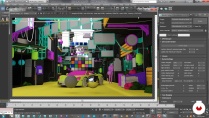
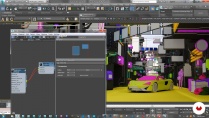
Develop a lighting scheme, textures, and color to apply to a scene full of nuances, with the aim of imitating reality.
Projects by course students


Who is this online course for?
Designers, CGI artists, VFX, and anyone interested in looking for a realistic effect in their renders.
Requirements and materials
Previous knowledge of 3D design and rendering engines is recommended for this course.
You also need a computer with a 3D design program installed. Ro Bot uses 3DMax, Corona, and FStorm as render engines, but you can use whatever you feel most comfortable with.

Reviews

Ro Bot
A course by Ro Bot
VFX artist and architect specialized in direction of animation and visual effects projects for film and television. Before founding his own animation studio in 2001, he worked in the field of architecture and advertising.
With the creation of WhiteRabbit Studio he began his foray into film and became a pioneer when introducing VFX for series on platforms such as Netflix, working on the first original content generated in Mexico. His works have been exhibited in the international selection of Autodesk 'Best of the best' and have been finalists in Cannes Shortlist with advertising projects.
Most recently he became one of the founders of Stargate Studios MC , leading VFX projects for series such as Heroes Reborn , The Walking Dead or Fear the Walking Dead, among others.
Content
-
U1
Introduction
-
Presentation
-
Influences
-
-
U2
General concepts
-
Perception, psychology and storytelling
-
Photography and technology
-
-
U3
Render
-
Rendering engines I: the engine and the workstation
-
Rendering engines II: familiarize yourself with your engine
-
illumination
-
Shaders
-
Shaders II
-
Fine detail
-
Fine detail II
-
-
U4
Refinement and color
-
Lightroom vs. color correctors
-
Mood
-
-
U5
Bonus
-
Extra scene I
-
Extra scene II
-
-
FP
Final project
-
Creation of photorealistic 3D images
-
What to expect from a Domestika course
-
Learn at your own pace
Enjoy learning from home without a set schedule and with an easy-to-follow method. You set your own pace.
-
Learn from the best professionals
Learn valuable methods and techniques explained by top experts in the creative sector.
-
Meet expert teachers
Each expert teaches what they do best, with clear guidelines, true passion, and professional insight in every lesson.
-
Certificates
PlusIf you're a Plus member, get a custom certificate signed by your teacher for every course. Share it on your portfolio, social media, or wherever you like.
-
Get front-row seats
Videos of the highest quality, so you don't miss a single detail. With unlimited access, you can watch them as many times as you need to perfect your technique.
-
Share knowledge and ideas
Ask questions, request feedback, or offer solutions. Share your learning experience with other students in the community who are as passionate about creativity as you are.
-
Connect with a global creative community
The community is home to millions of people from around the world who are curious and passionate about exploring and expressing their creativity.
-
Watch professionally produced courses
Domestika curates its teacher roster and produces every course in-house to ensure a high-quality online learning experience.
FAQs
What are Domestika's online courses?
Domestika courses are online classes that allow you to learn new skills and create incredible projects. All our courses include the opportunity to share your work with other students and/or teachers, creating an active learning community. We offer different formats:
Original Courses: Complete classes that combine videos, texts, and educational materials to complete a specific project from start to finish.
Basics Courses: Specialized training where you master specific software tools step by step.
Specialization Courses: Learning paths with various expert teachers on the same topic, perfect for becoming a specialist by learning from different approaches.
Guided Courses: Practical experiences ideal for directly acquiring specific skills.
Intensive Courses (Deep Dives): New creative processes based on artificial intelligence tools in an accessible format for in-depth and dynamic understanding.
When do the courses start and when do they finish?
All courses are 100% online, so once they're published, courses start and finish whenever you want. You set the pace of the class. You can go back to review what interests you most and skip what you already know, ask questions, answer questions, share your projects, and more.
What do Domestika's courses include?
The courses are divided into different units. Each one includes lessons, informational text, tasks, and practice exercises to help you carry out your project step by step, with additional complementary resources and downloads. You'll also have access to an exclusive forum where you can interact with the teacher and with other students, as well as share your work and your course project, creating a community around the course.
Have you been given a course?
You can redeem the course you received by accessing the redeeming page and entering your gift code.
 3ds Max
Mas que un curso es una muestra de cómo trabaja.
Muy bueno todo el contenido pero es mas para admirar que para utilizarlo como base para hacer proyectos propios, ya que el ritmo es muy rápido y no explica de donde salen los detalles técnicos.
Muy recomendado!
Muito bom Curso. Recomendo!
Excelente!
Buen curso, es un excelente complemento para vfx