Rendering and Digital Collage for Architectural Displays
Customizing the Model
A course by Architecture On Paper , Architectural Visualization Studio

Joined October 2020
Joined October 2020

About the video: Customizing the Model
Overview
“Next, we'll start adding details to our base model. We will use some of the most useful modifiers in 3ds Max, these will make it more realistic and add more volume and character. In addition, we will share some of the most used pages to download furniture.”
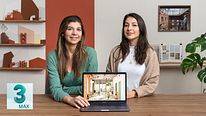
In this video lesson Architecture On Paper addresses the topic: Customizing the Model, which is part of the Domestika online course: Rendering and Digital Collage for Architectural Displays. Learn how to create illustrations of architectural spaces from scratch with 3ds Max and Photoshop.
Partial transcription of the video
“Customizing the model In this lesson we will see the importance of details in the model. We will also work with some modifiers that will help us perfect it. We already have our file perfectly imported and now what we are going to do is refine it. To start modeling or refining our elements, we will always work in Clay mode. From here Default Shading appears. We'll switch to Clay mode and we are going to activate displaying the segments, either selecting Edged Faces or with F4, we enable or disable displaying the segments. Why is it necessary to enable displaying the segments? Because we will...”
This transcript is automatically generated, so it may contain mistakes.
Course summary for: Rendering and Digital Collage for Architectural Displays
-
Category
Architecture & Spaces -
Software
3ds Max, Adobe Photoshop, Corona Renderer -
Areas
3D, 3D Design, Architecture, ArchVIZ, Digital Architecture

Architecture On Paper
A course by Architecture On Paper
Brenda Roqueta is an architect and Alba Estevez is a visual artist specializing in 3ds Max. They started out working together on personal projects which eventually evolved into collaborations with national and international studios.
Together, they are Architecture on Paper, an architectural visualization studio where they work on everything from 3D models to final images. Whether it's architecture, interior design, or landscapes, if you want to make your projects a reality, you have to know how to visually represent your ideas with a tangible image.
- 100% positive reviews (100)
- 3,314 students
- 19 lessons (3h 9m)
- 25 additional resources (13 files)
- Online and at your own pace
- Available on the app
- Audio: Spanish
- Spanish · English · Portuguese · German · French · Italian · Polish · Dutch · Turkish · Romanian · Indonesian
- Level: Beginner
- Unlimited access forever
Recommended software & tools for this course
 3ds Max
 Adobe Photoshop
 Corona Renderer
Category
Areas