Lighting Principles for Digital Painting
A course by Samuel Smith , Visual Development Artist

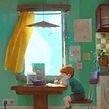


Learn how to adapt your digital illustrations to a series of natural and artificial lighting conditions on Photoshop

Mastering light is a skill that has fascinated artists and illustrators throughout history, for its unparalleled capacity to infuse an art piece with realism and define its atmosphere. Samuel Smith describes his fascination with light as more of an obsession, constantly analyzing his surroundings to understand how it works and apply it to his art. He has worked as a visual development artist for animations on many commercials, TV shows, and two feature films, including Klaus at SPA Studios and another upcoming animated film from Illumination Studios.
In this course, Samuel shows you how to stimulate light into your work using a logical methodology that he developed over the last two years and Adobe Photoshop to apply his simple process to five different light settings. Understand how light behaves and how it affects the elements in your work to quickly resolve any light situation.
What will you learn in this online course?
15 lessons & 18 downloads
- 99% positive reviews (1.4K)
- 31,643 students
- 15 lessons (2h 22m)
- 18 additional resources (7 files)
- Online and at your own pace
- Available on the app
- Audio: English, Spanish (Latam), French, Italian, Portuguese, Turkish
- Spanish · English · Portuguese · German · French · Italian · Polish · Dutch · Turkish · Romanian · Indonesian
- Level: Beginner
- Unlimited access forever
Recommended software & tools for this course
 Adobe Photoshop
What is this course's project?
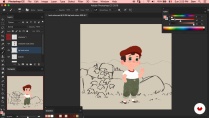
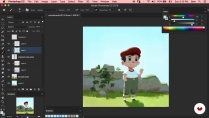
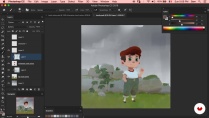
Create five illustrations of different lighting conditions using Adobe Photoshop.

Projects by course students


Who is this online course for?
This course is for illustrators, animators, and creatives with a beginner’s level in digital painting on Adobe Photoshop, who want to learn how to paint different lighting situations. Experienced digital painters who are interested in learning a fast and effective methodology to paint light in their work will also enjoy the course.
Requirements and materials
To take this course, you will need basic knowledge of how to work on Photoshop, as well as basic digital drawing skills.
You will need a drawing tablet and a computer with Adobe Photoshop installed.

Reviews

Samuel Smith
A course by Samuel Smith
Samuel Smith is a freelance visual development artist for animation, with a passion for igniting animation projects with light. After studying 3D animation, he started painting digitally without ever thinking he could achieve a professional level. However, after some years of hard work and dedication, continuously researching and observing his surroundings, he started to work on important animation projects and was hired by SPA, Spain, as a color artist.
He has worked on many commercials, TV shows, and two feature films: Klaus for SPA Studios and another upcoming animated film for Illumination Studios.
Content
-
U1
Introduction
-
About me
-
Influences
-
What we will do in the course?
-
-
U2
Preparation and Theory
-
Workspace and brushes
-
Soft light Vs Hard light
-
Exposure, reflections and translucency
-
Preparing the drawing
-
-
U3
Let’s Paint!
-
A Sunny Day - Part 1
-
A Sunny Day - Part 2
-
A Cloudy Day
-
A Starry Night
-
A Room Under Colored Light
-
A Sunny Room
-
-
U4
Details, Reflections and Translucency
-
Wrapping up the sunny scene
-
Wrapping up the artificial light scene
-
-
FP
Final project
-
Lighting Principles for Digital Painting
-
What to expect from a Domestika course
-
Learn at your own pace
Enjoy learning from home without a set schedule and with an easy-to-follow method. You set your own pace.
-
Learn from the best professionals
Learn valuable methods and techniques explained by top experts in the creative sector.
-
Meet expert teachers
Each expert teaches what they do best, with clear guidelines, true passion, and professional insight in every lesson.
-
Certificates
PlusIf you're a Plus member, get a custom certificate signed by your teacher for every course. Share it on your portfolio, social media, or wherever you like.
-
Get front-row seats
Videos of the highest quality, so you don't miss a single detail. With unlimited access, you can watch them as many times as you need to perfect your technique.
-
Share knowledge and ideas
Ask questions, request feedback, or offer solutions. Share your learning experience with other students in the community who are as passionate about creativity as you are.
-
Connect with a global creative community
The community is home to millions of people from around the world who are curious and passionate about exploring and expressing their creativity.
-
Watch professionally produced courses
Domestika curates its teacher roster and produces every course in-house to ensure a high-quality online learning experience.
FAQs
Domestika courses are online classes that allow you to learn new skills and create incredible projects. All our courses include the opportunity to share your work with other students and/or teachers, creating an active learning community. We offer different formats:
Original Courses: Complete classes that combine videos, texts, and educational materials to complete a specific project from start to finish.
Basics Courses: Specialized training where you master specific software tools step by step.
Specialization Courses: Learning paths with various expert teachers on the same topic, perfect for becoming a specialist by learning from different approaches.
Guided Courses: Practical experiences ideal for directly acquiring specific skills.
Intensive Courses (Deep Dives): New creative processes based on artificial intelligence tools in an accessible format for in-depth and dynamic understanding.
All courses are 100% online, so once they're published, courses start and finish whenever you want. You set the pace of the class. You can go back to review what interests you most and skip what you already know, ask questions, answer questions, share your projects, and more.
The courses are divided into different units. Each one includes lessons, informational text, tasks, and practice exercises to help you carry out your project step by step, with additional complementary resources and downloads. You'll also have access to an exclusive forum where you can interact with the teacher and with other students, as well as share your work and your course project, creating a community around the course.
You can redeem the course you received by accessing the redeeming page and entering your gift code.
 Adobe Photoshop
Great course!
Es un buen curso si te estas iniciando en el color, no obstante si ya tienes conocimientos previos puede ser un poco básico.
Muy bueno y sobre todo esencial , si quieres comprender y darle una iluminación espectacular a tus trabajos
Para um curso básico foi muito esclarecedor. Eu só gostaria que nas ilustrações finalizadas ele também tivesse mostrado como finalizou com os detalhes.
Great course!