Best seller

Digital Collage in Photoshop: Composition and Visual Effects

Course final project

A course by Nick Pedersen , Photographer and Digital Artist

Photographer and Digital Artist. Salt Lake City, United States.
Joined February 2020
Best seller
99% positive reviews (507)
12,096 students
Audio: English, Spanish (Latam), French, Italian, Portuguese, Turkish
Spanish · English · Portuguese · German · French · Italian · Polish · Dutch · Turkish · Romanian · Indonesian

About the final project for: Digital Collage in Photoshop: Composition and Visual Effects

Digital Collage in Photoshop: Composition and Visual Effects

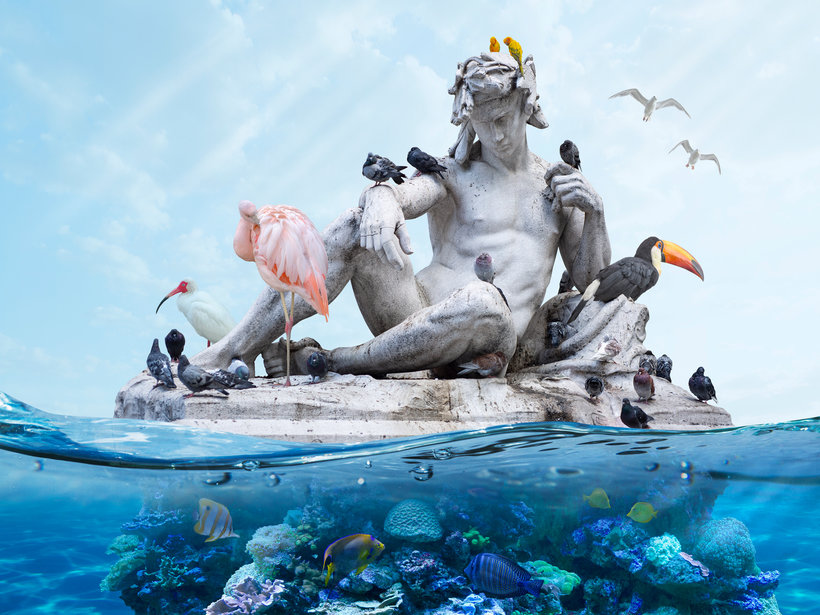
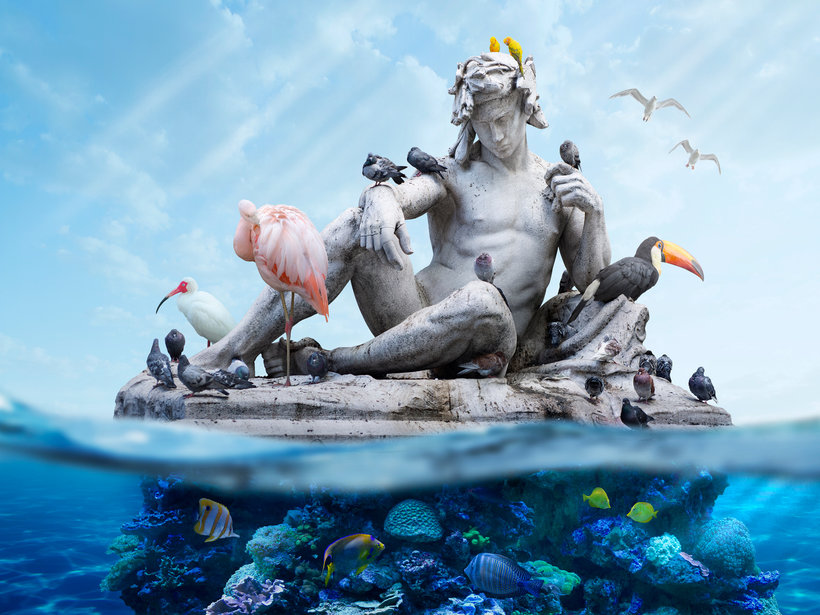
“So now we have reached the end of the course, and hopefully, you have gained a lot of knowledge and new Photoshop skills to be able to create a compelling digital collage piece of your own. The main point I’d like to leave you with is that anyone can learn these skills, but what will make your work unique is your own creativity and experience. So, practice these techniques but also think about the message that you want to send through your work. It might take some time to perfect your Photoshop skills and develop your own personal style but you will get there. To recap, I started this project in Photoshop by creating a background template using the correct settings for image size, color, and resolution. This is a very important step to start working on an image at a high-resolution because you can always make it smaller later on. Remember to use the optimal settings of 300 pixels/inch for your resolution, and make sure to use the color profile Adobe RGB. After setting up a template, the next step was to create a color gradient and overlay a background sky to start building up the overall tone and lighting for the image.

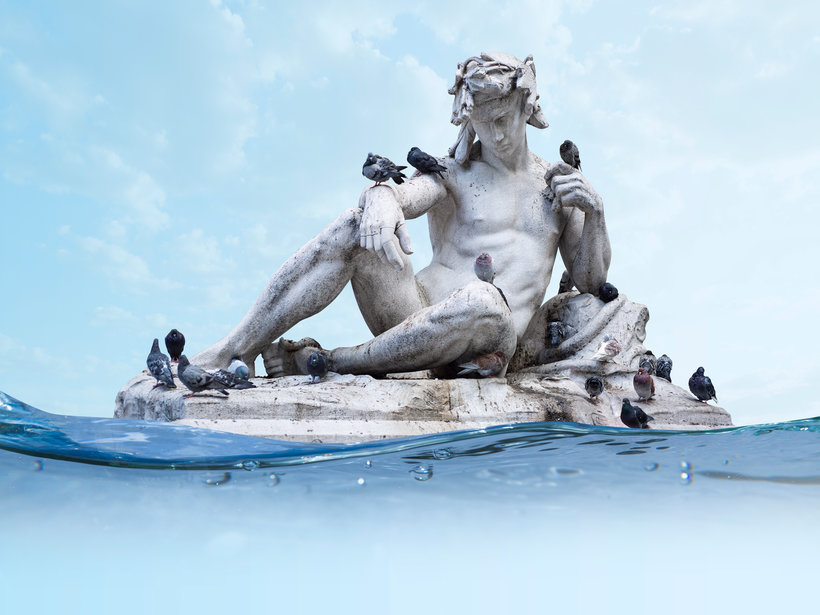
In the next part of the project, I started bringing in some of the most important photographic elements for this piece, like the statue and the waterline images. I would definitely recommend creating your layout this way, by first bringing in the most prominent parts of the image, because this will determine the arrangement of everything else. Also, take some time to experiment with Camera Raw and making pre-adjustments to your photographic source material. This is a very powerful tool, and if you can closely match the exposure, contrast, and color balance of your images in this beginning stage, your work in Photoshop will be much easier.
Then I started adding more detailed images like the birds and underwater elements into the scene, and arranged everything using compositing techniques like transformation tools, selections and layer masks. There are many different ways to do the same thing in Photoshop, but practice these layering techniques and find the ones that work best for you. I would highly recommend learning how to use the Pen Tool, for me it has been one of the most important tools that I use to make cutouts and create seamless composites. At this point, I have added all of the main photographic elements and details into the piece, and built up an organized structure of layers and groups to complete the layout.
For the next step I fixed many imperfections using a few different repair tools, and then added some necessary sharpening and blurring to parts of the image using filters. After that I began to focus on adding image adjustments and retouching effects to really start bringing this image to life. The best thing about creating adjustment layers like this is that they are editable and you can always go back and alter any changes and create masks to fine-tune everything. I would recommend experimenting with the Curves adjustment, and using this to create all of your main lighting effects by setting up Light layers and Dark layers within each group.
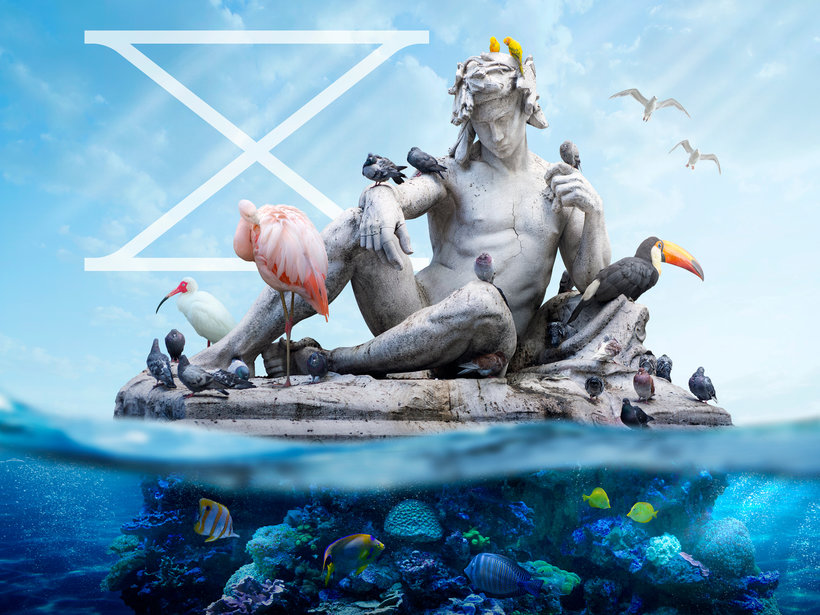
After creating some overall lighting effects, the next step was to add more detailed shadows and highlights by painting into overlay layers set to the blending mode, Soft Light. This is one of the most important techniques I use to finish my images because it allows me to add a great deal of depth and dimension. I would definitely recommend seeing how you can use different blending modes in your work. From overlaying dark elements with Multiply, to blending in light elements using Screen, you can use this to create some really interesting visual effects. Finally, I added in a vector graphic, and then used a few final global adjustments to complete the piece.
I’ve really enjoyed working on this course with you and I think I’ve shown many of the most important techniques that I personally use in my work. Now I am very excited to see what you can create using these skills for the final project. I would love to be surprised by what you will come up with. So, be ambitious and use photography as a starting point to create whatever you can imagine by combining multiple images. Share with us your final project with the steps you have followed. If you have any questions, please post them in the forum and I will try to answer them as soon as I have a chance. See you! ”

Partial transcription of the video

“All right, so now that we've reached the end of the course, and hopefully you've learned all of these new skills and creative ideas and different things in Photoshop. to start creating a digital collage piece of your own. So just remember all of these skills that we talked about. Starting with pre-planning a project, using all of these different techniques of creating a concept by using mood boards and sketching out your ideas, and think about creating work that's really meaningful to you. Also get out there and explore and try and do some photography. to gather source material for this pro...”

This transcript is automatically generated, so it may contain mistakes.


Course summary for: Digital Collage in Photoshop: Composition and Visual Effects

  • Level: Beginner
  • 99% positive reviews (507)
  • 12096 students
  • 4 units
  • 14 lessons (2h 54m)
  • 6 downloads
  • Category

    Photography & Video
  • Software

    Adobe Bridge, Adobe Lightroom, Adobe Photoshop
  • Areas

    Collage, Fine-Art Photography, Photo Retouching, Photographic Composition, Photography, Photomontage

Nick Pedersen

Nick Pedersen
A course by Nick Pedersen

Teacher Plus
Photographer and Digital Artist

Nick Pedersen is a photo-based digital artist and illustrator whose work primarily focuses on nature and environmental issues. He holds a photography degree and an MFA in Digital Arts from Pratt Institute in New York. His artwork has been featured in galleries across the USA and internationally, including at the Los Angeles Center for Digital Art, Paradigm Gallery, and Arch Enemy Arts.

He has published two artist books featuring his long-term personal projects, Sumeru and Ultima. His award-winning images have allowed him to work on commercial projects for companies like Adobe, Patagonia, and the Nature Conservancy. His work has also been featured in publications like Vogue, Create Magazine, Juxtapoz, Hi-Fructose, Photoshop User, and After Capture.


  • 99% positive reviews (507)
  • 12,096 students
  • 14 lessons (2h 54m)
  • 21 additional resources (6 files)
  • Online and at your own pace
  • Available on the app
  • Audio: English, Spanish (Latam), French, Italian, Portuguese, Turkish
  • Spanish · English · Portuguese · German · French · Italian · Polish · Dutch · Turkish · Romanian · Indonesian
  • Level: Beginner
  • Unlimited access forever

Areas

Digital Collage in Photoshop: Composition and Visual Effects. Photography, and Video course by Nick Pedersen Best seller

Digital Collage in Photoshop: Composition and Visual Effects

A course by Nick Pedersen
Photographer and Digital Artist. Salt Lake City, United States.
Joined February 2020
  • 99% positive reviews (507)
  • 12,096 students