Illustrated Character Design and World Creation
A course by Nathan Jurevicius , Character Designer

Joined December 2019
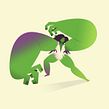
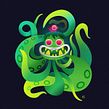

Learn how to create original characters and envision the environment they inhabit
Joined December 2019

There's creativity within you and within everybody. But even though a creative mind may have all the tools it needs to conceive something great, creative blocks are real, and escaping them requires work. In this course, illustrator and character designer Nathan Jurevicius will shake up your creative juices by sharing his personal approach to creating unique and meaningful illustrated characters and how to envision the worlds they inhabit.
Discover the basics on getting inspired and learn a special way of developing characters that have a rich backstory. Through the exercises he proposes, not only will you become a better draftsman and illustrator, but also a more resourceful creative.
What will you learn in this online course?
25 lessons & 16 downloads
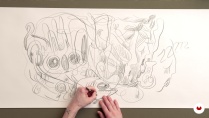
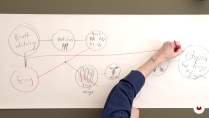
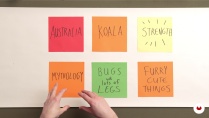
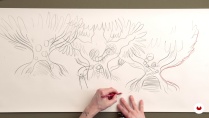
- 98% positive reviews (176)
- 3,505 students
- 25 lessons (5h 18m)
- 16 additional resources (1 files)
- Online and at your own pace
- Available on the app
- Audio: English, Spanish (Latam), French, Italian, Portuguese, Turkish
- English · Portuguese · German · Spanish · French · Italian · Polish · Dutch · Turkish
- Level: Beginner
- Unlimited access forever
Recommended software & tools for this course
 Adobe Illustrator
 Adobe Photoshop
What is this course's project?
You will create a unique character and its world through ideation and practical exercises that can be applied to various media.

Projects by course students


Who is this online course for?
The course is aimed at students and professionals of all levels looking for proven ways to unblock their creativity and expand their skills in original character development and world design.
This course is suited for Illustrators, toy designers, writers, filmmakers, fine artists, animators, and anyone needing an invigorating jumpstart with their personal projects and wanting to know how to create meaningful, engaging characters that stand out from the crowd.
Requirements and materials
You will need basic drawing skills for some lessons.
As for materials, you will need a sketch pad, notebook, plasticine, scissors, and paper. You will also need a drawing medium of your choice: pencils, pens, markers, or a digital surface such as an iPad.
During the development stages of the course, Nathan will be playing with various traditional mediums but will focus on using Adobe Illustrator and Photoshop for the final project. It’s not a requirement to have these programs but they will come in useful if you want to copy his exact workflow.

Reviews

Nathan Jurevicius
A course by Nathan Jurevicius
Nathan Jurevicius is an illustrator, director, toy designer, author, and concept artist. His work has appeared in numerous publications, advertising campaigns, and galleries around the world. Born in Australia and currently living in Toronto, Nathan was gently coerced into a life of painting, drawing, and crafts from an early age.
Nathan specializes in creating immersive worlds inhabited by unique characters. His most acclaimed concept to date is Scarygirl, an ever-evolving world of characters manifested through graphic novels, limited edition figures, video games, and a feature film currently in production.
Nathan’s recent projects include his animated short film and book JUNCTION, the Australian Academy Award-winning PELEDA series based on Lithuanian mythology, and a glass sculpture collaboration with IKEA.
Content
-
U1
Introduction
-
About Me
-
Influences
-
What This Course Is About
-
-
U2
Setting the Foundation
-
Materials and Tools
-
Ideas
-
Connecting the Dots
-
About Your Character
-
World Building
-
-
U3
Building a World
-
Refining the Concepts
-
Refining the Concepts - Annex
-
Time for Illustrator: Preparation
-
Time for Illustrator: Shapes and More Shapes
-
Time for Illustrator: Shapes and More Shapes - Annex
-
Time for Illustrator: Deconstruct
-
Time for Illustrator: Deconstruct - Annex
-
Time for Photoshop: Reconstruct
-
Time for Photoshop: Reconstruct - Annex
-
Time for Photoshop: Light and Shadow
-
Time for Photoshop: Light and Shadow - Annex
-
Time for Photoshop: Colour and Finesse
-
Time for Photoshop: Colour and Finesse - Annex
-
Time for Photoshop: Character and Worlds Unite
-
-
U4
It's Alive!
-
Post-Mortem Analysis
-
Applications
-
Final Tips
-
-
FP
Final project
-
Illustrated Character Design and World Creation
-
What to expect from a Domestika course
-
Learn at your own pace
Enjoy learning from home without a set schedule and with an easy-to-follow method. You set your own pace.
-
Learn from the best professionals
Learn valuable methods and techniques explained by top experts in the creative sector.
-
Meet expert teachers
Each expert teaches what they do best, with clear guidelines, true passion, and professional insight in every lesson.
-
Certificates
PlusIf you're a Plus member, get a custom certificate signed by your teacher for every course. Share it on your portfolio, social media, or wherever you like.
-
Get front-row seats
Videos of the highest quality, so you don't miss a single detail. With unlimited access, you can watch them as many times as you need to perfect your technique.
-
Share knowledge and ideas
Ask questions, request feedback, or offer solutions. Share your learning experience with other students in the community who are as passionate about creativity as you are.
-
Connect with a global creative community
The community is home to millions of people from around the world who are curious and passionate about exploring and expressing their creativity.
-
Watch professionally produced courses
Domestika curates its teacher roster and produces every course in-house to ensure a high-quality online learning experience.
FAQs
This course is designed for intermediate artists who have some foundational skills in drawing or illustration. You don't need advanced expertise, but basic familiarity with art and digital illustration tools like Photoshop or Illustrator will help you get the most out of the lessons.
You'll need access to traditional art supplies (sketchbook, pencils, pens, markers), a computer, Adobe Photoshop and Illustrator, and some modeling materials like Play-Doh or clay. Optional materials include watercolor inks, scissors, and a scanner or camera for digitizing sketches.
You’ll learn how to develop unique characters, build compelling worlds, combine traditional and digital techniques, use Photoshop and Illustrator for illustration, generate and refine ideas, integrate personal and cultural influences, and prepare your work for publishing or toy design.
You can digitize your sketches by scanning them or photographing them with your phone. Once digitized, import the image into Photoshop as a reference layer and use it as a base for digital illustration and further editing.
Yes, the course covers techniques for building meaningful character backstories and motivations, helping you create more authentic and engaging characters by integrating personal, cultural, and narrative elements.
Yes, you’ll learn how to critically evaluate your completed projects through structured post-mortem analysis, helping you identify strengths, weaknesses, and areas for future improvement.
Absolutely. The course guides you through workflows for transforming comics into graphic novels, including visual storytelling, repurposing art for publishing, and organizing your narrative visually.
 Adobe Illustrator
 Adobe Photoshop
Excelente! Comparte todo el proceso de manera muy clara.
This is a great course! My thanks to the illustrator Nathan for the great work he has done in preparing these training videos. Five hours of interesting information! I have been doing digital drawing for only two years and for me every word of the artist is an incentive to further reveal my own potential. I will follow Nathan's work. I am already his idol! I bought the course and am glad that this valuable information is available to me many times. Thanks to Nathan and Domestika!!!
Muy lúdico el proceso de creación, y muy interesante el trabajo de color, luces y la combinación Photoshop-Illustrator.
Excelente curso. Muito inspirador.
nice course