Introduction to Unity for 2D Video Games
Course 7 - User Interface (UI): UI Canvas
By Juan Diego Vázquez Moreno , Programmer and Video Game Designer

Joined May 2019

Joined May 2019

About the video: UI Canvas
Overview
“In this lesson we will see the most important component on which all UI is based on Unity. The canvas will allow us to create a full-screen user interface at the same time that it can be configured to adapt to different resolutions according to the conditions we set and thus be able to use the same menu on any screen ( for example screens from different consoles or mobiles). ”
In this video lesson Juan Diego Vázquez Moreno addresses the topic: UI Canvas, which is part of the Domestika online course: Course 7 - User Interface (UI). Learn to create a start menu and game over menu for your video game.
Partial transcription of the video
“UNITY 2D COURSE 7 LESSON 2 UI Canvas Let's see how to create any type of interface using Canvas. Imagine it as a transparent canvas on which we will paint later Any button, image or text you need in your menu. We start I created a special scene with a quick menu, It is one thing to explain a little how it is built or how it is formed this new Unity graphic interface, how to use the functionality it provides To create your own menus. I've used a series of sprites that I downloaded from a web page, It's Open Source, you can download and use it in your game, I left you the link in the lesson r...”
This transcript is automatically generated, so it may contain mistakes.
Course summary for: Course 7 - User Interface (UI)

Juan Diego Vázquez Moreno
By Juan Diego Vázquez Moreno
Juan Diego Vázquez studied computer engineering at the University of Seville, Spain, and not long after kicking off his career as a programmer, he decided to take the plunge and start a video game development company along with a few colleagues. In 2013, he began collaborating on the development and publishing of a handful of 2D mobile games created using Unity alongside big industry names.
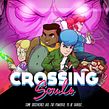
In 2015, he developed the video game Crossing Souls, an '80s inspired pixel art adventure available on PC, PS4, and Nintendo Switch. His journey through the world of video games has led him to develop various 2D games using Unity and its wide array of tools. He always seeks to perfectly balance the user's overall enjoyment with optimization of the user experience.
- 0% positive reviews (0)
- 10 students
- 7 lessons (1h 8m)
- 2 additional resources (1 files)
- Online and at your own pace
- Available on the app
- Audio: Spanish, Turkish, French, Portuguese, Italian
- Spanish · English · Portuguese · German · French · Italian · Polish · Dutch · Turkish · Romanian · Indonesian
- Level: {beginner: "Beginner", intermediate: "Intermediate", advanced: "Advanced"}
- Unlimited access forever

