


Programming Tutorial: create your first code in PHP
Get into the basic programming language, learn how to write it correctly and create your first code with the basic PHP syntax
One of the most used languages on the web is PHP, especially with regard to content management sites, such as blogs. Although at first it may seem a little scary, the truth is is that its learning, like that of any other code, depends on a series of basic principles with which anyone can start.
Ignacio Cruz (@igmoweb), web developer, explains below the basic principles of syntax with PHP so that you learn to write correctly in this language, and can create your first script.
PHP Basics
In order to write our first script with PHP, we first need to know what are the basic characteristics of working with this type of code.
Anatomy of a PHP file
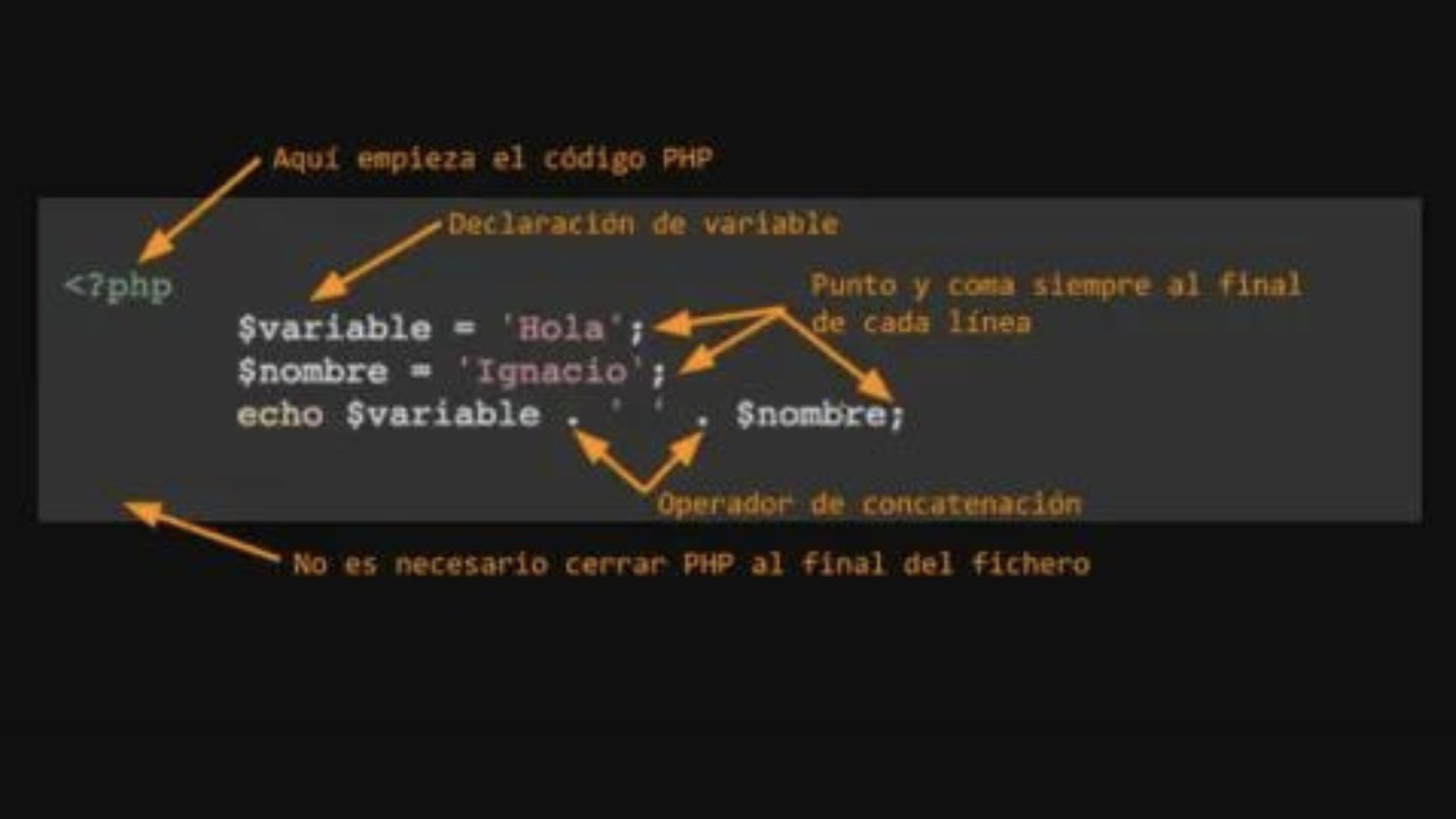
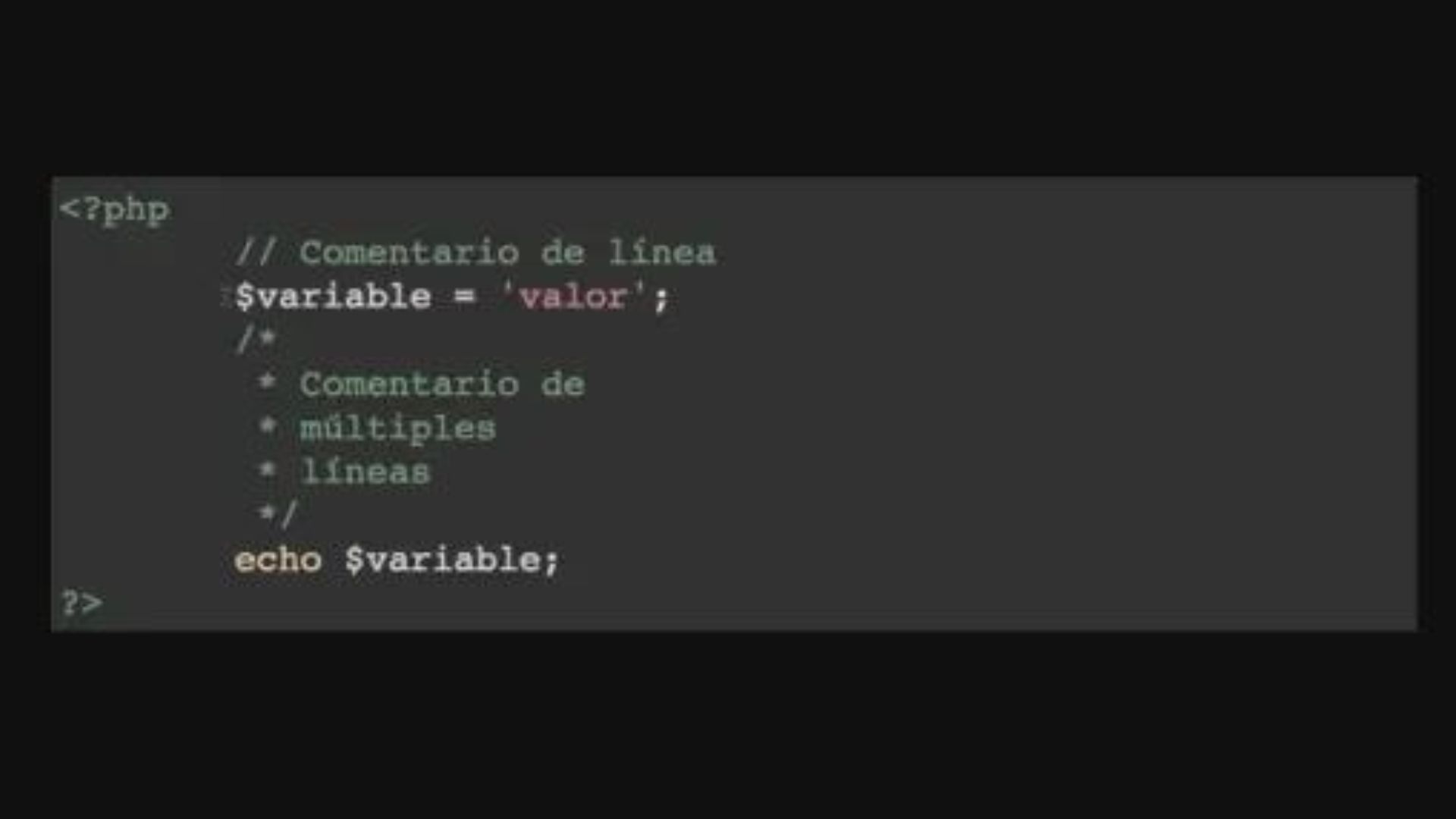
- The first thing we have to know is that when we create a PHP file we always have to tell the interpreter where the code begins . This delimitation would be marked by the symbol <?php; Thus we are indicating to the interpreter that everything that comes next is code. In a pure PHP file, it will not be necessary to indicate the closure of the code.
- Once we are writing the code, and we decide to introduce, for example, a variable and a name, we must remember that each of our lines must end in a semicolon (;).
- If we want the interpreter to display a certain part of the code on the screen, we can use the "echo" directive.
PHP embedded in HTML
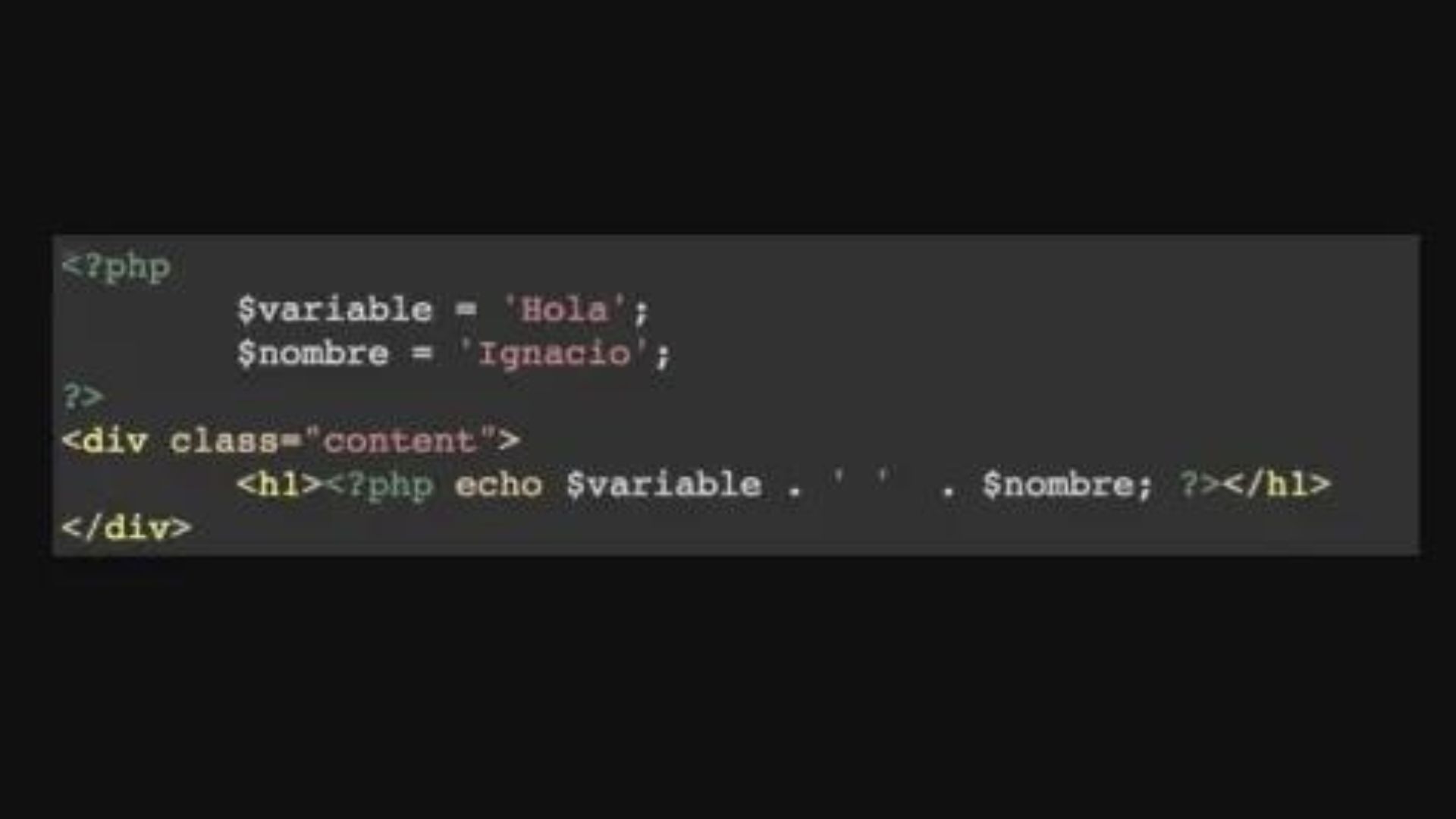
If we want to put PHP "inside" an HTML code, we will have to tell the interpreter where the PHP code ends, so that it is not confused with the HTML. To do this, we use the symbol ?>.
Comments in PHP
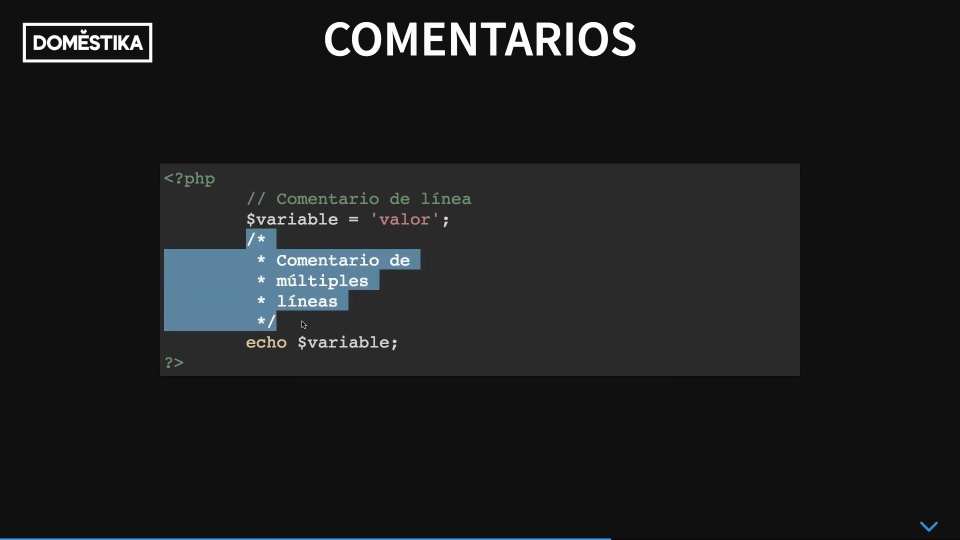
In the PHP code we can find two types of comments: single-line comments (we introduce them with two slashes, //) and multi-line comments (we introduce them and close them with a slash, /).
For PHP interpreters, comments do not exist, so their use is basically indicated to delimit areas in the code, to clarify an area of code that is not completely clear or to temporarily eliminate code. That is, to better organize our work and make it easier for us to work with the code.
Creating our first script
1. We create a folder, which we can call "tests".
2. Once created, we just have to drag it to our text editor for programmers, for example Atom.
3. With the right button, we create a 'New File', which we will call "fichero.php".
4. We can now start writing our code. We introduce it with <?php and write, for example echo 'Hello World';. Remember that it is very important to save frequently so that nothing is lost.
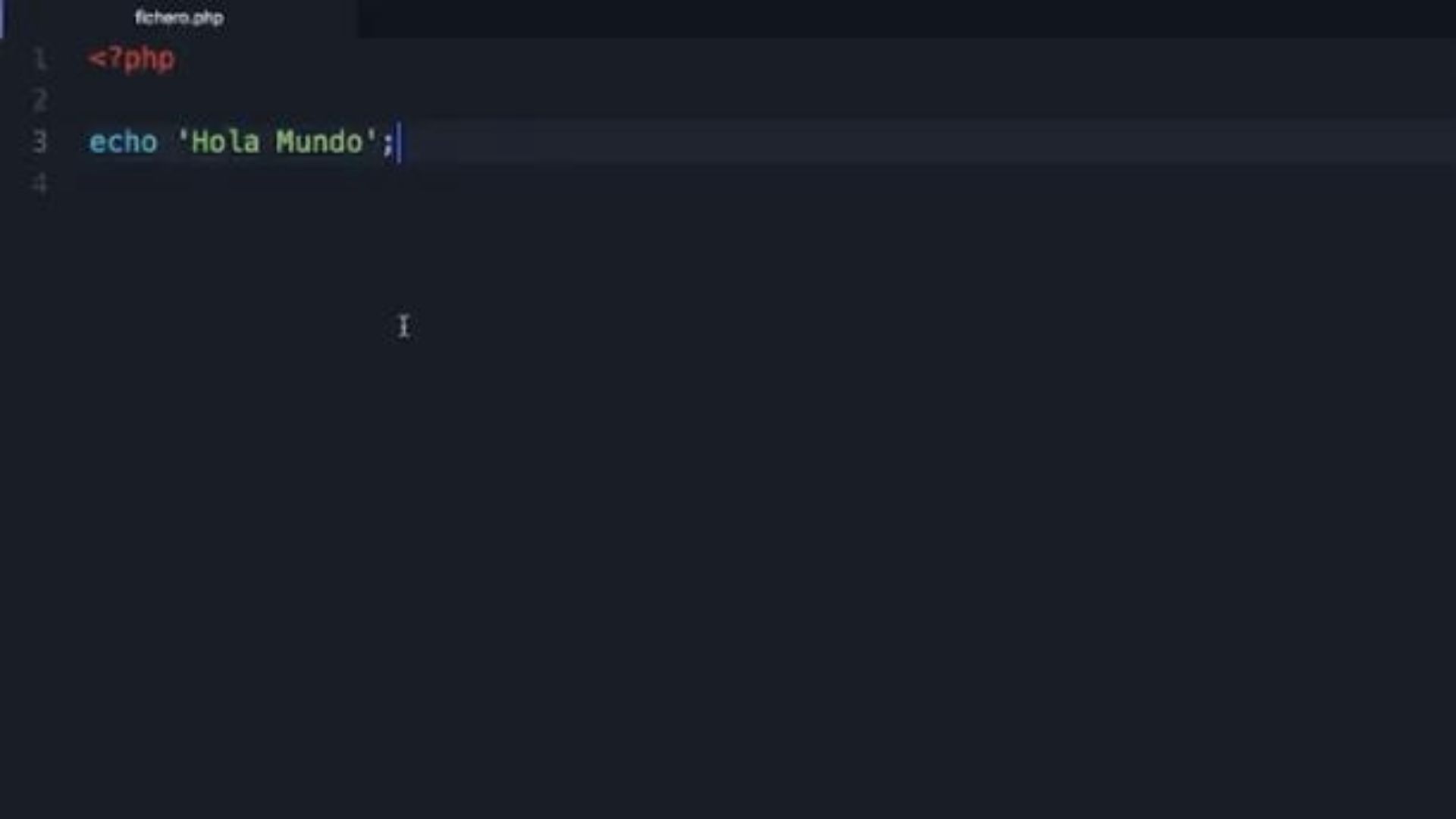
5. We go to our testing website, where we will see that the "tests" folder already appears; inside it we will find "file.php", and inside this folder our 'Hello World'.
6. It is important to know that if we rename our file as "index.php", that will be the file that appears automatically, since it is the first file that our code interpreter will look for. If there are no such files, the program will simply list all the files there are.

If you liked these tips, remember that you can learn with Ignacio Cruz to program in the web language most used by content managers in his online course 'Introduction to web development with PHP'.
You may be interested
- Web development techniques with HTML5 and CSS3, a Marta Armada course.
- Introduction to Responsive Web Development with HTML and CSS, a course by Javier Usobiaga.
- Introduction to programming in JavaScript, a course by Javier Usobiaga.
- Creation of a professional website with WordPress, a course by Ignacio Cross.
- Wordpress theme development, a course by Ignacio Cruz.


0 comments