Video Game Production Using UX Methods
A course by Luis Daniel ZambranoGame Designer and Producer
A course by Luis Daniel Zambrano, Game Designer and Producer

Learn user research methodologies and agile processes to professionally produce a video game
The production of a video game requires a thorough orchestration of Game User Research and User Experience (GUR/UX) elements and methods, which are of utmost importance for all the teams involved in order to create the perfect experience for future players. In this course, you will learn about the role of a video game producer and you will focus, especially, on how to conduct a playtest session to focus the development of your video game or interactive project on the most important thing: the player experience.
Luis Daniel Zambrano—creative director of Teravision Games specialized in game design and production—has been developing video games for more than 14 years, working on more than 80 projects for renowned clients such as Disney, Nickelodeon, or Atari, among many others. With his help, you will learn everything you need to produce video games like a pro.
What will you learn in this online course?
21 lessons & 35 downloads
What will we do in the course
1 minute, 23 seconds
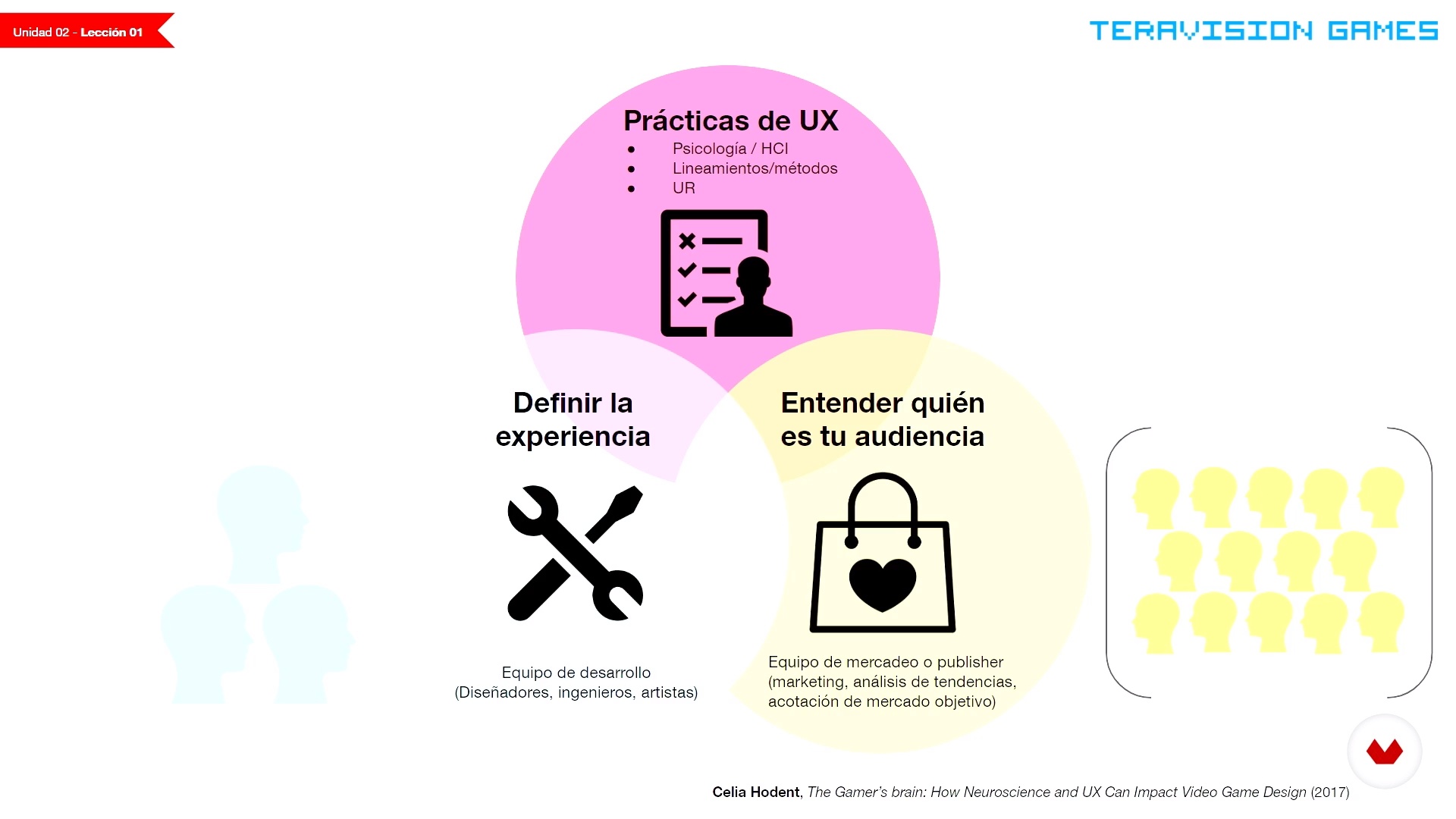
What is ux?
17 minutes, 43 seconds
What does a video game producer do?
10 minutes, 50 seconds
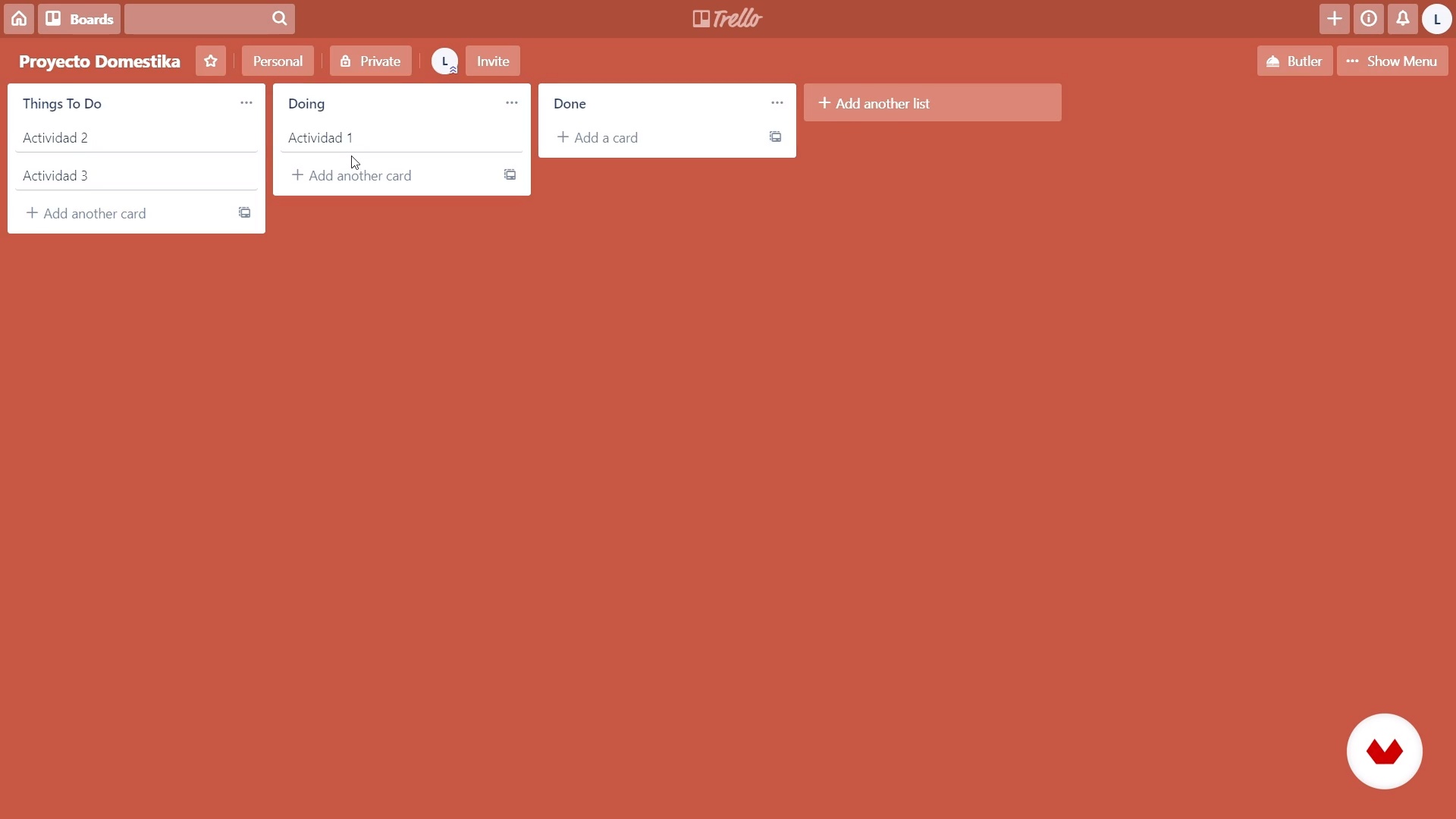
Tools to produce a video game
10 minutes, 54 seconds
Scope and planning 1
15 minutes, 12 seconds
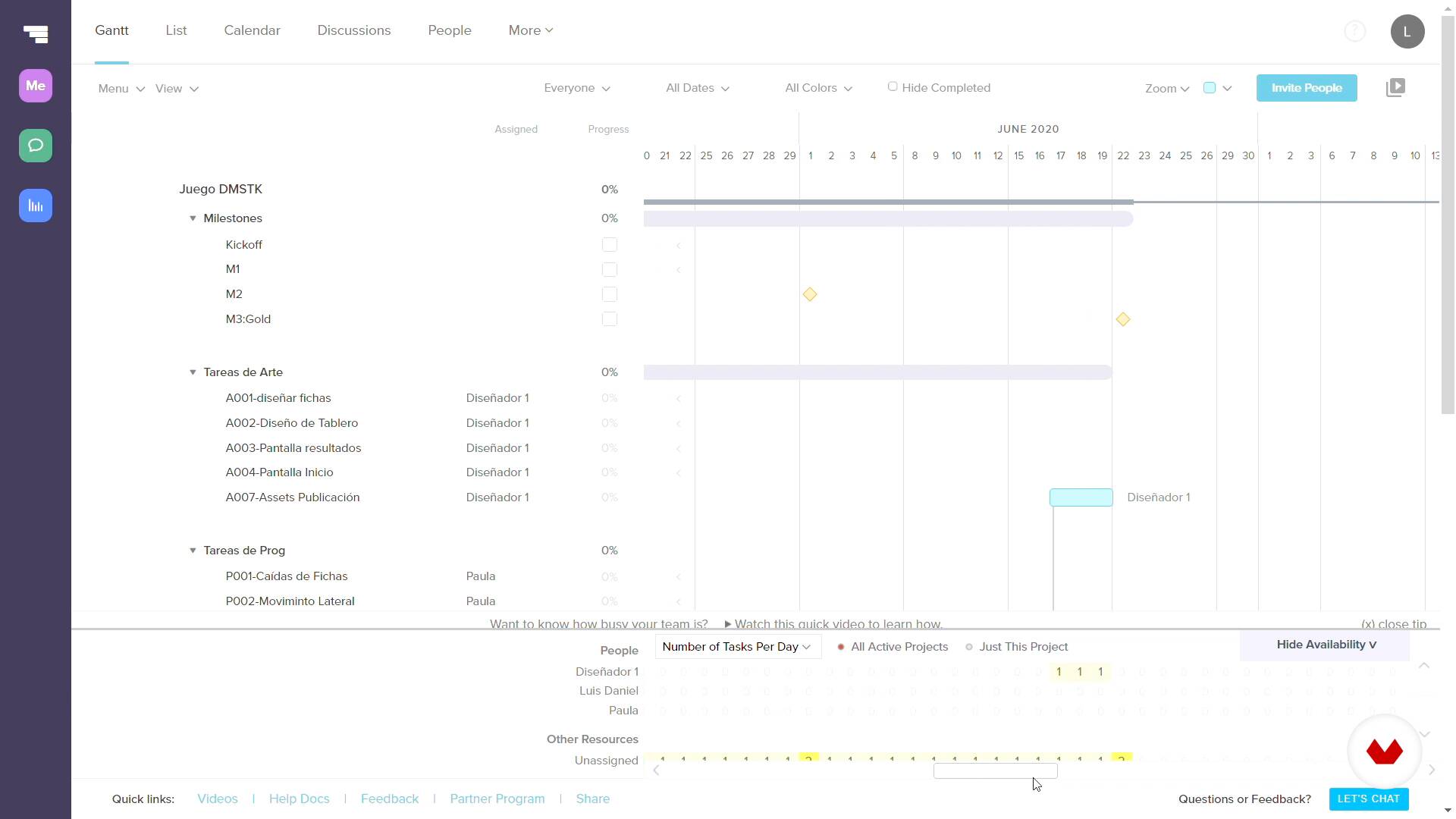
Scope and planning 2
15 minutes, 14 seconds
What's included in this course?
Luis Daniel will introduce himself and talk about his passion for video games, his professional career, and some of his main motivations and references.
You will learn what UX (User Experience) is in detail and how this methodology relates to the development of a video game. Then, you will understand the role of a video game producer and their responsibilities in coordinating each of the parties involved.
Next, you will discover some specific tools and agile development methodologies to produce your video game and start your project today.
You will go deeper into the production and its different phases, starting with the scope, planning, iterative development, and visibility of your project and then into the most valuable stage: the playtest.
You’ll learn what a playtest is, and Luis Daniel will give you some tips so you can make one with a little to no budget. Next, you will see how to objectively convey the conclusions obtained from this session to the team.
To finish this course, Luis Daniel will tell you about the soft skills and professional skills that you must have to be a good producer, and also, some tips to enter the video game industry.
What is this course's project?
The most important tool to focus the development of a video game on its future players is the UX testing. Because of that, you will perform a playtest from its planning, execution, observation, and report. Ideally, this session will be done around a game that you are developing, but don’t worry if you don’t have one; you can practice with any app, board game, device, object, or videogame that already exists, even if it’s not your own.

Projects by course students


Who is this online course for?
Anyone who is interested in learning about the role of a video game producer and their responsibilities, in addition to understanding the great importance of UX concepts in the development of the project.
Requirements and materials
You don’t need any previous knowledge in video game development, you just need to have a handle on basic text editing tools and spreadsheets.

Reviews
- 5 months ago
Muy bien
- 8 months ago
Muy bueno!!
- 1 year ago
Muy bueno la verdad, laburo con sistemas y apps y cumplen el mismo proceso de desarrollo, la informacion del curso me ayudo a aclarar dudas, mejorar mi metodologia de trabajo y enseño un par de truquitos
- 2 years ago
ótimo curso
- 2 years ago
Curso é bem teórico. Mas disponibiliza ferramentas e métodos interessantes.

He has worked in more than 80 video games in different roles ranging from programmer, illustrator, animator, to game designer and producer, for clients such as Disney, Nickelodeon, ESPN, DHX, Namco, Atari, Gun, among many others. To this day he admits that he has never been able to finish a Mega Man game.
Content
- U1
Introduction
- Presentation (Who I am)
- Influences
- What will we do in the course
- U2
UX and production concepts
- What is ux?
- What does a video game producer do?
- Tools to produce a video game
- U3
To produce!
- Scope and planning 1
- Scope and planning 2
- Iterative Development 1
- Iterative Development 2
- Iterative Development 3
- Scrum artifacts 1
- Scrum 2 artifacts
- Playtest 1
- Playtest 2
- Playtest 3
- Playtest 4
- Low budget playtest
- Results report
- U4
From my experience
- Soft skills
- How to enter the industry
- FP
Final project
- Video game production, User Research and UX (to be defined)
What to expect from a Domestika course
Learn at your own pace
Enjoy learning from home without a set schedule and with an easy-to-follow method. You set your own pace.
Learn from the best professionals
Learn valuable methods and techniques explained by top experts in the creative sector.
Meet expert teachers
Each expert teaches what they do best, with clear guidelines, true passion, and professional insight in every lesson.
Certificates
PLUSIf you're a Plus member, get a custom certificate signed by your teacher for every course. Share it on your portfolio, social media, or wherever you like.
Get front-row seats
Videos of the highest quality, so you don't miss a single detail. With unlimited access, you can watch them as many times as you need to perfect your technique.
Share knowledge and ideas
Ask questions, request feedback, or offer solutions. Share your learning experience with other students in the community who are as passionate about creativity as you are.
Connect with a global creative community
The community is home to millions of people from around the world who are curious and passionate about exploring and expressing their creativity.
Watch professionally produced courses
Domestika curates its teacher roster and produces every course in-house to ensure a high-quality online learning experience.
FAQs
This course is designed for people with basic to intermediate knowledge of games, design, or digital development. You don’t need to be an expert, but having prior experience with interactive projects or a strong interest in the gaming industry is ideal.
You’ll learn how to plan, manage, and evaluate game projects using UX principles, agile methodologies, playtesting, efficient documentation, and collaborative tools. You’ll also dive into interactive storytelling, editorial design, quality control, and professional strategies.
All you need is a computer with internet access. Basic familiarity with digital tools like Google Drive, Trello, Slack, and spreadsheets is recommended. Programming skills aren’t required but can help you get more out of the course.
The main focus is on production, UX, and project management for games. It covers design basics, user testing, and playtesting but doesn’t focus on programming from scratch—instead, it emphasizes processes, tools, and methodologies for teams and digital products.
You’ll learn to use Trello, Slack, Google Drive, Google Calendar, TeamGantt, spreadsheets, and Gantt charts to plan, document, assign tasks, and track progress in multidisciplinary teams.
The course teaches you to apply neuroscience principles, typography, usability, and user testing to spot and fix UX issues. You’ll learn how to run playtests and analyze feedback to enhance your players’ experience.
Yes, the course includes real-world cases and hands-on exercises to design, run, and analyze playtests, plus methods to evaluate user experience in low-budget interactive products.