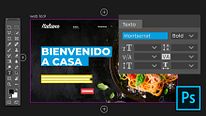
Adobe Photoshop for Web Design
Course 4 – Typography: Typographic tools
By Arturo Servín, Web designer





About the video: Typographic tools
Overview
“Learn how to use Adobe Photoshop text tools and apply them easily on your home page.”
In this video lesson Arturo Servín addresses the topic: Typographic tools, which is part of the Domestika online course: Course 4 – Typography. Find the ideal typography and learn how to style your texts.
Partial transcription of the video
“Editing typography is very important within Adobe programs. Generally. we work with typography in two different ways. In this lesson. we will learn to do it using Adobe Photoshop's typography editing tools. Let's get started. It's quite simple to use. yet it's crucial to focus on comprehending how I will design the typographies or texts and determine their placement on my website. This understanding is essential for effective website The initial step is to identify that text layers are marked with a T. as highlighted in earlier lessons. For instance. i'll work directly with the slider here....”
This transcript is automatically generated, so it may contain mistakes.
Course summary for: Course 4 – Typography
Arturo Servín
By Arturo Servín
Monky is a graphic designer specializing in web design. He has worked as a web designer for the magazine a! Design, for the Mexican design brand Tixinda and has collaborated with Dr. Morbito for different web projects. For several years he was part of the Adobe Community Professionals team in Mexico and has extensive experience teaching courses for both professionals and students.
He is currently the general director of La Constelación, a studio focused on digital marketing, e-commerce and web design.
- 0% positive reviews (0)
- 15 students
- 7 lessons (1h 21m)
- 23 additional resources (4 files)
- Online and at your own pace
- Available on the app
- Audio: Spanish, Turkish, French, Portuguese, Italian
- Spanish · English · Portuguese · German · French · Italian · Polish · Dutch · Turkish · Romanian · Indonesian
- Level: {beginner: "Beginner", intermediate: "Intermediate", advanced: "Advanced"}
- Unlimited access forever