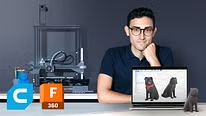
Introduction to 3D Design and Printing
Ultimaker Cura: preparing files
A course by Agustín Arroyo , Designer and Maker


About the video: Ultimaker Cura: preparing files
Overview
“In this lesson we will see the basic operation of Ultimaker Cura, prepare the file and print our first prototype in 3D.”
In this video lesson Agustín Arroyo addresses the topic: Ultimaker Cura: preparing files, which is part of the Domestika online course: Introduction to 3D Design and Printing. Learn the step-by-step process of 3D design, modeling, and printing and bring your ideas to life.
Partial transcription of the video
“Ultimaker Cura: Preparing Files In this lesson, I will show you how to prepare your 3D model using basic settings in Ultimaker Cura that guarantee that it will print well. Once we've done that, we'll move to the 3D printer and manufacture it. Let me show you. The first thing we need to do in Cura is to open the file. To open the file we exported, we click at the top and browse for it. I have it here and I'll click Open. The first thing I want to show you in Cura is that, apart from being able to process the file, we can also make slight changes. Whenever we open a file, it will be placed in...”
This transcript is automatically generated, so it may contain mistakes.
Course summary for: Introduction to 3D Design and Printing
-
Category
Design -
Software
Autodesk Fusion 360 -
Areas
3D, 3D Design, 3D Modeling, Industrial Design, Product Design

Agustín Arroyo
A course by Agustín Arroyo
Agustín Arroyo, better known in the maker world as Flowalistik, is a product designer and educator who currently lives in Madrid, Spain. He's been passionate about creating new products since he was young; what he used to do with Legos, he now does with a computer and a 3D printer.
He's been working in digital manufacturing since 2013 and his creations are characterized by minimalist shapes, attention to detail, and, above all, functionality. He's collaborated with companies like Ultimaker, BCN3D, and Prusa Printers, creating end products, promo collections, and new designs. Most of his designs are free for download, meaning anyone with access to a 3D printer can make them.
- 97% positive reviews (1.2K)
- 42,277 students
- 19 lessons (3h 9m)
- 29 additional resources (4 files)
- Online and at your own pace
- Available on the app
- Audio: Spanish, English, French, Indonesian, Italian, Portuguese, Romanian, Turkish
- Spanish · English · Portuguese · German · French · Italian · Polish · Dutch · Turkish · Romanian · Indonesian
- Level: Beginner
- Unlimited access forever
Recommended software & tools for this course
 Autodesk Fusion 360
Category
Areas