Digital Illustration with Textures in Photoshop
A course by Juan Dellacha, Illustrator and graphic designer

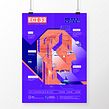
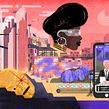

Learn to use textures and graphic resources to enrich your illustrations

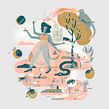
Filling your textures and details illustrations can turn them into unique pieces that invite the viewer to get lost in them, exploring the visual language, composition and color. Learning to generate these visual resources is Juan Dellacha's specialty - graphic designer, illustrator and teacher at the University of Buenos Aires - who has worked for brands such as Cartoon Network, Adidas, Assisi, GulaVisual, Brava Estudio, among many other collaborations with his eclectic illustrations.
In this course you will learn to apply textures and graphics to your illustrations, enhancing the visual richness of your characters and settings. From color palettes of few colors, you can generate depth in the image and explore the expressiveness of digital tools by a professional.
What will you learn in this online course?
26 lessons & 18 downloads
What's included in this course?
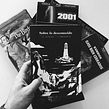
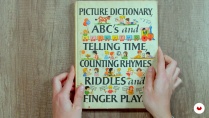
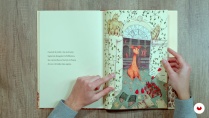
You will begin by knowing the work and influences of Juan Dellacha, and how he has been dialoguing in his process between analog and digital. He will show you some of his favorite "treasure books" found on the street or by chance in forgotten bookstores, his fascination with Pokemon's Gameboy graphics and the relationship with his work.
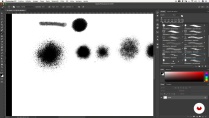
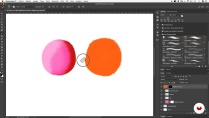
You will know the use of some basic Adobe Photoshop tools, starting with the use and selection of brushes: which ones to use for textured planes, for lines and details, and also for shading. Then, you will see how the application of masks ( layer mask ) and solid colors ( solid color ) works, in order to generate textures through brushes.
Through a demonstration, you will see how Juan generates textures from a canvas , combining some digital brushes and then creating a texture catalog. In addition, you will be introduced to the use of reduced color palettes, discovering their visual potential.
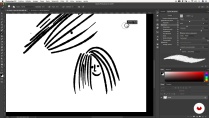
Then, you will do a series of tests with the brushes to find your own graphics, and apply shadows and textures to your illustrations in a more personal and graphic way.
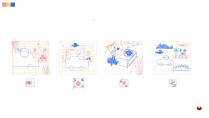
You will start your illustration looking for elements, references, environments and situations that compose it. You will create a character in action and put it to the test in relation to a scenario with your textures, shading, colors and resources.
At the end of this course you will have known Juan's work process and some of his favorite tools to apply it to your illustrations.
- 100% positive reviews (203)
- 2,976 students
- 26 lessons (5h 26m)
- 18 additional resources (7 files)
- Online and at your own pace
- Available on the app
- Audio: Spanish
- Spanish · English · Portuguese · German · French · Italian · Polish · Dutch · Turkish · Romanian · Indonesian
- Level: Beginner
- Unlimited access forever
Recommended software & tools for this course
 Adobe Photoshop
What is this course's project?
You will create an illustration using composition techniques and creation of digital textures.

Projects by course students


Who is this online course for?
To beginner illustrators interested in learning basic texturing and shading techniques in digital illustration, who want to enhance their work and polish their style.
Requirements and materials
To take this course you will need basic knowledge of drawing and management of Adobe Photoshop.
Regarding the materials, you will need a computer with Photoshop installed, and it is advisable - although not essential - to have a graphics tablet.

Reviews

Juan Dellacha
A course by Juan Dellacha
He studied design at the Faculty of Architecture, Design and Urbanism of the University of Buenos Aires (Argentina), where he was an assistant professor of Graphic Design 1 (Gabriele Chair) and is currently a professor of Editorial Illustration (Catedra Roldán).
He worked in different design studios, and after about 3 years, he decided to venture into life freelance working for agencies such as: 90 + 10, Alegría Buenos Aires, Assisi, BeTwentyFive, Brava Estudio, DGPH, GulaVisual , Gonni Agency, Patricio Oliver, Smack, Tregua, WeNoise, among others.
As an illustrator he has designed and illustrated in diverse fields and projects. His experience and training have helped him develop versatility and rigor in the use of visual languages, color and composition, both to design and to illustrate. His specialty is to create visual resources for brands, ventures, magazines and events, from various fields and scales.
Content
-
U1
Introduction
-
Presentation
-
Influences
-
Influences II
-
What will we do in the course
-
-
U2
Tools
-
Analog - Digital
-
Brushes I
-
Brushes II
-
Uniform color, layer mask and clipping mask
-
Letting go of my hand and generating textures I
-
Letting go of the hand and generating textures II
-
Use of reduced color palettes
-
Application of textures, shading and color I
-
Application of textures, shading and color II
-
Application of textures, shading and color III
-
-
U3
Project: Idea and Sketch
-
First, the idea: Choose your own adventure
-
Sketch I: Structure and composition
-
Sketch II: Collage I
-
Sketch II: Collage II
-
-
U4
Illustration
-
Plenary sessions, silhouettes and synthesis I
-
Plenary sessions, silhouettes and synthesis II
-
Plenary sessions, silhouettes and synthesis III
-
Color application I
-
Color Application II
-
Textures and final adjustments I
-
Textures and final adjustments II
-
Export
-
-
FP
Final project
-
Digital Illustration with Textures in Photoshop
-
What to expect from a Domestika course
-
Learn at your own pace
Enjoy learning from home without a set schedule and with an easy-to-follow method. You set your own pace.
-
Learn from the best professionals
Learn valuable methods and techniques explained by top experts in the creative sector.
-
Meet expert teachers
Each expert teaches what they do best, with clear guidelines, true passion, and professional insight in every lesson.
-
Certificates
PlusIf you're a Plus member, get a custom certificate signed by your teacher for every course. Share it on your portfolio, social media, or wherever you like.
-
Get front-row seats
Videos of the highest quality, so you don't miss a single detail. With unlimited access, you can watch them as many times as you need to perfect your technique.
-
Share knowledge and ideas
Ask questions, request feedback, or offer solutions. Share your learning experience with other students in the community who are as passionate about creativity as you are.
-
Connect with a global creative community
The community is home to millions of people from around the world who are curious and passionate about exploring and expressing their creativity.
-
Watch professionally produced courses
Domestika curates its teacher roster and produces every course in-house to ensure a high-quality online learning experience.
FAQs
You’ll learn how to apply digital textures, work with limited color palettes, simplify shapes, create and organize brushes, and export illustrations for print and social media—all while blending analog and digital techniques.
This is an intermediate-level course, perfect if you already have basic Photoshop or digital illustration skills and want to deepen your understanding of textures, color, and composition.
You’ll need a computer with Photoshop installed, a graphics tablet (recommended), and basic knowledge of the program. Internet access is also suggested for downloading brushes and resources.
The course teaches you how to create and apply graphic textures, layer inks, and produce shading using custom brushes, layer masks, and blending modes to add depth and realism.
Yes, you’ll learn how to import, create, organize, and fine-tune digital brushes, customizing them by texture and purpose to streamline your workflow.
The course covers the right formats, resolutions, and color modes for exporting your illustrations depending on their use—CMYK for print and RGB for social media.
You’ll learn to simplify shapes, apply straightforward composition schemes, use the rule of thirds, and arrange layers to create striking, storytelling illustrations.
 Adobe Photoshop
Buenos pinceles!
Muy buen curso y bien explicado con todo tipo de detalles!
Muy bueno el desempeño y la dedicación del docente.
Excelente Profesor!!
Me gusto mucho el curso!, sobretodo ver el proceso y como se la ingenia para lograr algo nuevo y creativo de algo ya existente, ahora voy entendiendo mejor los procesos creativos en ilustracion en photoshop. Tambien me sirvieron mucho los Brushes, los uso bastante. mientras voy dibujando vuelvo siempre algun que otro capitulo para refrescar. Me encantaria ver mas cursos de este profe!