Colour Grading Beauty Portraits in Capture One
A course by Kayleigh JuneRetoucher and Beauty Photographer
A course by Kayleigh June, Retoucher and Beauty Photographer

Master beauty portrait color grading in Capture One using RAW processing, color theory, styles, and professional presets
In this course, photographer and retoucher Kayleigh June walks you through her real‑world approach to color grading beauty portraits in Capture One. The focus stays on close‑up work, where every small shift in skin tone or color makes a difference.
You start by getting comfortable with RAW processing so you don’t lose detail before you even begin retouching. From there, you look at practical color theory for portraits and learn how to use editorial references, mood boards, and Capture One’s Match Look tool as guides rather than strict formulas.
Kayleigh works through the tools she actually relies on day to day: white balance, exposure, Curves, the Color Editor and Skin Tone panel, Color Balance wheels, layers, and even a bit of film grain when the image calls for it. You also learn how she builds and batches her own styles and presets when she needs a full set of images to feel consistent without looking copy‑pasted.
The course ends with honest advice on what usually goes wrong in beauty color grading—and what tends to work—so your edits feel polished, natural, and ready for client work or your portfolio.
What will you learn in this online course?
6 lessons & 2 downloads
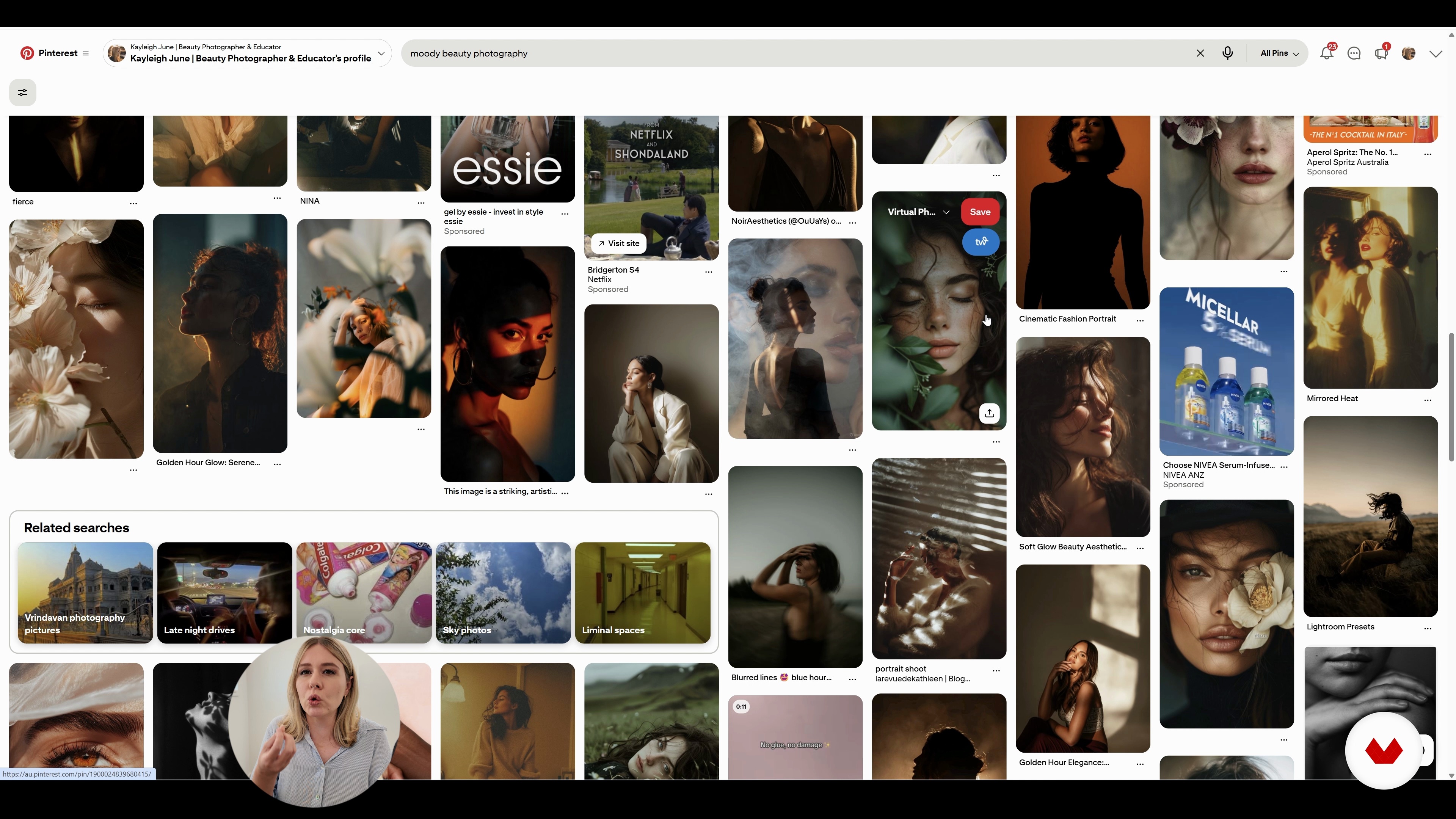
Colour Theory and Image References
8 minutes, 8 seconds
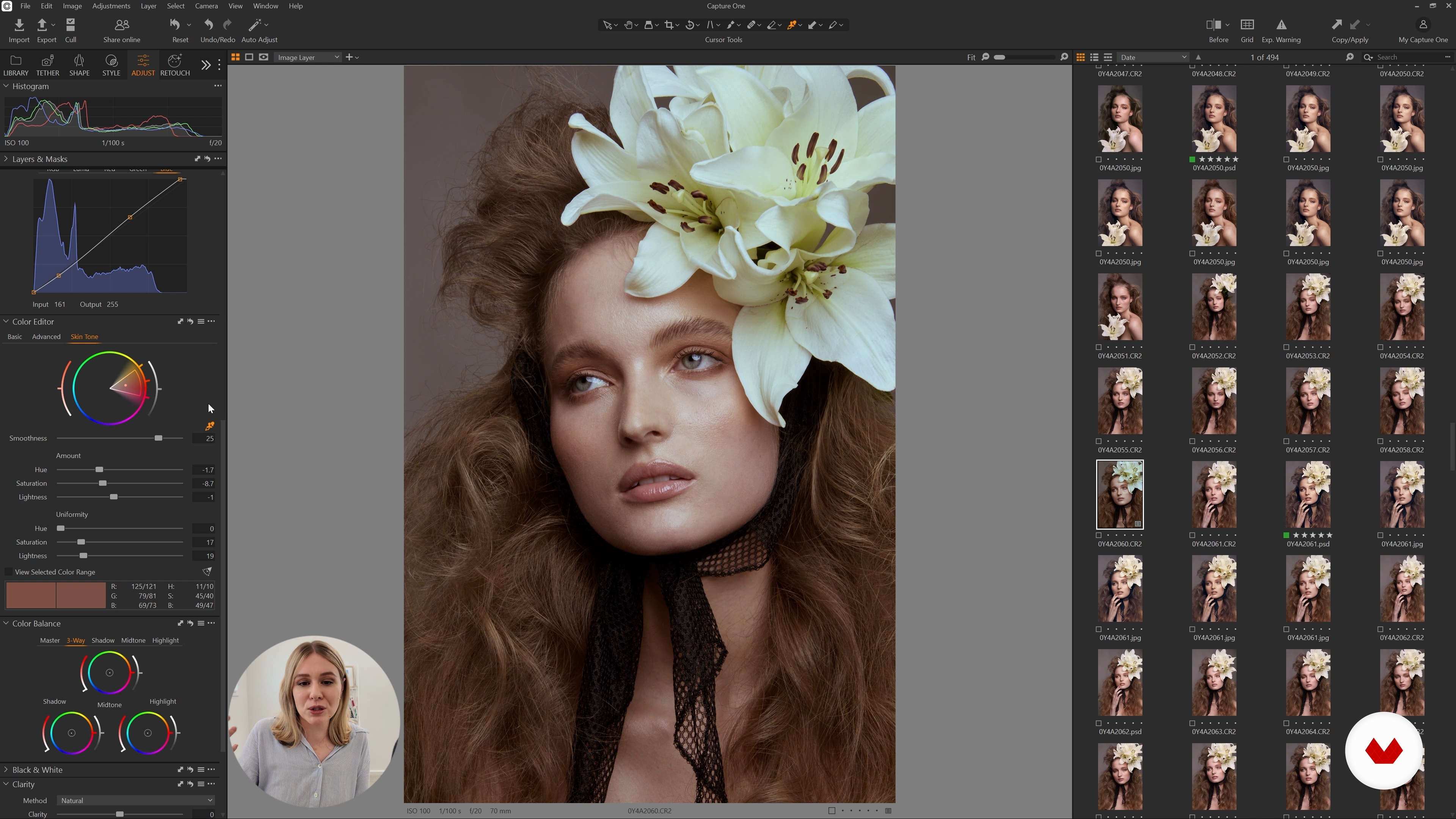
Using basic colour‑grading tools in Capture One
25 minutes, 0 seconds
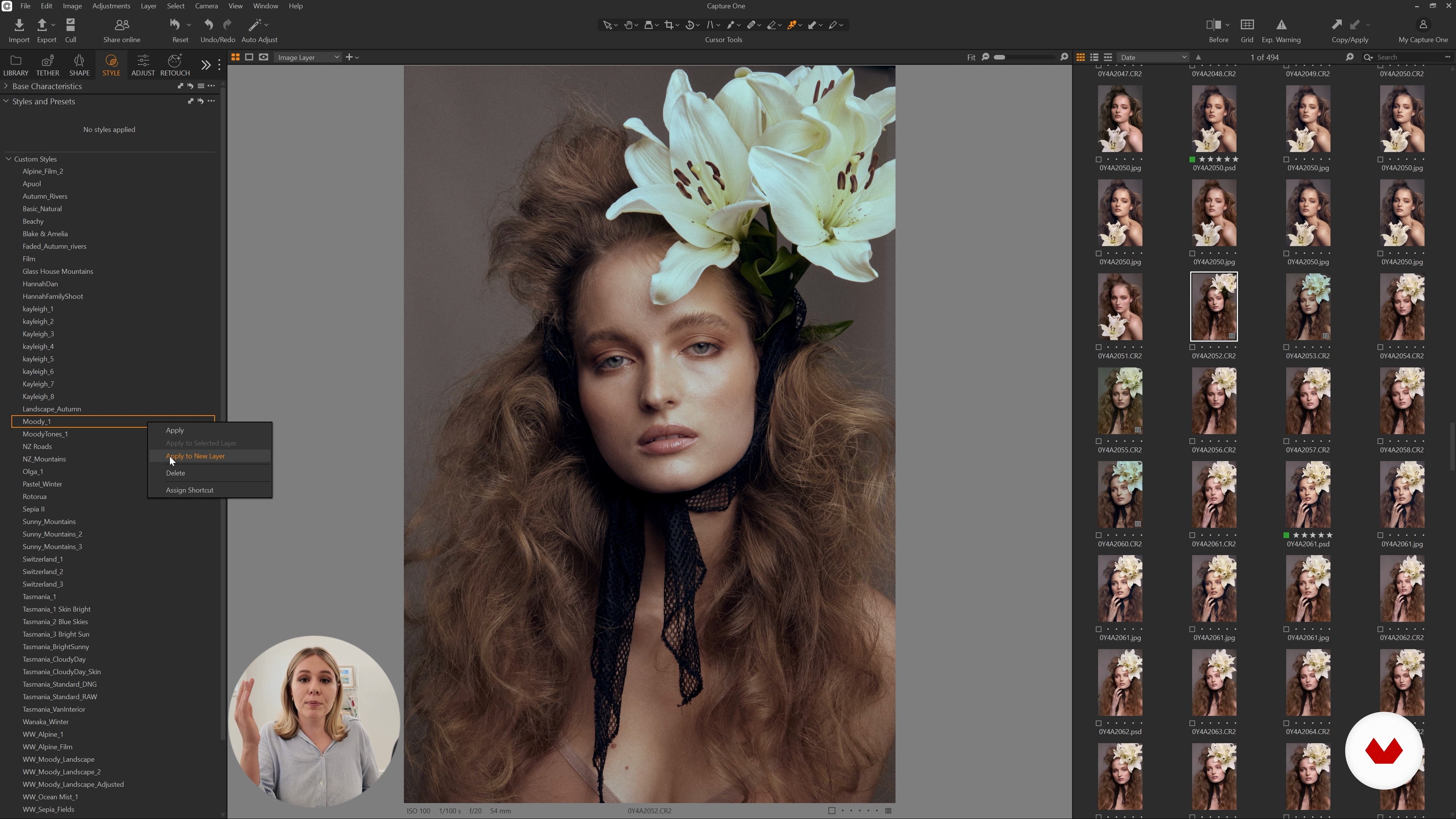
Using styles in Capture One
5 minutes, 7 seconds
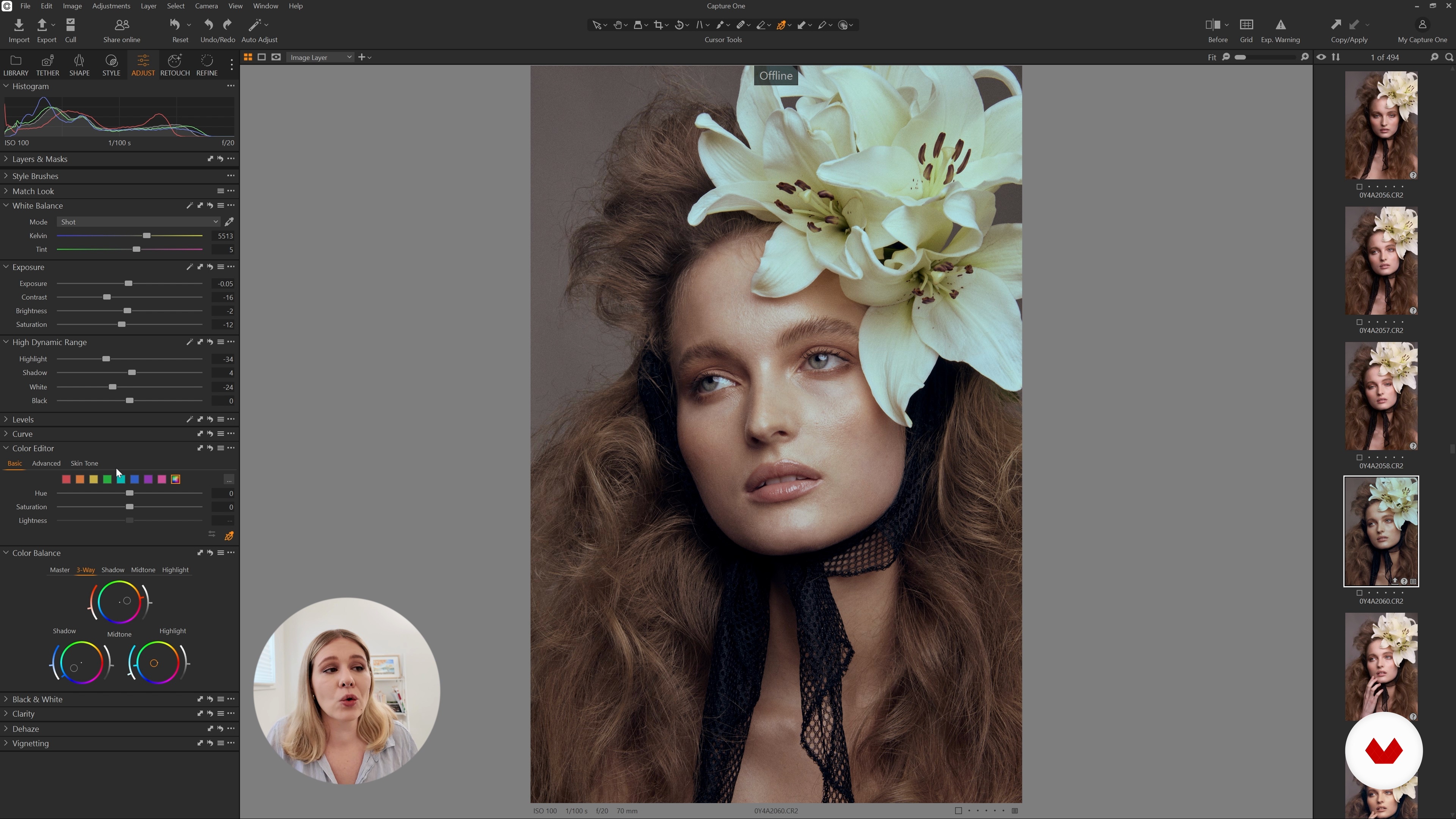
Do's and Don'ts of Colour Grading Beauty Portraits
4 minutes, 41 seconds
What's included in this course?
You'll walk through a practical, start‑to‑finish workflow for colour grading beauty portraits in Capture One. You'll import your files, work through the RAW adjustments that actually matter, and export clean, ready‑to‑retouch images. Along the way, you'll get a clearer sense of how RAW files behave and what really keeps image quality intact, so Capture One becomes the place where your whole beauty‑retouching process starts on solid ground.
You'll also spend time on the colour side of things—how to read a mood board, how to build one that actually helps you, and how to make creative choices that still keep skin looking like skin. You'll work hands‑on with tools like Curves, the Color Editor, the Skin Tone panel, Color Balance wheels, and film grain. By the end, you'll have your own styles and presets, know when to use layers or batch edits, and have a set of practical do’s and don’ts that make grading faster and less guessy.
Recommended software & tools for this course
What is this course's project?
Create a polished beauty portrait color grade in Capture One, starting with RAW processing, then applying color theory, references, tools like Curves, Color Editor, Skin Tone, Color Balance, layers, styles, presets for consistent batch results.
Who is this online course for?
Photographers who want cleaner, better‑balanced colour in beauty portraits, retouchers and editors working on skin tones in Capture One, people in fashion or portrait work who want their images to feel consistent, and beginners who know the basics and want a clear grading routine
Requirements and materials
You don’t need much experience. If you know the basics of photography, can open RAW files in Capture One, have a computer that handles them without groaning, and can get online reliably, you're good. The only real requirement is being curious about color and portraits.
Reviews
- 3 months ago
un cours qui est semble t'il plus court que d’habitude mais complet et qui droit au but avec des explications claires. ce cours démystifie le colors grading d'une façon très simple . je recommande ce cours évidement.

Her passion and drive to succeed in the industry has also led her to take on a role of educator, creating a YouTube photography and retouching tutorial channel, amassing over 80K subscribers. Kayleigh appreciates and strives to show diversity in everything that she creates, making her work recognizable to many.
Content
Colour Grading Beauty Portraits in Capture One
- Introduction
- RAW Processing Your Images
- Colour Theory and Image References
- Using basic colour‑grading tools in Capture One
- Using styles in Capture One
- Do's and Don'ts of Colour Grading Beauty Portraits
- Final project
What to expect from a Domestika course
Learn at your own pace
Enjoy learning from home without a set schedule and with an easy-to-follow method. You set your own pace.
Learn from the best professionals
Learn valuable methods and techniques explained by top experts in the creative sector.
Meet expert teachers
Each expert teaches what they do best, with clear guidelines, true passion, and professional insight in every lesson.
Certificates
PLUSIf you're a Plus member, get a custom certificate signed by your teacher for every course. Share it on your portfolio, social media, or wherever you like.
Get front-row seats
Videos of the highest quality, so you don't miss a single detail. With unlimited access, you can watch them as many times as you need to perfect your technique.
Share knowledge and ideas
Ask questions, request feedback, or offer solutions. Share your learning experience with other students in the community who are as passionate about creativity as you are.
Connect with a global creative community
The community is home to millions of people from around the world who are curious and passionate about exploring and expressing their creativity.
Watch professionally produced courses
Domestika curates its teacher roster and produces every course in-house to ensure a high-quality online learning experience.
FAQs
This course is best for those with some experience in photo editing and Capture One, looking to advance their color grading skills, especially for beauty and editorial portraits.
You need access to Capture One software, basic familiarity with photo editing, and some raw beauty or portrait images to follow along with the lessons.
You'll learn advanced color grading, skin tone correction, batch editing with styles and presets, using image references, and creating cinematic looks in Capture One for beauty and editorial portraits.
Yes, the course teaches targeted skin tone correction using the Color Editor and other key tools in Capture One for natural and professional portrait results.
Yes, you’ll learn how to apply styles, presets, and batch processing workflows to edit multiple images consistently and efficiently in Capture One.
The course includes step-by-step guidance on creating, customizing, and saving your own color grading styles and presets for personal or client projects.
Yes, you’ll explore cinematic looks using Curves, Color Balance, and other advanced tools to achieve editorial-quality color grading for beauty portraits.