From sketch to render: An introduction to Vizcom for industrial designers
A course by Gerry Soler , Industrial Designer

Joined June 2018

Redesign a cordless drill with Viscom by exploring 3D visualization, artificial intelligence, and professional presentation.
Joined June 2018

Discover how to transform your ideas into visually stunning products through product visualization with Vizcom. Learn how to use this powerful software to redesign a cordless drill inspired by an existing brand. From creating a brand board to defining the visual language, you'll explore materials, colors, and finishes while making specific adjustments to achieve a cohesive and professional design. Artificial intelligence will be your ally in visualizing your ideas quickly and clearly, without losing sight of your creative intent.
By the end, you'll have a complete project ready to add to your portfolio. You'll learn how to create user renders and prepare a professional presentation that showcases your skills. You'll also discover the latest updates to the Vizcom interface, optimizing your workflow and making the most of the available tools. Turn your vision into reality and take your industrial design projects to the next level.
What will you learn in this online course?
9 lessons & 4 downloads
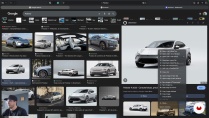
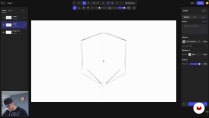
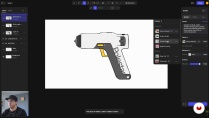
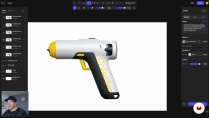
- 26 students
- 9 lessons (1h 22m)
- 4 additional resources (3 files)
- Online and at your own pace
- Available on the app
- Audio: Spanish, German, English, French, Indonesian, Italian, Dutch, Polish, Portuguese, Romanian, Turkish
- Spanish · English · Portuguese · German · French · Italian · Polish · Dutch · Turkish · Romanian · Indonesian
- Level: Beginner
- Unlimited access forever
Recommended software & tools for this course
 Vizcom
What is this course's project?
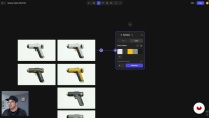
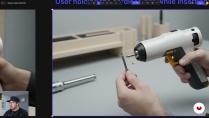
The project involves redesigning a cordless drill inspired by an existing brand, using Vizcom to develop everything from the brand board to a professional presentation. Students will learn to visualize and refine details, exploring materials, colors, and finishes.
Who is this online course for?
Industrial designers and creatives interested in enhancing their portfolios by using artificial intelligence to develop 3D product visualizations. Individuals with basic design knowledge seeking to explore innovative tools to improve the presentation of their projects.
Requirements and materials
Extensive prior knowledge is not required, but a basic understanding of industrial design is important. A computer that supports 3D visualization software, a graphics tablet, and internet access for exploring resources and references are recommended.

Gerry Soler
A course by Gerry Soler
Gerry Soler uses design as a tool to transform how people feel, connect, and grow. With love, intention, and a touch of humor, he seeks to address meaningful topics, spark positive emotions, and create experiences that help others reach their fullest potential. He brings this vision to life by combining emotional sensitivity, hands-on prototyping, and clear strategy.
His work integrates research, storytelling, and emerging technologies, including artificial intelligence, to build processes that are both efficient and deeply human. He also shares this approach on Designfulness, his educational YouTube channel, where he helps designers think better, work smarter, and design with purpose.
Gerry is a Mexican–Spanish industrial designer with experience in Mexico, Japan, Denmark, and Sweden, and a graduate of the Master’s in Advanced Product Design at Umeå Institute of Design. His work spans consumer electronics, wearables, robotic systems, and sports-related projects. He currently develops projects from Mexico, creating products and experiences that blend design, technology, and a critical lens that challenges taboos and pushes boundaries.
Content
-
From sketch to render: An introduction to Vizcom for industrial designers
-
Introduction
-
User interface update
-
Brand analysis and creation of the brand board
-
From idea to sketch
-
Prompts and percentage of influence
-
Defining the product: shape, proportions, and visual language
-
Exploring CMF and working in Workbench
-
Final views and hero shots
-
Final presentation and closing
-
Final project
-
What to expect from a Domestika course
-
Learn at your own pace
Enjoy learning from home without a set schedule and with an easy-to-follow method. You set your own pace.
-
Learn from the best professionals
Learn valuable methods and techniques explained by top experts in the creative sector.
-
Meet expert teachers
Each expert teaches what they do best, with clear guidelines, true passion, and professional insight in every lesson.
-
Certificates
PlusIf you're a Plus member, get a custom certificate signed by your teacher for every course. Share it on your portfolio, social media, or wherever you like.
-
Get front-row seats
Videos of the highest quality, so you don't miss a single detail. With unlimited access, you can watch them as many times as you need to perfect your technique.
-
Share knowledge and ideas
Ask questions, request feedback, or offer solutions. Share your learning experience with other students in the community who are as passionate about creativity as you are.
-
Connect with a global creative community
The community is home to millions of people from around the world who are curious and passionate about exploring and expressing their creativity.
-
Watch professionally produced courses
Domestika curates its teacher roster and produces every course in-house to ensure a high-quality online learning experience.
FAQs
What are Domestika's online courses?
Domestika courses are online classes that allow you to learn new skills and create incredible projects. All our courses include the opportunity to share your work with other students and/or teachers, creating an active learning community. We offer different formats:
Original Courses: Complete classes that combine videos, texts, and educational materials to complete a specific project from start to finish.
Basics Courses: Specialized training where you master specific software tools step by step.
Specialization Courses: Learning paths with various expert teachers on the same topic, perfect for becoming a specialist by learning from different approaches.
Guided Courses: Practical experiences ideal for directly acquiring specific skills.
Intensive Courses (Deep Dives): New creative processes based on artificial intelligence tools in an accessible format for in-depth and dynamic understanding.
When do the deep dive courses start and when do they finish?
All deep dive courses are 100% online, so once they're published, deep dive courses start and finish whenever you want. You set the pace of the class. You can go back to review what interests you most and skip what you already know, ask questions, answer questions, share your projects, and more.
What do Domestika's deep dive courses include?
The deep dive courses are divided into different modules. Each one includes lessons, informational text, tasks, and practice exercises to help you carry out your project step by step, with additional complementary resources and downloads. You'll also have access to an exclusive forum where you can interact with other students, as well as share your work and your final project, creating a community around the deep dive courses.
Have you been given a deep dive courses?
You can redeem the deep dive courses you received by accessing the redeeming page and entering your gift code.
 Vizcom