Digital Composition Techniques for 3D Animation
A course by DON PORFIRIO , Animation Studio

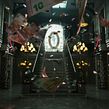



Master the digital composition process to give your work a professional finish

When creating an animation, the composition process —although oftentimes overlooked—is an essential part of the production process, and mastering this process allows for a highly professional finish in your 3D animations.
Roberto Puig—motion graphics artist with over 15 years of experience—has developed and directed projects for clients such as CBC Sports, BBC Entertainment, Discovery Networks, Cbeebies, and many more. In this course, he teaches alongside other specialized artists from the Don Porfirio studio, how to reach a higher visual quality through essential techniques, to give stunning finishing touches using Adobe After Effects.
See the importance of the rendering process from 3ds Max or any other 3D animation software that will enable you to have more control over the post-production of elements previously animated, when it comes to working on After Effects.
What will you learn in this online course?
19 lessons & 45 downloads
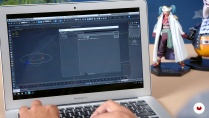
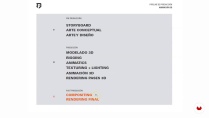
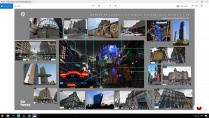
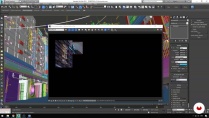
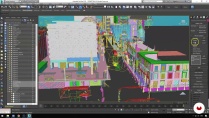
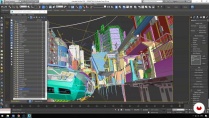
- 95% positive reviews (61)
- 1,388 students
- 19 lessons (3h 56m)
- 45 additional resources (34 files)
- Online and at your own pace
- Available on the app
- Audio: Spanish
- Spanish · English · Portuguese · German · French · Italian · Polish · Dutch · Turkish · Romanian · Indonesian
- Level: Beginner
- Unlimited access forever
Recommended software & tools for this course
 3ds Max
 Adobe After Effects
What is this course's project?
Work on a 3D scene previously built and animated on 3ds Max, applying advanced digital composition techniques and post-production to develop a scene with a professional finish.

Who is this online course for?
This course is for 3D animators, motion graphics artists, and all digital animators who want to improve the visual quality of their work through the application of digital composition techniques that will help them achieve a professional finish for their projects.
Requirements and materials
You will need to know how to use Adobe After Effects, Autodesk 3ds Max, or another 3D animation software of your choice, a meticulous eye, and a passion for detail.
As for materials, you’ll need a computer with the mentioned software installed.

New to Adobe After Effects? In that case, we recommend taking Domestika Basics courses to learn how to use the software: Introduction to After Effects.
Reviews

DON PORFIRIO
A course by DON PORFIRIO
Don Porfirio is a Mexican animation and motion graphics studio led by graphic and motion designer Roberto Puig. His experience in the world of animation, motion design, and digital composition has brought him to work with several animation studios outside of Mexico, until becoming the founder and creative director of his own studio.
Alongside a talented team, the Don Porfirio studio has created animated commercials, branding projects for TV, and an endless amount of content for clients and brands in Mexico, the United States, and Canada mainly. Their list of clients includes CBC Sports, BBC Entertainment, Discovery Networks, CBeebies, and many more.
Content
-
U1
Welcome!
-
Presentation
-
Influences
-
What will we do in the course?
-
-
U2
Digital composition and its importance in the production pipeline
-
Add value through composition
-
Decomposing our 3D scene
-
Decomposing our 3D scene P2
-
Plan your renders for composition
-
Plan your renders for P2 composition
-
-
U3
Generating the necessary renders for a better center in composition
-
Let's generate our renders
-
Export a 3D camera to After Effects
-
-
U4
Composition in After Effects
-
Let's import our renders into After Effects
-
Composing our scene within After Effects
-
Composing our scene within After Effects P2
-
Composing our scene within After Effects P3
-
Composing our scene within After Effects P4
-
Integrate animated elements in After Effects to our 3D scene
-
-
U5
Effects and Postproduction
-
Effects and post-production of our scene
-
Effects and postproduction of our P2 scene
-
Finishing touches and export of your scene
-
-
FP
Final project
-
Digital Composition Techniques for 3D Animation
-
What to expect from a Domestika course
-
Learn at your own pace
Enjoy learning from home without a set schedule and with an easy-to-follow method. You set your own pace.
-
Learn from the best professionals
Learn valuable methods and techniques explained by top experts in the creative sector.
-
Meet expert teachers
Each expert teaches what they do best, with clear guidelines, true passion, and professional insight in every lesson.
-
Certificates
PlusIf you're a Plus member, get a custom certificate signed by your teacher for every course. Share it on your portfolio, social media, or wherever you like.
-
Get front-row seats
Videos of the highest quality, so you don't miss a single detail. With unlimited access, you can watch them as many times as you need to perfect your technique.
-
Share knowledge and ideas
Ask questions, request feedback, or offer solutions. Share your learning experience with other students in the community who are as passionate about creativity as you are.
-
Connect with a global creative community
The community is home to millions of people from around the world who are curious and passionate about exploring and expressing their creativity.
-
Watch professionally produced courses
Domestika curates its teacher roster and produces every course in-house to ensure a high-quality online learning experience.
FAQs
What are Domestika's online courses?
Domestika courses are online classes that allow you to learn new skills and create incredible projects. All our courses include the opportunity to share your work with other students and/or teachers, creating an active learning community. We offer different formats:
Original Courses: Complete classes that combine videos, texts, and educational materials to complete a specific project from start to finish.
Basics Courses: Specialized training where you master specific software tools step by step.
Specialization Courses: Learning paths with various expert teachers on the same topic, perfect for becoming a specialist by learning from different approaches.
Guided Courses: Practical experiences ideal for directly acquiring specific skills.
Intensive Courses (Deep Dives): New creative processes based on artificial intelligence tools in an accessible format for in-depth and dynamic understanding.
When do the courses start and when do they finish?
All courses are 100% online, so once they're published, courses start and finish whenever you want. You set the pace of the class. You can go back to review what interests you most and skip what you already know, ask questions, answer questions, share your projects, and more.
What do Domestika's courses include?
The courses are divided into different units. Each one includes lessons, informational text, tasks, and practice exercises to help you carry out your project step by step, with additional complementary resources and downloads. You'll also have access to an exclusive forum where you can interact with the teacher and with other students, as well as share your work and your course project, creating a community around the course.
Have you been given a course?
You can redeem the course you received by accessing the redeeming page and entering your gift code.
 3ds Max
 Adobe After Effects
Curso bem elaborado e um projeto maravilhoso de se fazer, recomendo!
Increíble curso, me ha ayudado mucho en mis proyectos
Excelente
Es Muy Recomendable para Empujarte en la producción Final de tus procesos del proyecto, y poder Organizar todos tus proyectos, ser más eficientes en la Salida. Yo Diría que es un Curso Intermedio, y Práctico para el mundo Laboral.
Honestamente, ha aportado mucho a mi desarrollo como artista 3D, en específico, en ordenar mi workflow, teniendo un pipeline más estructurado en la fase de pre-producción y producción.