Kinetic Type with After Effects and Artificial Intelligence
A course by Darwin Pacheco , Designer and Animator




Design kinetic typography in After Effects with AI, mastering keyframes, timing, rhythm, smooth text transitions and dynamic animations

Learn how to create kinetic typography in After Effects, using artificial intelligence as a creative ally to design bold text animations with rhythm and clarity.
Throughout the course, you will build a complete motion design piece from scratch. You will use AI to generate short impactful phrases, color palettes and abstract backgrounds, while focusing on what really matters in type animation: timing, intention and fluid transitions.
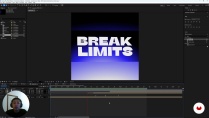
You will discover how to organize your project in After Effects, work with keyframes, speed graph and value graph, create smooth match cut transitions and design loops synchronized with music. You will also explore text animators, variable fonts and practical workflows to keep your compositions clean, readable and expressive.
This course is ideal for graphic designers, motion designers and creatives who want to boost their typography animation skills, integrate AI into their workflow without losing artistic control, and produce kinetic type pieces ready to share on social media, reels or commercial projects.
What will you learn in this online course?
9 lessons & 3 downloads
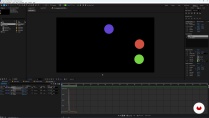
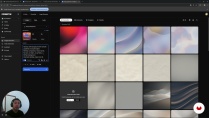
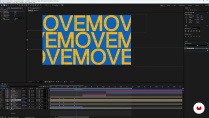
- 100% positive reviews (1)
- 76 students
- 9 lessons (1h 25m)
- 3 additional resources (2 files)
- Online and at your own pace
- Available on the app
- Audio: Spanish, German, English, French, Indonesian, Italian, Dutch, Polish, Portuguese, Romanian, Turkish
- Spanish · English · Portuguese · German · French · Italian · Polish · Dutch · Turkish · Romanian · Indonesian
- Level: Beginner
- Unlimited access forever
Recommended software & tools for this course
 Adobe After Effects
 Freepik
Who is this online course for?
Graphic designers seeking to energize typography through motion, motion designers exploring kinetic type, audiovisual creatives and illustrators adding animated text to pieces, beginners in type animation with basic design notions, users mixing After Effects with creative AI tools
Requirements and materials
No extensive experience required
Basic computer skills, elementary notions of design and typography recommended, After Effects installed, stable internet connection to use AI tools and download resources, computer capable of handling simple motion graphics without performance issues
New to Adobe After Effects? In that case, we recommend taking Domestika Basics courses to learn how to use the software: Introduction to After Effects.
Reviews

Darwin Pacheco
A course by Darwin Pacheco
Darwin is a Peruvian designer and animator with experience in working with the most salient studios, production studios, and agencies in Peru. This has led him to participate in projects with clients like Uber, Abaco, TVPerú, Canal J, among others.
One of Darwin’s great passions is creating a visual language through design and animation. He hasn’t stopped investigating the subject since he discovered it. Since making the shift to freelance, he dedicates most of his time exploring the realm of visual communication possibilities with this creative discipline.
Content
-
Kinetic Type with After Effects and Artificial Intelligence
-
Welcome
-
Introduction
-
After Effects: First Steps
-
Keyframes and Graph Editor
-
Match Cut
-
Preproduction With AI
-
Kinetic Type: Exercise 1
-
Kinetic Type: Exercise 2 and Render
-
Conclusions
-
Final project
-
What to expect from a Domestika course
-
Learn at your own pace
Enjoy learning from home without a set schedule and with an easy-to-follow method. You set your own pace.
-
Learn from the best professionals
Learn valuable methods and techniques explained by top experts in the creative sector.
-
Meet expert teachers
Each expert teaches what they do best, with clear guidelines, true passion, and professional insight in every lesson.
-
Certificates
PlusIf you're a Plus member, get a custom certificate signed by your teacher for every course. Share it on your portfolio, social media, or wherever you like.
-
Get front-row seats
Videos of the highest quality, so you don't miss a single detail. With unlimited access, you can watch them as many times as you need to perfect your technique.
-
Share knowledge and ideas
Ask questions, request feedback, or offer solutions. Share your learning experience with other students in the community who are as passionate about creativity as you are.
-
Connect with a global creative community
The community is home to millions of people from around the world who are curious and passionate about exploring and expressing their creativity.
-
Watch professionally produced courses
Domestika curates its teacher roster and produces every course in-house to ensure a high-quality online learning experience.
FAQs
Domestika courses are online classes that allow you to learn new skills and create incredible projects. All our courses include the opportunity to share your work with other students and/or teachers, creating an active learning community. We offer different formats:
Original Courses: Complete classes that combine videos, texts, and educational materials to complete a specific project from start to finish.
Basics Courses: Specialized training where you master specific software tools step by step.
Specialization Courses: Learning paths with various expert teachers on the same topic, perfect for becoming a specialist by learning from different approaches.
Guided Courses: Practical experiences ideal for directly acquiring specific skills.
Intensive Courses (Deep Dives): New creative processes based on artificial intelligence tools in an accessible format for in-depth and dynamic understanding.
All deep dive courses are 100% online, so once they're published, deep dive courses start and finish whenever you want. You set the pace of the class. You can go back to review what interests you most and skip what you already know, ask questions, answer questions, share your projects, and more.
The deep dive courses are divided into different modules. Each one includes lessons, informational text, tasks, and practice exercises to help you carry out your project step by step, with additional complementary resources and downloads. You'll also have access to an exclusive forum where you can interact with other students, as well as share your work and your final project, creating a community around the deep dive courses.
You can redeem the deep dive courses you received by accessing the redeeming page and entering your gift code.
 Adobe After Effects
 Freepik
Ottimo corso, le animazioni del testo in after effect sono sempre un po’ complicate, questo corso le ha rese comprensibili.