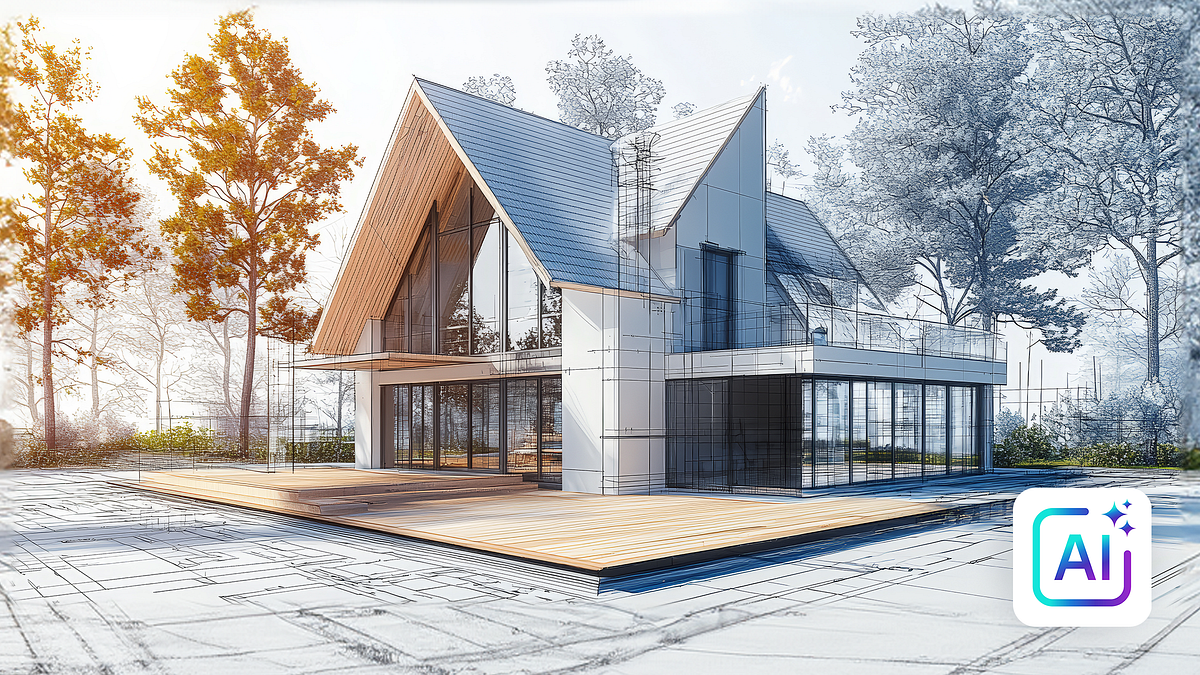
From sketch to render with AI in the architectural process
A course by PhrameArchitects and 3D Graphic Designers Specialized in Architecture
A course by Phrame, Architects and 3D Graphic Designers Specialized in Architecture

Turn sketches into photorealistic renders with AI and Photoshop, optimize your projects with advanced imaging techniques
Discover how to transform your sketches into stunning photorealistic renders using artificial intelligence. Learn to leverage tools like Crea, Stable Diffusion, and Magnify to turn sketches into stunning images. You won't need advanced 3D modeling skills, as the focus is on using AI to create visually compelling environments quickly and efficiently. From model training to generating images with custom styles, each session is designed to help you explore new creative possibilities.
The course also offers strategies for improving the quality of your images using editing tools and enhancers. You'll experiment with different techniques to integrate your renders into real-life projects, using Photoshop for the final finish. Practical examples are also provided to allow you to compare results and choose the options that best suit your needs. With a practical and accessible approach, this course is ideal for those looking to innovate their creative processes and add a professional touch to their visual projects.
What will you learn in this online course?
7 lessons & 1 download
What's included in this course?
You'll learn how to transform a simple sketch into a high-quality rendered image using artificial intelligence tools. You'll discover how these powerful tools can enhance the creative process, allowing you to generate photorealistic images quickly and easily. You'll be able to experiment with different styles and techniques to bring your ideas to life digitally, without the need for complex 3D modeling processes.
You'll explore various applications and methods for training artificial intelligence, optimizing the visual results you desire. You'll also have the opportunity to integrate your creations with editing tools like Photoshop, perfecting details and adding touches that will make your images stand out. This course will provide you with the skills you need to innovate your visual projects, adapting and personalizing each image to your needs and preferences.
Recommended software & tools for this course
What is this course's project?
You'll learn how to transform sketches into renders using artificial intelligence tools, improving visual quality without the need for 3D modeling. You'll discover techniques for creating photorealistic or artistic images from sketches, optimizing time and resources.
Who is this online course for?
Digital artists, architects, interior designers, and 3D enthusiasts will find this course an ideal tool for quickly transforming sketches into photorealistic images. Perfect for those who want to explore the union of creativity and technology in their visual projects.
Requirements and materials
Extensive knowledge isn't required, but a basic understanding of design and image editing software is helpful. You'll need access to software like Photoshop and AI platforms like Crea. A computer with good graphics capabilities will facilitate the creative process.

Their work always has a dreamlike character, a concrete narrative, and an advanced 3D programming technique. Their aim is to create images that are aesthetically beautiful, tell a story, and convey a desire to be in a given space that doesn't exist yet.
What to expect from a Domestika course
Learn at your own pace
Enjoy learning from home without a set schedule and with an easy-to-follow method. You set your own pace.
Learn from the best professionals
Learn valuable methods and techniques explained by top experts in the creative sector.
Meet expert teachers
Each expert teaches what they do best, with clear guidelines, true passion, and professional insight in every lesson.
Certificates
PLUSIf you're a Plus member, get a custom certificate signed by your teacher for every course. Share it on your portfolio, social media, or wherever you like.
Get front-row seats
Videos of the highest quality, so you don't miss a single detail. With unlimited access, you can watch them as many times as you need to perfect your technique.
Share knowledge and ideas
Ask questions, request feedback, or offer solutions. Share your learning experience with other students in the community who are as passionate about creativity as you are.
Connect with a global creative community
The community is home to millions of people from around the world who are curious and passionate about exploring and expressing their creativity.
Watch professionally produced courses
Domestika curates its teacher roster and produces every course in-house to ensure a high-quality online learning experience.
FAQs
You can transform a sketch into a photorealistic render by using AI tools like Crea or Flux, which interpret your sketch and generate realistic images by adjusting style, resolution, and atmosphere settings.
All you need is a digital sketch (made in programs like SketchUp, Blender, or 3ds Max), access to an AI platform like Crea, and style examples if you want to train a custom model.
This is an intermediate-level course; basic experience with modeling and image editing software is recommended, but advanced AI knowledge is not required.
You’ll learn how to turn sketches into photorealistic images, train custom styles, tweak AI settings, compare platforms, and edit your results in Photoshop.
Yes, the course teaches you how to train LoRa models and apply custom styles using your own examples to achieve unique, tailored results.
Platforms like Crea, Flux, and editing tools like Photoshop are used to create and refine AI-generated images.
Photoshop skills aren’t mandatory, but having basic knowledge is recommended since the course covers techniques for editing and polishing AI-generated renders.