Build a Friend: From Pencil to Movement
A course by Carlos "Zenzuke" AlbarránMotiongrapher
A course by Carlos "Zenzuke" Albarrán, Motiongrapher

Learn how to create an animated character, from the initial sketch to the final rigging in After Effects
Do you ever feel like the characters you draw are missing something? Like they're a bit stiff and lack that spark of energy? Maybe you've thought about bringing them to life with animation, but you're not sure where to start.
This is where motion graphics expert Carlos Albarrán, better known as Zenzuke, steps in. In this online course, he teaches you basic animation concepts and simple techniques to transform a sketch on paper into an animated friend who can walk, run, jump, and even change facial expressions.
By the end, you'll have a digital puppet that you can easily animate with hundreds of poses and movements.
What will you learn in this online course?
16 lessons & 15 downloads
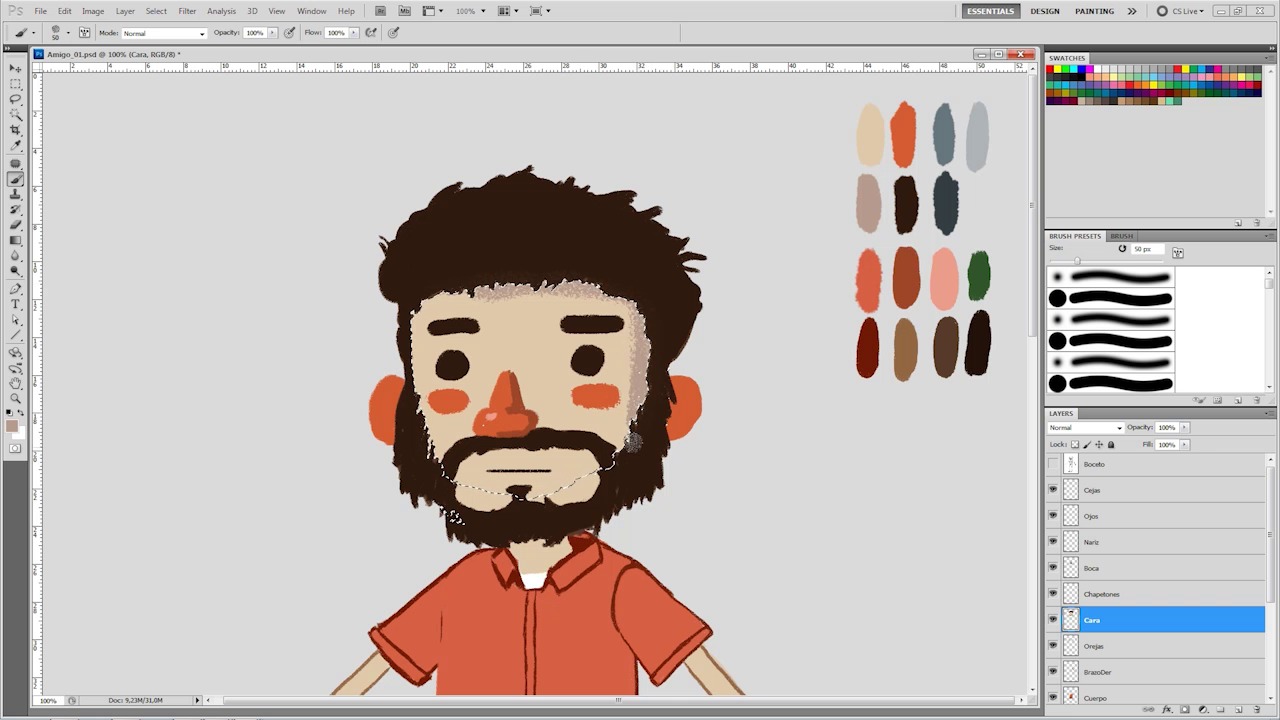
Give color and prepare the photoshop
13 minutes, 44 seconds
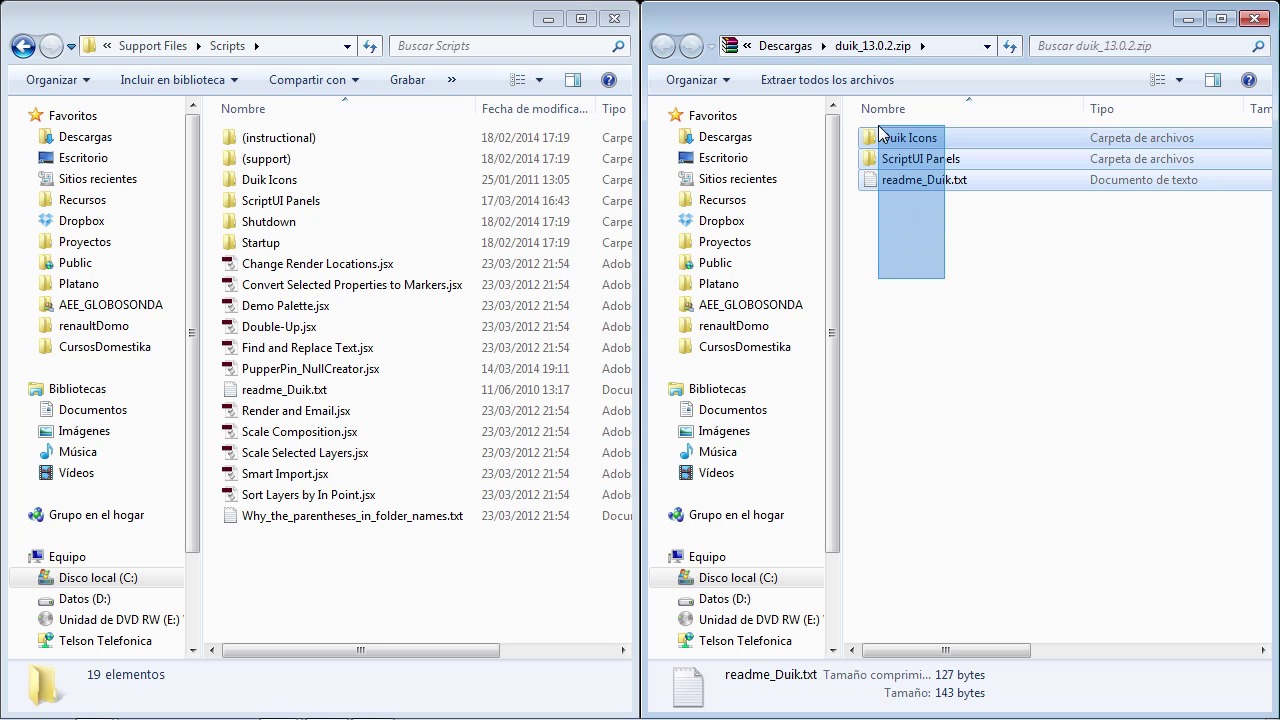
Duik
2 minutes, 13 seconds
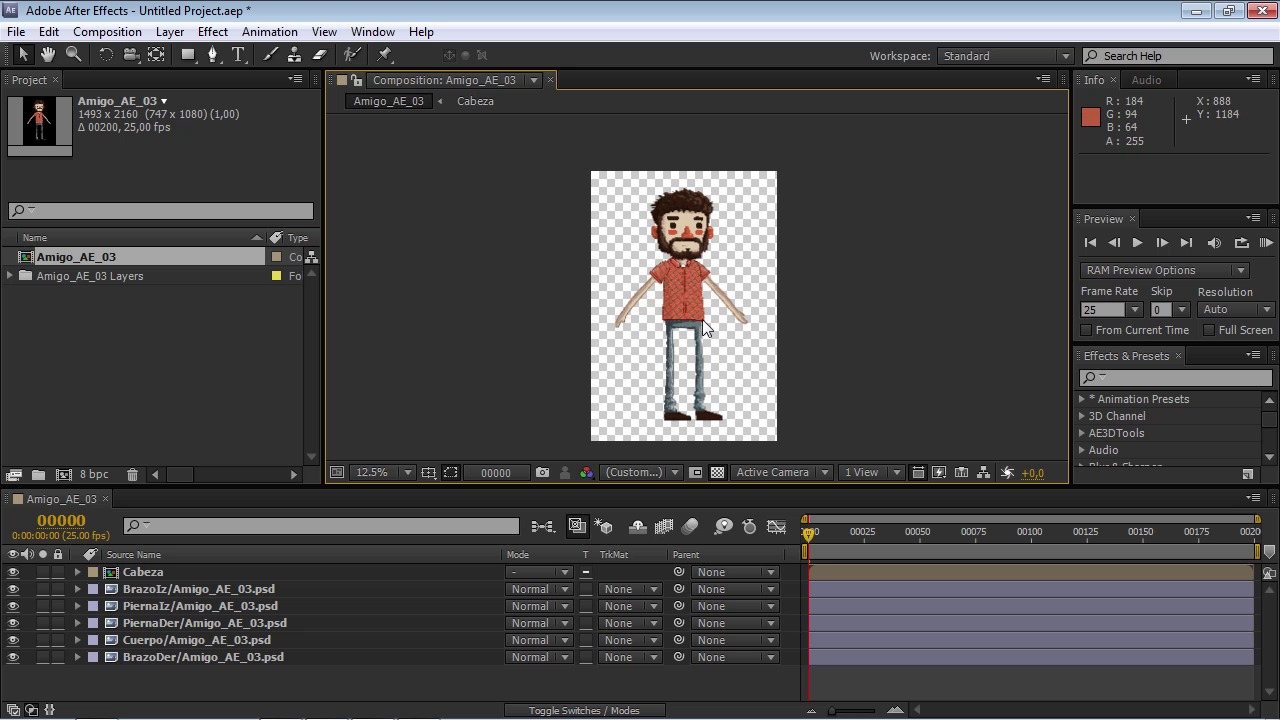
After Effects is your friend too
11 minutes, 34 seconds
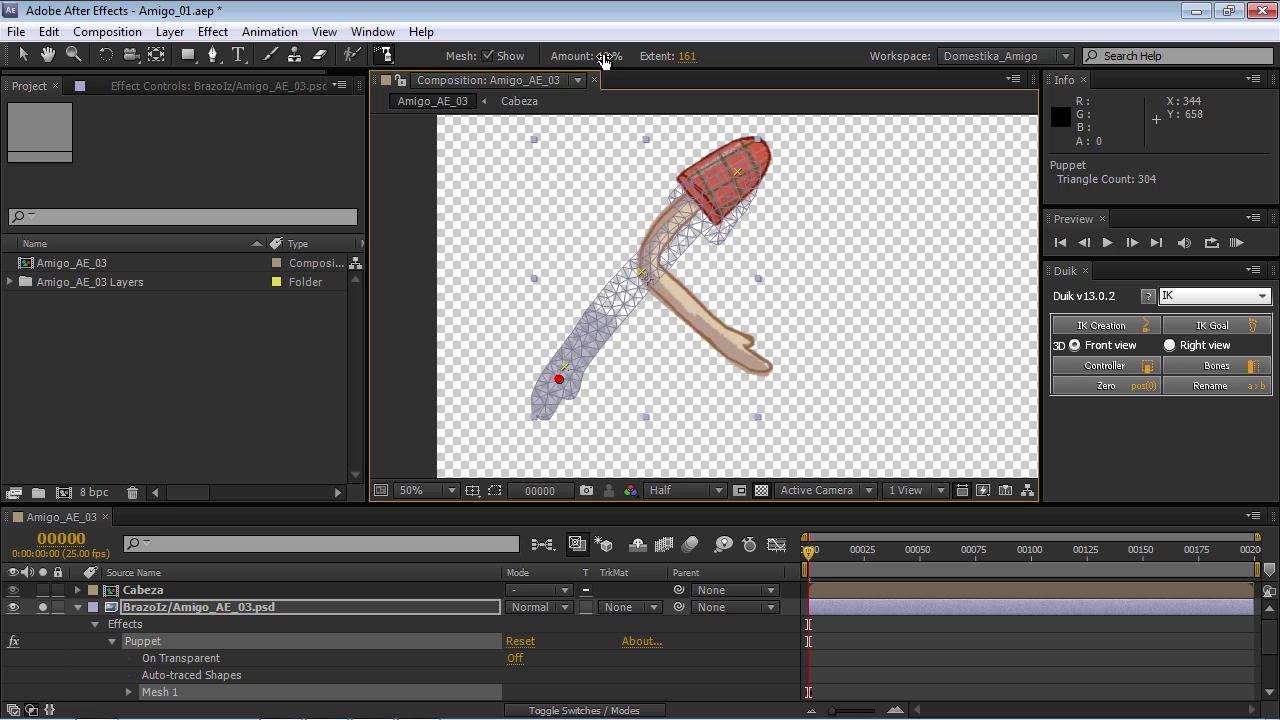
The puppet pin
8 minutes, 59 seconds
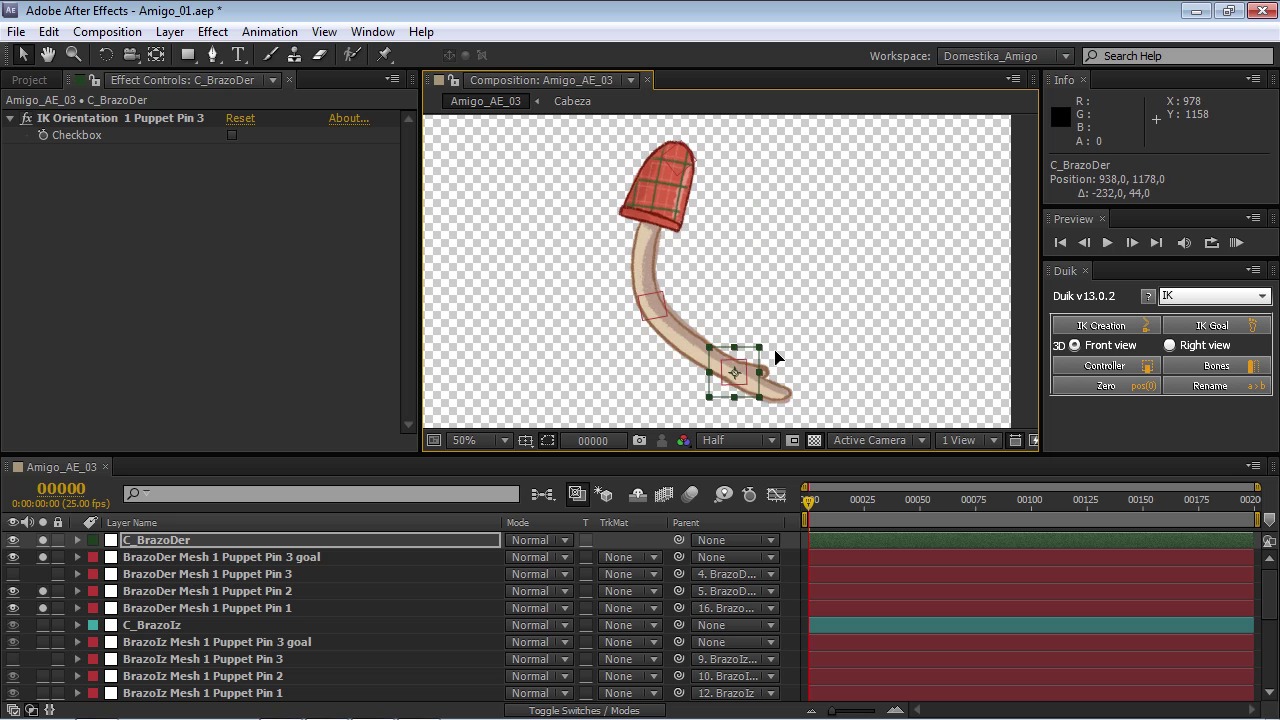
The extremities
23 minutes, 56 seconds
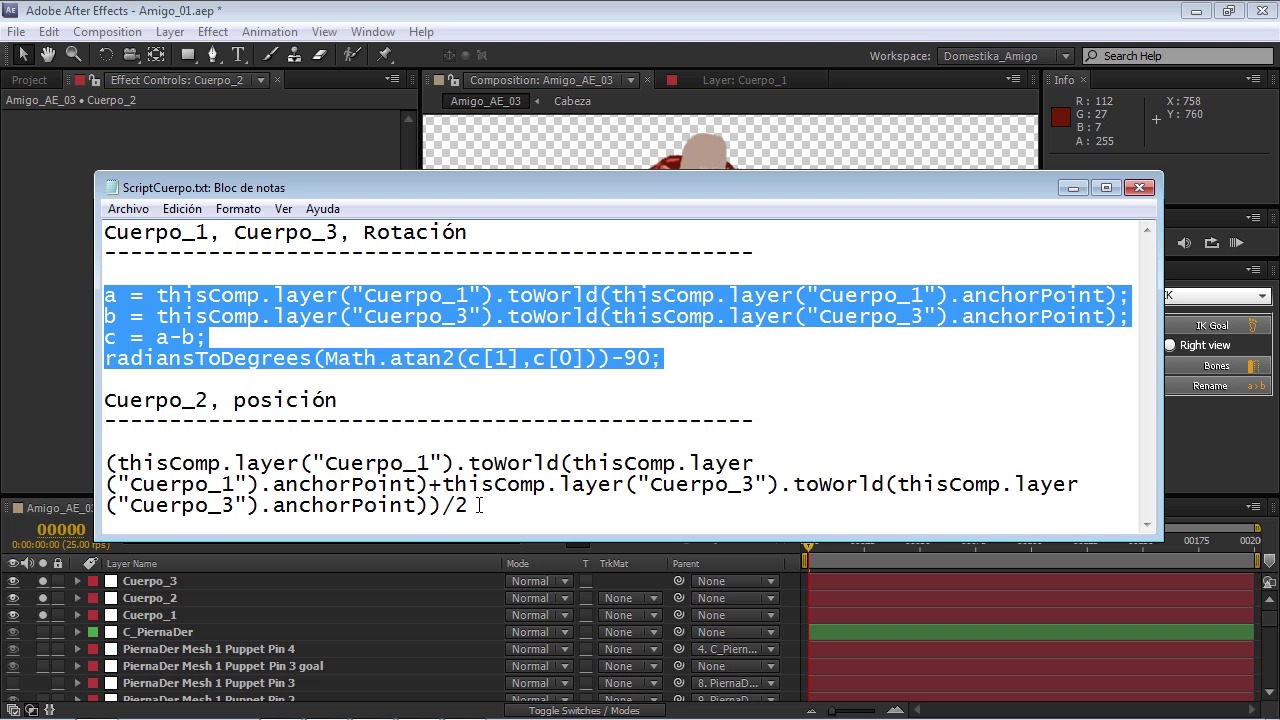
Spinal column
6 minutes, 37 seconds
What's included in this course?
Begin by meeting your teacher, Zenzuke. He gives you a brief overview of the course, the tools you need, and what you can expect to learn.
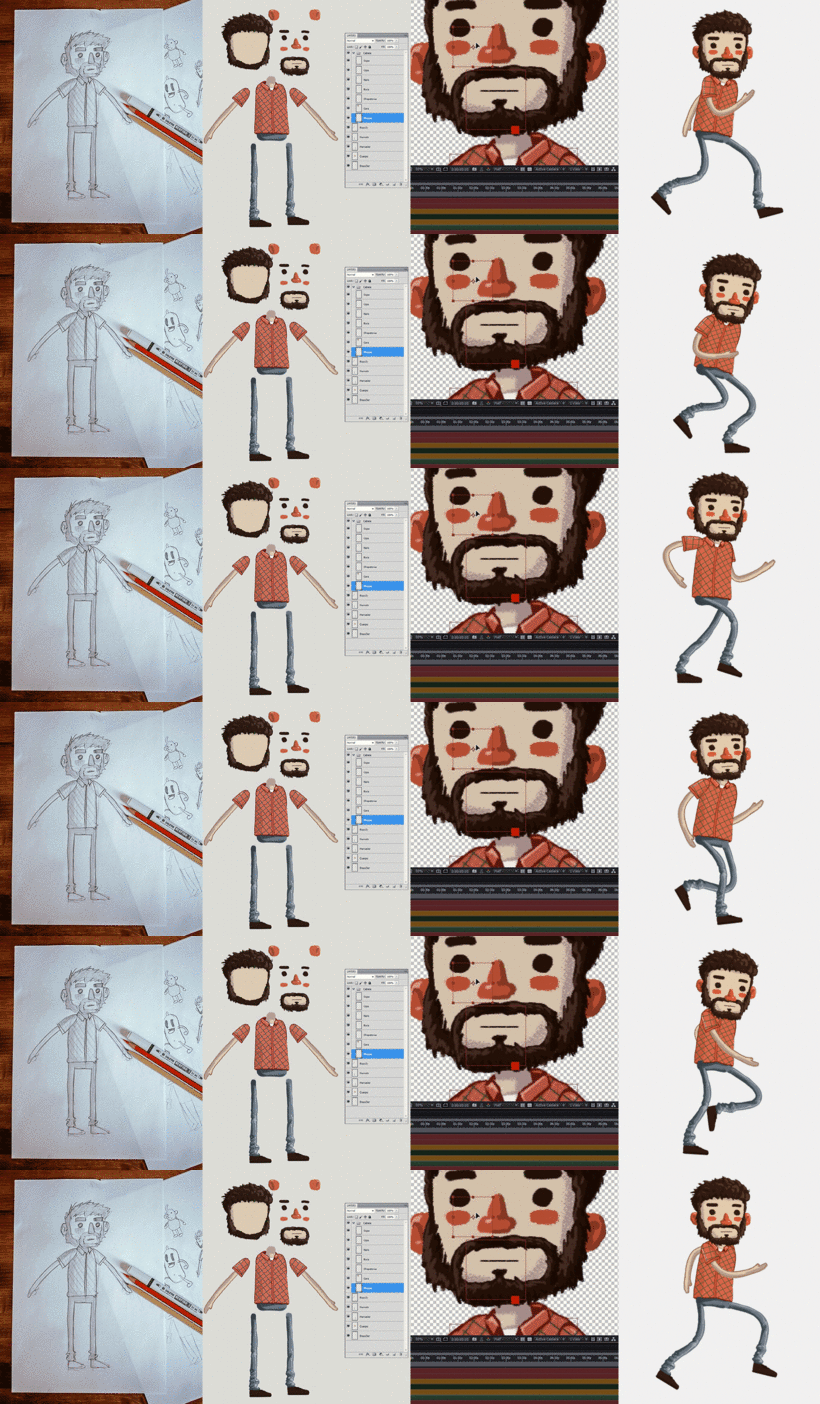
Next, he shows you how to sketch your character and create thumbnails with different poses for the animation phase. Transfer the sketch to Photoshop and finish your character design before moving on to After Effects.
Now it's time to turn your stiff cutout into a fully flexible 3D friend. Learn how to animate the individual body parts step by step, starting with the limbs, followed by the torso, and finally the head. Then see how to piece them together into a working body and make your character walk without looking like a robot.
Finally, add a background to give your friend some context. Zenzuke wraps up the course by introducing you to some advanced concepts for more expressive faces, including smiles, scowls, blinking, and looks of surprise.
Now you know how to bring any character to life piece by piece, like a modern-day Dr. Frankenstein.
Recommended software & tools for this course
What is this course's project?
Create an animated character from sketch to rigging—the set of controls that allow our puppet to take on different poses—using a free set of After Effects extras and tricks.
Projects by course students


Who is this online course for?
Anyone who likes drawing and is interested in learning about character animation, as well as artists with experience in character creation who want to take their work to the next level. This course is also great for anyone who's already familiar with After Effects and wants to learn new tricks to get the most out of the program.
Requirements and materials
A working knowledge of Photoshop and basic notions of drawing are recommended to get the most out of this course.
As for materials, you need a pencil, a digital camera or a smartphone (if you decide to sketch your character on paper), a graphics tablet for color in Photoshop (your teacher uses a Wacom tablet), and access to Adobe Photoshop and After Effects (Zenzuke uses version 5.5 throughout the course).

Reviews
- 3 months ago
Excelente!
- 5 months ago
Excelente!
- 6 months ago
Excelente !
- 1 year ago
el profesor explica muy bien y da muchos trucos que sirven no solo para este si no para casi todos los proyectos que hare en after effects
- 1 year ago
O professor é ótimo, por ter noções de fundamentos da animação deu ótimas dicas e truques para deixar os movimentos mais fluidos e plásticos, mesmo não sendo uma técnica de animação frame-a-frame. O único problema do curso, é que ele está bem desatualizado, os aplicativos utilizados no curso mudaram bastante, dificultando a identificação das ferramentas usadas. Por isso acho que vale a pena dar uma atualizada no curso.
Content
- U1
From pencil to After Effects
- Introduction
- The sketch
- Give color and prepare the photoshop
- Duik
- After Effects is your friend too
- U2
Be Dr. Frankenstein
- The puppet pin
- The extremities
- Spinal column
- Head
- All together now
- U3
Get up and go!
- Animate in After Effects
- Making the animation of our friend
- The way is made by walking
- Share our friend with the world
- U4
It is not the end, it is the beginning
- Put our friend in a background
- More advanced extras
- FP
Final project
- Build a Friend: From Pencil to Movement
What to expect from a Domestika course
Learn at your own pace
Enjoy learning from home without a set schedule and with an easy-to-follow method. You set your own pace.
Learn from the best professionals
Learn valuable methods and techniques explained by top experts in the creative sector.
Meet expert teachers
Each expert teaches what they do best, with clear guidelines, true passion, and professional insight in every lesson.
Certificates
PLUSIf you're a Plus member, get a custom certificate signed by your teacher for every course. Share it on your portfolio, social media, or wherever you like.
Get front-row seats
Videos of the highest quality, so you don't miss a single detail. With unlimited access, you can watch them as many times as you need to perfect your technique.
Share knowledge and ideas
Ask questions, request feedback, or offer solutions. Share your learning experience with other students in the community who are as passionate about creativity as you are.
Connect with a global creative community
The community is home to millions of people from around the world who are curious and passionate about exploring and expressing their creativity.
Watch professionally produced courses
Domestika curates its teacher roster and produces every course in-house to ensure a high-quality online learning experience.
FAQs
You’ll learn how to create, digitize, color, and animate 2D characters from the initial sketch all the way through to the final animation, using Photoshop for design and After Effects for rigging and animating.
This course is aimed at intermediate users but is also accessible to beginners with basic knowledge of Photoshop and After Effects.
You’ll need access to Photoshop and After Effects, and a graphics tablet is optional. Paper and pencil are also recommended for initial sketches.
You should export your character from Photoshop in layers, then import it as a PSD file into After Effects, making sure to keep layers separate to make animation easier.
Yes, you’ll learn how to create basic rigs using tools like Puppet Pin and scripts like Duik to control your character’s movements in After Effects.
The course walks you through animating a walk cycle step-by-step, adjusting limb positions and applying animation principles for natural movement.
You’ll learn to create thumbnails, traditional sketches, standard poses like the A-pose and T-pose, and how to refine proportions and details to make animation smoother.