Guided Course: Create a Quick Editorial Illustration in a Realistic Style
A guided course by Óscar Lloréns
, Illustrator

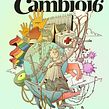
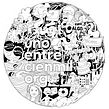
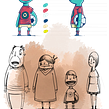

Fast and realistic editorial illustration in Photoshop: sketching, inking, coloring, and preparing for printing.
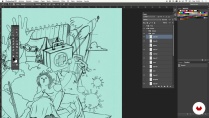
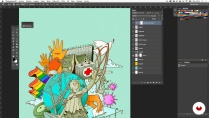
Discover how to bring your newspaper illustrations to life with realistic and agile techniques. You'll learn how to interpret newspaper articles to create striking visual concepts. Navigate the creative process from receiving the text, through searching for reference images, to sketching in two stages. Explore how to transform your ideas into clear, defined lines using digital tools.
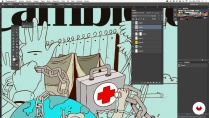
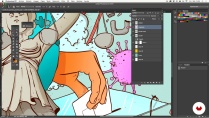
Master the art of digital inking and coloring in Photoshop, applying shading techniques to add volume and depth. Complete the project with the final touches: textures, filters, and adjustment layers that prepare your illustration for print. Upon completion, you'll have an editorial illustration ready for publication, developing key skills such as conceptual interpretation, the use of digital tools, and image preparation for print media. Transform your ideas into illustrations that tell stories.
What will you learn in this online course?
14 lessons & 10 downloads
- 74 students
- 14 lessons (2h 17m)
- 10 additional resources (4 files)
- Online and at your own pace
- Available on the app
- Audio: Spanish, German, English, French, Indonesian, Italian, Dutch, Polish, Portuguese, Romanian, Turkish
- Spanish · English · Portuguese · French · Italian · German · Polish · Dutch · Turkish · Romanian · Indonesian
- Level: Beginner
- Unlimited access forever
Recommended software & tools for this course
 Adobe Photoshop
What is this course's project?
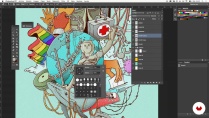
The project involves creating a realistic newspaper illustration for an article, from text rendering to print preparation. Students will develop skills in sketching, inking, coloring, and using Photoshop filters.
Who is this online course for?
Illustrators, graphic designers, and digital artists who want to improve their skills in creating realistic journalistic illustrations. Ideal for those looking to perfect sketching, digital inking, and coloring techniques in Photoshop, and achieve print-ready results for editorial media.
Requirements and materials
This course requires basic knowledge of Photoshop and access to the program, as well as a computer capable of handling digital design. No advanced illustration experience is required; just a willingness to learn and explore creative techniques.

Óscar Lloréns
A guided course by Óscar Lloréns
Óscar Lloréns is an illustrator and designer. Over the course of his nearly two-decade career, he has worked for leading advertising agencies in Spain, the United States, Canada, France, and the United Kingdom.
His illustrations have been the driving force behind major campaigns for big-name brands, including Coca-Cola, Fiat, Red Bull, Vodafone, Movistar, and Cepsa, and have covered the pages of newspapers and magazines such as El País Semanal and Vanity Fair. His crowded illustrations have also been seen by millions of viewers as the backdrop in the confession room on the TV show Gran Hermano.
Content
-
Guided Course: Create a Quick Editorial Illustration in a Realistic Style
-
Podcast: The Pencil vs. the Clock
-
Reception of the article
-
Search for reference images
-
Preparation of the images to start sketching
-
Sketching I
-
Sketching II
-
Inked with the brush tool
-
Colored with the selection tool
-
Color retouching with the Photoshop brush
-
Shading
-
Noise filter
-
Color halftone filter
-
Use of adjustment layers
-
Preparation for printing
-
Final project
-
What to expect from a Domestika course
-
Learn at your own pace
Enjoy learning from home without a set schedule and with an easy-to-follow method. You set your own pace.
-
Learn from the best professionals
Learn valuable methods and techniques explained by top experts in the creative sector.
-
Meet expert teachers
Each expert teaches what they do best, with clear guidelines, true passion, and professional insight in every lesson.
-
Certificates
PlusIf you're a Plus member, get a custom certificate signed by your teacher for every course. Share it on your portfolio, social media, or wherever you like.
-
Get front-row seats
Videos of the highest quality, so you don't miss a single detail. With unlimited access, you can watch them as many times as you need to perfect your technique.
-
Share knowledge and ideas
Ask questions, request feedback, or offer solutions. Share your learning experience with other students in the community who are as passionate about creativity as you are.
-
Connect with a global creative community
The community is home to millions of people from around the world who are curious and passionate about exploring and expressing their creativity.
-
Watch professionally produced courses
Domestika curates its teacher roster and produces every course in-house to ensure a high-quality online learning experience.
FAQs
The course is designed for intermediate learners—perfect for those with basic digital illustration skills who want to deepen their editorial and press techniques.
You’ll need basic digital illustration knowledge, access to Photoshop, a graphics tablet, and an internet connection to download images and resources.
You’ll learn how to analyze news articles, select reference images, create digital sketches, compose cover illustrations, and apply inking, coloring, and professional finishing techniques in Photoshop.
The course covers the entire creative and technical process for making digital illustrations tailored to press and magazines—from interpreting the text to preparing the final print-ready file.
Key concepts from the article are highlighted and analyzed, then relevant images and symbols are sourced online, ensuring good resolution and conceptual fit.
Press illustration usually allows more time for research and concept development, while advertising demands speed and clear messaging. The creative and documentary approach shifts depending on the goal.
You’ll learn how to organize and rename layers, use masks, select and combine images, ink, color, shade, fix mistakes, and apply filters to enhance texture and finish.
 Adobe Photoshop