Initiation to Web Design with WordPress
A course by Jordi Ubanell, Graphic Designer and Visual Communicator

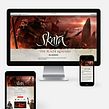

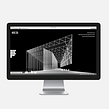

Learn to customise a response WordPress theme and install it on your own server

In this course by Jordi Ubanell -Graphic designer with extensive experience in corporate identity, usability and interface design- you will learn to raise your website, install WordPress on your server, choose a good theme and customize it to your liking to create your Web.
You will start by making the first wireframes in pencil, you will find the responsive WordPress theme that best suits your content, you will learn to use a hosting and install WordPress, themes and plugins. You can also make small touches of HTML code and customize other extra resources. Finally, you will test the web before publishing it online.
In the end, you will have a personalized web page or portfolio ready to be taught to the world.
What will you learn in this online course?
13 lessons & 20 downloads



What's included in this course?
In this introductory course you will learn how to create your website using a responsive WordPress template. Jordi will teach you to distinguish the cases in which it is convenient to use a WordPress template, and will show you the steps to follow to set your website from the beginning, based on the objectives you must meet, and get to publish it. To begin, you will analyze the corporate image of your brand and the contents that your website needs, and you will make the first sketches (wireframes) in pencil.
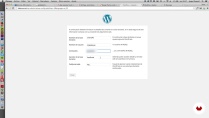
At this point, Jordi will teach you how to install WordPress on your server or hosting step by step, as well as to install useful plugins that add functionality, and other extra resources such as fonts and icons. You will also learn how to make backup copies and test the result.
You will only work with responsive themes, which adapt to different devices (computers, tablets and smartphones) and which also, from now on, score better in Google searches.
When you finish you will have managed to create your first web page or responsive portfolio customizing typography, layout and HTML styles of a WordPress template.
- 994 students
- 13 lessons (2h 1m)
- 20 additional resources (7 files)
- Online and at your own pace
- Available on the app
- Audio: Spanish
- Spanish · English · Portuguese · German · French · Italian · Polish · Dutch · Turkish · Romanian · Indonesian
- Level: Beginner
- Unlimited access forever
Recommended software & tools for this course
 WordPress
What is this course's project?
As a final project of the course you will create the website of your favorite cafeteria. It can be a simple one-page project or have more information, such as the letter, a recipe blog or the concert agenda.
Of course, you can also choose to create your own online portfolio or a company website with different sections such as Home, Who we are, Services, Products, Contact ...
Projects by course students


Who is this online course for?
Graphic designers who want to be self-sufficient and set up their simple pages for their clients and by their own means, even those who have never taken the step of installing WordPress.
Programmers who want to be self-sufficient and offer decent solutions in terms of design in cases of projects with a tight budget.
To all those people who want to learn the steps to follow to make their own website with a WordPress theme.
Requirements and materials
No previous knowledge of programming is required, but it is useful to have some notions of Photoshop, Illustrator, Indesign, Fireworks, HTML and CSS.
Regarding the materials and tools, you will need a computer and an internet connection.
There are many responsive WordPress themes that are free, so you can learn a lot without an added cost. Depending on what you want to obtain and what you want to invest, however, you may want to use commercial themes, which cost approximately € 50. The same thing happens with plugins and fonts, there are many free and others that are paid. It will depend on the requirements of your project.
If at the end of the course you want to have your website online you will need to hire a hosting (There are good quality / price options from around € 30 per year). If you do not intend to publish your website yet, you can do the course practices by installing a server on your computer with MAMP , or use Hosting test platform which is free. In both cases our website will not be public, but you can do all the exercises of the course, WordPress installation and customization.


Jordi Ubanell
A course by Jordi Ubanell
Jordi Ubanell is Graphic Designer and Visual Communicator. It moves in the field of corporate identity, paper and the web with a very global vision of communication. He has worked for large companies, SMEs, NGOs, video game companies, etc. and in recent times it is also focused on the design of movie posters.
He has always been passionate about the Internet and has been working on it since the beginning, with the first websites of TV3.
Content
-
U1
Introduction
-
Hello, I introduce myself
-
Premises and basic concepts
-
-
U2
We think the web
-
Approach of the web
-
Sketches
-
Search for topics I
-
Search for topics II
-
-
U3
Wordpress installation
-
Hosting
-
Wordpress installation
-
Plugins
-
-
U4
Personalization of the web
-
Security
-
Code editing
-
Typographies
-
Testing
-
-
FP
Final project
-
Web Design with WordPress
-
What to expect from a Domestika course
-
Learn at your own pace
Enjoy learning from home without a set schedule and with an easy-to-follow method. You set your own pace.
-
Learn from the best professionals
Learn valuable methods and techniques explained by top experts in the creative sector.
-
Meet expert teachers
Each expert teaches what they do best, with clear guidelines, true passion, and professional insight in every lesson.
-
Certificates
PlusIf you're a Plus member, get a custom certificate signed by your teacher for every course. Share it on your portfolio, social media, or wherever you like.
-
Get front-row seats
Videos of the highest quality, so you don't miss a single detail. With unlimited access, you can watch them as many times as you need to perfect your technique.
-
Share knowledge and ideas
Ask questions, request feedback, or offer solutions. Share your learning experience with other students in the community who are as passionate about creativity as you are.
-
Connect with a global creative community
The community is home to millions of people from around the world who are curious and passionate about exploring and expressing their creativity.
-
Watch professionally produced courses
Domestika curates its teacher roster and produces every course in-house to ensure a high-quality online learning experience.
 WordPress