Cartoon-Style Character Portraits with Procreate
A course by Cristina Gómez (adesignerlife) , Illustrator

Joined July 2009
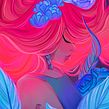

Learn to create unique, stylized, and dynamic portraits using character and background references
Joined July 2009
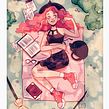

Al pintar retratos, contamos con un espacio muy reducido para captar la esencia y expresividad del sujeto. La ilustradora Cristina Gómez, sabe que esto puede provocar poses rígidas y atmósferas tediosas.
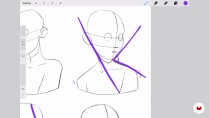
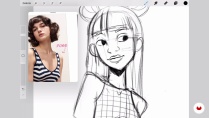
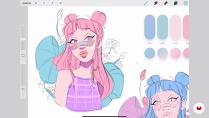
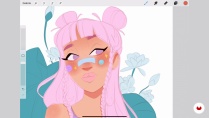
Por ello, se ha dedicado a mejorar la dinámica de sus obras generando más movimiento, aportando más color y gestos más divertidos. En este curso online, Cristina te enseñará a utilizar herramientas digitales y técnicas de renderizado para dar vida a un personaje lleno de estilo.
What will you learn in this online course?
16 lessons & 22 downloads
- 99% positive reviews (113)
- 6,353 students
- 16 lessons (2h 21m)
- 22 additional resources (12 files)
- Online and at your own pace
- Available on the app
- Audio: Spanish, English, French, Indonesian, Italian, Portuguese, Romanian, Turkish
- Spanish · English · Portuguese · German · French · Italian · Polish · Dutch · Turkish · Romanian · Indonesian
- Level: Beginner
- Unlimited access forever
Recommended software & tools for this course
 Procreate
What is this course's project?
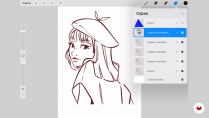
Realizarás un retrato de un personaje estilo cartoon en Procreate mediante el uso de referencias.

Projects by course students


Who is this online course for?
A ilustradores y artistas tanto principiantes como profesionales que quieran aprender a realizar retratos dinámicos de personajes.
Requirements and materials
Para tomar el curso, deberás contar con conocimiento básico de dibujo y de ilustración digital. Además, necesitarás un iPad, un Apple pencil, y la aplicación Procreate o similares.

Reviews

Cristina Gómez (adesignerlife)
A course by Cristina Gómez (adesignerlife)
Cristina Gómez, illustrator and content creator, specializes in cartoon portraits, which she creates in Procreate. With all the tools available to her in a couple of clicks, she can create fantastic environments and atmospheres in no time at all, and without getting her hands dirty!
An important part of her work is collaborating with major brands in the industry such as XPPEN and Huion, with whom she has carried out challenges, competitions, and product reviews of their tablets. She has also been involved in promoting the launch of Mulan with Disney+ and has illustrated a series of children's books.
Content
-
U1
Introduction
-
About Me
-
Influences
-
-
U2
Notions of Procreate and proportions
-
Procreate Basics
-
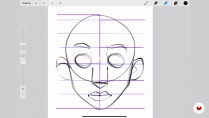
Facial proportions
-
Dynamic compositions for the portrait
-
Search for references and creation of a mood board
-
-
U3
Create a portrait in Procreate
-
The sketches 1
-
The sketches 2
-
Color and thumbnails
-
Start painting 1
-
Start painting 2
-
Lights and shadows
-
Portrait setting
-
-
U4
Last touches and sharing on social networks
-
Final adjustments
-
What is the proper file size?
-
Share on social networks
-
-
FP
Final project
-
Cartoon-Style Character Portraits with Procreate
-
What to expect from a Domestika course
-
Learn at your own pace
Enjoy learning from home without a set schedule and with an easy-to-follow method. You set your own pace.
-
Learn from the best professionals
Learn valuable methods and techniques explained by top experts in the creative sector.
-
Meet expert teachers
Each expert teaches what they do best, with clear guidelines, true passion, and professional insight in every lesson.
-
Certificates
PlusIf you're a Plus member, get a custom certificate signed by your teacher for every course. Share it on your portfolio, social media, or wherever you like.
-
Get front-row seats
Videos of the highest quality, so you don't miss a single detail. With unlimited access, you can watch them as many times as you need to perfect your technique.
-
Share knowledge and ideas
Ask questions, request feedback, or offer solutions. Share your learning experience with other students in the community who are as passionate about creativity as you are.
-
Connect with a global creative community
The community is home to millions of people from around the world who are curious and passionate about exploring and expressing their creativity.
-
Watch professionally produced courses
Domestika curates its teacher roster and produces every course in-house to ensure a high-quality online learning experience.
FAQs
Domestika courses are online classes that allow you to learn new skills and create incredible projects. All our courses include the opportunity to share your work with other students and/or teachers, creating an active learning community. We offer different formats:
Original Courses: Complete classes that combine videos, texts, and educational materials to complete a specific project from start to finish.
Basics Courses: Specialized training where you master specific software tools step by step.
Specialization Courses: Learning paths with various expert teachers on the same topic, perfect for becoming a specialist by learning from different approaches.
Guided Courses: Practical experiences ideal for directly acquiring specific skills.
Intensive Courses (Deep Dives): New creative processes based on artificial intelligence tools in an accessible format for in-depth and dynamic understanding.
All courses are 100% online, so once they're published, courses start and finish whenever you want. You set the pace of the class. You can go back to review what interests you most and skip what you already know, ask questions, answer questions, share your projects, and more.
The courses are divided into different units. Each one includes lessons, informational text, tasks, and practice exercises to help you carry out your project step by step, with additional complementary resources and downloads. You'll also have access to an exclusive forum where you can interact with the teacher and with other students, as well as share your work and your course project, creating a community around the course.
You can redeem the course you received by accessing the redeeming page and entering your gift code.
 Procreate
Amazing course
Muy bueno, explica claramente el paso a paso.
Absolutely gorgeous course, bright and very inspiring!
Excelente explicación, fácil y sencillo.
Ottimo metodo per disegnare in digitale. La creator spiega passaggio per passaggio come arriva al risultato senza dare niente per scontato. Ottimo per imparare a padroneggiare le funzioni di procreate