Digital Illustration with Geometric Shapes for Beginners
A course by Pablo Lobato , Illustrator



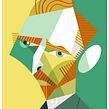

Learn a simple method to get started in the world of digital illustration and explore its endless possibilities

The boundary between analog and digital creation is fading quickly thanks to programs like Adobe Illustrator and Procreate, which make it possible to digitize your sketches or draw directly on screen. In this online course, learn to combine the best of these two methods to create illustrations using basic geometric shapes.
Join Pablo Lobato, Argentine graphic designer and illustrator, to discover the techniques you need to venture out into the world of digital illustration fearlessly and with an open mind.
What will you learn in this online course?
17 lessons & 9 downloads
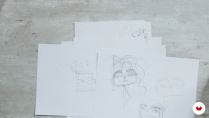

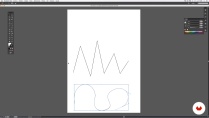
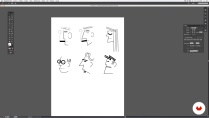
- 99% positive reviews (292)
- 3,603 students
- 17 lessons (2h 34m)
- 9 additional resources (3 files)
- Online and at your own pace
- Available on the app
- Audio: Spanish, English, French, Italian, Portuguese, Turkish
- Spanish · English · Portuguese · German · French · Italian · Polish · Dutch · Turkish
- Level: Beginner
- Unlimited access forever
Recommended software & tools for this course
 Adobe Illustrator
What is this course's project?
Create an illustration applying all the techniques covered in the course.

Projects by course students


Who is this online course for?
Anyone with an interest in drawing, whether you're a beginner, a graphic designer who wants to explore analog illustration, or an illustrator who wants to delve into digital vector drawing.
Requirements and materials
No prior experience with illustration is required.
As for materials, all you need is a computer with vector-illustration software like Adobe Illustrator.

Reviews

Pablo Lobato
A course by Pablo Lobato
Pablo Lobato is an Argentine designer and illustrator who earned his degree at La Universidad Nacional de La Plata. He worked in the field of editorial design from 1995 to 2003, later beginning his career as an illustrator. Since then, his illustrations have been published in newspapers and magazines such as The New Yorker, Rolling Stone, The New York Times, WIRED, TIME, and many more. He has also done commercial work for big-name brands like Nike, Havaianas, Disney Argentina, and The Rock & Roll Hall of Fame, among others.
In addition, his work has been featured in Illustration Now! Vol. 3 and Illustration Now! Portraits, released by the renowned publishing house TASCHEN. He was awarded first prize in the Caricature category by World Press Cartoon in 2012, and he is a six-time winner of the Award of Excellence given by Communication Arts. Based in Buenos Aires, this prolific artist has gained international renown, displaying his work in galleries all over the world.
Content
-
U1
Introduction
-
Presentation
-
Influences
-
-
U2
Before starting
-
Drawing box
-
Digital language
-
-
U3
Lines and planes
-
Contour line I
-
Contour line II
-
Circles
-
Rectangles
-
Combinations
-
-
U4
Color and composition
-
White, black, greys and textures I
-
White, black, greys and textures II
-
Color I
-
Color II
-
Figure and background
-
-
U5
Step-by-step process
-
The detective
-
The artist
-
The executor
-
-
FP
Final project
-
Digital illustration for beginners level -1
-
What to expect from a Domestika course
-
Learn at your own pace
Enjoy learning from home without a set schedule and with an easy-to-follow method. You set your own pace.
-
Learn from the best professionals
Learn valuable methods and techniques explained by top experts in the creative sector.
-
Meet expert teachers
Each expert teaches what they do best, with clear guidelines, true passion, and professional insight in every lesson.
-
Certificates
PlusIf you're a Plus member, get a custom certificate signed by your teacher for every course. Share it on your portfolio, social media, or wherever you like.
-
Get front-row seats
Videos of the highest quality, so you don't miss a single detail. With unlimited access, you can watch them as many times as you need to perfect your technique.
-
Share knowledge and ideas
Ask questions, request feedback, or offer solutions. Share your learning experience with other students in the community who are as passionate about creativity as you are.
-
Connect with a global creative community
The community is home to millions of people from around the world who are curious and passionate about exploring and expressing their creativity.
-
Watch professionally produced courses
Domestika curates its teacher roster and produces every course in-house to ensure a high-quality online learning experience.
FAQs
You’ll learn how to create illustrations using lines, circles, rectangles, and digital tools like Illustrator, exploring contour techniques, composition, color, textures, and visual theory to build expressive, professional images.
It’s not for complete beginners; it’s aimed at people with basic drawing or design software skills who want to deepen their knowledge of digital illustration techniques and working with geometric shapes.
You’ll need Adobe Illustrator or a similar vector illustration program installed. Access to graphic resources and digital reference materials is also recommended.
Yes, the course teaches you how to build characters, animals, and objects by combining circles, rectangles, and lines, applying operations like addition, subtraction, and merging to create creative illustrations.
Techniques for creating and editing straight, curved, wavy, and mixed lines are explored, including stroke modulation, pen tool use, and curve controls in Illustrator.
Yes, the course includes strategies for organizing layers, managing versions, and streamlining your workflow in digital illustration projects.
You should have basic computer skills and be familiar with graphic design or digital drawing tools.
 Adobe Illustrator
Simple, directo, efectivo y didáctico. Lobato es un gran artista y un buen maestro para introducirte en su manera de ilustrar.
Es una manera increíble de haberme acercado a tan maravillosa manera de expresarme
Exelente curso! Aunque una no sepa dibujar, el maestro de una manera muy sencilla y amena, logra que hagamos ilustraciones bonitas.
Fiquei muito satisfeito com o curso, bastante enriquecedor de informações. Pablo Lobato transmite muito bem seu conteúdo, além disso ele é uma grande referência e inspiração nesta arte.
Me encanta este ilustrador y su curso está muy bien. Bien explicado y muy visual.