Photorealism with V-Ray: Practical Lighting Techniques
A course by Karine Lima , V-Ray and lighting specialist





Learn to transform your 3D projects into photorealistic images using realistic lighting in V-Ray.

Photorealistic rendering is essential for creating images that convey emotions and feelings through 3D projects. In this course, you will learn how to master lighting with V-Ray, using techniques that will transform your SketchUp models into stunning digital photographs. Instructor Karine Lima, an architect and V-Ray specialist, will guide you through concepts such as natural and artificial lighting, material adjustments, and creating multiple lighting moods. The course covers everything from the basics of V-Ray to rendering interior and exterior environments with a hands-on approach. Additionally, Karine will share her post-production techniques in Photoshop to finalize your images. With years of experience and clients across the globe, Karine is known for her renderings that capture the essence of architectural projects.
What will you learn in this online course?
19 lessons & 29 downloads
- 100% positive reviews (26)
- 1,513 students
- 19 lessons (3h 29m)
- 29 additional resources (17 files)
- Online and at your own pace
- Available on the app
- Audio: Portuguese, English, Spanish (Latam), French, Indonesian, Italian, Romanian, Turkish
- Portuguese · Spanish · English · German · French · Italian · Polish · Dutch · Turkish · Romanian · Indonesian
- Level: Beginner
- Unlimited access forever
 SketchUp
 V-Ray
V-RayWhat is this course's project?
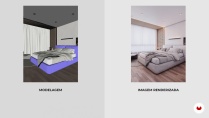
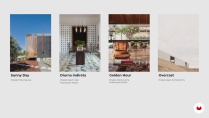
You will create two sets of photorealistic images: one for an interior environment and one for an exterior environment, each with 3 different lighting moods (sunny day, blue hour, and overcast), along with a scene without natural light.
Projects by course students


Who is this online course for?
This course is aimed at architects, interior designers, 3D artists, and anyone who uses SketchUp to represent projects and wants to enhance their skills in creating realistic visualizations. If you're looking to learn how to create impactful renderings using practical lighting techniques, this course is for you.
Requirements and materials
It's recommended to have basic knowledge of 3D modeling in SketchUp. To follow the lessons, you will need to have SketchUp 2020 and V-Ray 5.2 installed on your computer. Additionally, you will need access to Photoshop for the post-production part of the images.
Reviews

Karine Lima
A course by Karine Lima
Karine Lima is an architect and urban planner with over 7 years of experience in creating photorealistic images using V-Ray and SketchUp. Founder of Hey, Render studio, she has collaborated with architects, builders, and designers from around the world. Karine turned her passion for rendering into a successful career, winning awards like the first place in the TCC by the Minas Gerais Architecture and Urbanism Council. In addition to creating stunning images, she is dedicated to teaching other professionals the art of rendering.
Content
-
U1
Introduction
-
Presentation
-
Influences
-
-
U2
Principles of realistic rendering
-
Modeling is the basis
-
Optimize workflow
-
Introduction to V-Ray
-
Apply V-Ray materials to the model
-
Humanize your design with the V-Ray block library
-
-
U3
Getting to know the V-Ray lights
-
The importance of good lighting
-
How V-Ray 1 Artificial Lights Work
-
How V-Ray 2's artificial lights work
-
How V-Ray Natural Lights Work
-
-
U4
Get your hands dirty
-
Optimize and frame project scenes
-
How to light the indoor scene 1
-
How to light the indoor scene 2
-
How to light the outdoor scene
-
How to light a room without natural light
-
Render the final images and edit in the V-Ray Frame Buffer
-
-
U5
Finalization
-
Processing the final images in Adobe Photoshop
-
How to share images
-
-
FP
Final project
-
Photorealism with V-Ray: Lighting in Practice
-
What to expect from a Domestika course
-
Learn at your own pace
Enjoy learning from home without a set schedule and with an easy-to-follow method. You set your own pace.
-
Learn from the best professionals
Learn valuable methods and techniques explained by top experts in the creative sector.
-
Meet expert teachers
Each expert teaches what they do best, with clear guidelines, true passion, and professional insight in every lesson.
-
Certificates
PlusIf you're a Plus member, get a custom certificate signed by your teacher for every course. Share it on your portfolio, social media, or wherever you like.
-
Get front-row seats
Videos of the highest quality, so you don't miss a single detail. With unlimited access, you can watch them as many times as you need to perfect your technique.
-
Share knowledge and ideas
Ask questions, request feedback, or offer solutions. Share your learning experience with other students in the community who are as passionate about creativity as you are.
-
Connect with a global creative community
The community is home to millions of people from around the world who are curious and passionate about exploring and expressing their creativity.
-
Watch professionally produced courses
Domestika curates its teacher roster and produces every course in-house to ensure a high-quality online learning experience.
FAQs
The course is designed for intermediate users, ideal for those who already have basic SketchUp knowledge and want to enhance their modeling, rendering, and realistic image creation skills with V-Ray.
Yes, it’s recommended that you have basic SketchUp skills since the course focuses on integrating SketchUp and V-Ray for advanced architectural rendering.
You’ll need a computer compatible with the latest versions of SketchUp and V-Ray, plus internet access to follow the lessons and download necessary files.
You’ll learn techniques to create realistic architectural images, including detailed SketchUp modeling, material setup, advanced lighting, post-production, and portfolio-building strategies.
The course teaches practical 3D modeling, material application, lighting setup, and post-production in V-Ray, enabling you to create photorealistic renders that showcase architectural projects.
Yes, the course covers rendering both interior and exterior spaces, teaching you how to set up natural and artificial lighting and compose full scenes in V-Ray.
Yes, you’ll learn how to apply, edit, and adjust materials and textures, including UV mapping, scaling, rotation, and using libraries like Chaos Cosmos for professional results.
 SketchUp
 V-Ray
V-Ray
muy muy bueno el curso , recomendado
muy bueno, además inluye archivos para el futuro y no solo para el curso
Excelente forma de explicar, recomendado para las personas que quieren fortalecer sus habilidades
foarte util, cu explicatii usor de inteles, felicitari pentru munca depusa.
te explica muy bien además de que te da material adicional buen curso