Cross-Platform App Development with Flutter
A course by Jose Manuel Márquez, Software Engineer


Learn how to create mobile, web, and desktop apps from a single codebase and deliver custom solutions to users

Technology has the power to solve everyday problems, and José Manuel Márquez is here to teach you how to create apps that provide vital solutions. Software engineer and Flutter specialist José Manuel has shared his knowledge at countless tech events, and, in 2019, he cofounded Código Base, a company dedicated to app development.
In this online course, learn to create and develop your own cross-platform application to offer solutions to your users. Discover how to use Flutter, a Google framework kit that allows you to work with a single codebase in a quick, professional way.
What will you learn in this online course?
27 lessons & 21 downloads
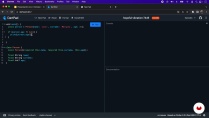
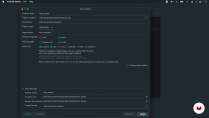
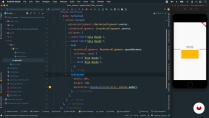
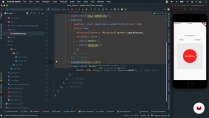
What's included in this course?
Start the course by getting to know José Manuel Márquez. He shares some of the influences that have impacted his professional career, as well as his learning process over the years.
Familiarize yourself with Flutter and Dart, the framework and programming language used to develop your app. Discover the ins and outs of UI construction and create the first few screens of your final project.
Next, make your app interactive and learn how to detect user gestures to navigate and load data asynchronously. Find out how to rearrange the screen into different blocks and how to mark tasks as completed.
José Manuel then helps you work with forms and data storage on your device, allowing you to add new tasks to your application list. Then see how to use the plugins and packages that Flutter offers.
Explore the difference between the state of the app and that of a widget. José shares some little extras with you so that you can continue progressing in app development with Flutter.
- 93% positive reviews (109)
- 8,607 students
- 27 lessons (4h 14m)
- 21 additional resources (3 files)
- Online and at your own pace
- Available on the app
- Audio: Spanish, English, French, Indonesian, Italian, Portuguese, Romanian, Turkish
- Spanish · English · Portuguese · German · French · Italian · Polish · Dutch · Turkish · Romanian · Indonesian
- Level: Beginner
- Unlimited access forever
What is this course's project?
Develop your own app with Flutter to manage your daily tasks.

Projects by course students


Who is this online course for?
Anyone who wants to start developing cross-platform applications.
Requirements and materials
For this online course, you need a computer with Flutter installed and an access to a Figma account.

Reviews

Jose Manuel Márquez
A course by Jose Manuel Márquez
José Manuel Márquez is a software engineer and app development specialist. In 2018, he was introduced to Flutter and, since then, has worked with this technology in Código Base, a company he founded a year later. He develops mobile apps for different clients who want to launch their product on the market.
Throughout his career, he has shared his knowledge on Flutter at technology events such as MorcillaConf, Tenerife TLP, and Codemotion, and has developed two open-source packages for calendar_timeline and time_range.
Content
-
U1
Introduction
-
About Me
-
Influences
-
-
U2
UI Construction
-
Introduction to Flutter
-
Base Project Creation
-
Stateless Widgets
-
Assets
-
Working with a Design
-
Implementation of the Splash Page
-
-
U3
Interactivity
-
Stateful Widgets
-
Detect Gestures and Navigation
-
Refactor
-
Task List Page
-
Converting Task List Page to Stateful Widget
-
-
U4
Storing Data
-
New Task
-
Text Field Controller
-
Handling State with setState
-
Plugins, Packages and Shared Preferences
-
Serialization and Deserialization
-
Persisting and Recovering Tasks in Shared Preferences
-
-
U5
State Management
-
Application Status
-
Inherited Widgets
-
Provider
-
Add Provider to Task List Page
-
Add Provider to New Task Modal
-
-
U6
An Extra
-
Add Launcher Icons
-
Compiling the App
-
Uploading to Stores
-
-
FP
Final project
-
Cross-Platform App Development with Flutter
-
What to expect from a Domestika course
-
Learn at your own pace
Enjoy learning from home without a set schedule and with an easy-to-follow method. You set your own pace.
-
Learn from the best professionals
Learn valuable methods and techniques explained by top experts in the creative sector.
-
Meet expert teachers
Each expert teaches what they do best, with clear guidelines, true passion, and professional insight in every lesson.
-
Certificates
PlusIf you're a Plus member, get a custom certificate signed by your teacher for every course. Share it on your portfolio, social media, or wherever you like.
-
Get front-row seats
Videos of the highest quality, so you don't miss a single detail. With unlimited access, you can watch them as many times as you need to perfect your technique.
-
Share knowledge and ideas
Ask questions, request feedback, or offer solutions. Share your learning experience with other students in the community who are as passionate about creativity as you are.
-
Connect with a global creative community
The community is home to millions of people from around the world who are curious and passionate about exploring and expressing their creativity.
-
Watch professionally produced courses
Domestika curates its teacher roster and produces every course in-house to ensure a high-quality online learning experience.
FAQs
Flutter is an open-source framework from Google that lets you build mobile, web, and desktop apps from a single codebase, making cross-platform development easier and speeding up the creation of modern, customizable apps.
Yes, this course is designed for people with basic programming experience who want to dive deeper into Flutter and learn intermediate techniques for building professional mobile apps.
It's recommended to have basic knowledge of object-oriented programming and familiarity with concepts like variables, functions, and data structures. Prior experience with Flutter or Dart is not required.
You’ll learn how to build well-organized, scalable Flutter apps, manage state, customize interfaces, work with assets, apply design patterns, refactor code, automate testing, and use open-source tools for real-world projects.
The course teaches you how to structure Flutter projects following best practices, organizing folders and files to create maintainable, modular, and scalable apps, including proper dependency management in pubspec.yaml.
Yes, after completing the course you’ll be able to develop digital products for startups and custom apps for social organizations, applying top architecture techniques and open-source collaboration.
Yes, the course includes modules on automated testing, test coverage, and strategies to ensure the quality and reliability of your Flutter apps.

I will recommend this to any time any day.
muy buen curso
Es muy buen curso solo que tienes que saber lo básico para poder hacer botones, etc elementos que no se muestran pero el paso a paso para implementar el diseño de figma hacia flutter excelente
I spent already hours trying to set up the environment which is not explained clearly.
I have IOS. When i download the android studio, i get a different version with a different view even if i choose a flutter project where i can only configure the app for android. All the videos so far are a lot of talk about the view one is supposed to see which I don’t which is extremely annoying.
interesante el curso, mucho material , me parecio muy completo y muy bien explicado