How to create cool textures for digital creations
A course by Matt McCracken and Ross Proulx , Graphic Design and Illustration Studio

Joined January 2022
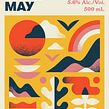
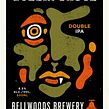
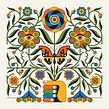

Make your art prints stand out by creating unique and cool textures.
Joined January 2022
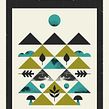
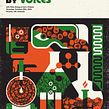
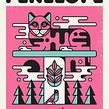

Matt McCracken and Ross Prew, the creative duo behind Doublenaut, will teach you how to infuse the roughness, textures, and imperfections of old-school style into your digital illustrations. With their 18 years of experience in graphic design and illustration, they have collaborated with global brands like Adidas, Saucony, and Element Skateboarding, creating iconic packaging designs for Bellwood's Brewery.
Doublenaut's work is a fusion of punk, psychedelic art, and music, combined with a passion for exploring traditional printing techniques.
What will you learn in this online course?
13 lessons & 17 downloads
- 100% positive reviews (26)
- 900 students
- 13 lessons (2h 38m)
- 17 additional resources (3 files)
- Online and at your own pace
- Available on the app
- Audio: English
- English · Spanish · Portuguese · German · French · Italian · Polish · Dutch · Turkish · Romanian · Indonesian
- Level: Beginner
- Unlimited access forever
Recommended software & tools for this course
 Adobe Illustrator
 Adobe Photoshop
What is this course's project?
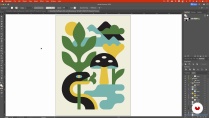
For the final project, you'll design your own art print with unique and rich textures. This project will allow you to showcase the skills and techniques you have learned throughout the course, creating a digital illustration that captures the essence of old-school style and incorporates your personal creative vision.
Who is this online course for?
If you have a basic knowledge of Illustrator, Photoshop, and vector art, this course is perfect for you. Whether you're a graphic designer, illustrator, or simply passionate about digital art, this course will help you take your illustrations to the next level. Join Matt and Ross on this creative journey and reproduce the magic of analog graphics, making your digital illustrations truly unique.
Requirements and materials
To fully participate in this course, you will need access to Adobe Illustrator and Adobe Photoshop software. Additionally, a basic understanding of vector art and digital design principles will be beneficial. Get ready to explore texture techniques and infuse your digital illustrations with a touch of old-school charm.
Reviews

Matt McCracken and Ross Proulx
A course by Matt McCracken and Ross Proulx
Matt McCracken and Ross Prew, the creative minds behind Doublenaut, are a Toronto-based studio specializing in Graphic Design and Illustration. With 18 years of experience, their work has captivated audiences worldwide. Doublenaut's aesthetic is a modern take on mid-century modern and psychedelic design, combining bold colors, geometric shapes, and natural aging textures. Their love for vintage artifacts, punk music, and the Canadian landscape influences their unique style. Join Matt and Ross on this creative journey as they share their expertise and guide you in bringing old-school textures to your digital illustrations.
Content
-
U1
Introduction
-
About Us
-
Influences
-
-
U2
Getting Ready
-
Inspiration: Research and Mood Boards
-
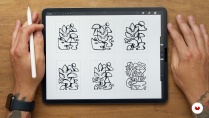
Brainstorming and Concept Sketches
-
Setting up the Illustration
-
-
U3
Texture Creation
-
Shading Texture
-
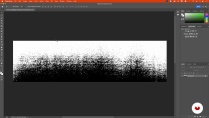
Halftone Image Texture
-
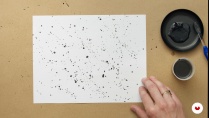
Speckle Texture
-
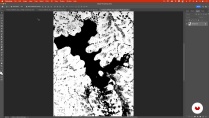
Distressed Overlay Texture 1
-
Distressed Overlay Texture 2
-
-
U4
Making It Work in Your Illustration
-
Vectorizing Your Textures
-
Applying Each Texture Style to Your Illustrations 1
-
Applying Each Texture Style to Your Illustrations 2
-
-
FP
Final project
-
How to create cool textures
-
What to expect from a Domestika course
-
Learn at your own pace
Enjoy learning from home without a set schedule and with an easy-to-follow method. You set your own pace.
-
Learn from the best professionals
Learn valuable methods and techniques explained by top experts in the creative sector.
-
Meet expert teachers
Each expert teaches what they do best, with clear guidelines, true passion, and professional insight in every lesson.
-
Certificates
PlusIf you're a Plus member, get a custom certificate signed by your teacher for every course. Share it on your portfolio, social media, or wherever you like.
-
Get front-row seats
Videos of the highest quality, so you don't miss a single detail. With unlimited access, you can watch them as many times as you need to perfect your technique.
-
Share knowledge and ideas
Ask questions, request feedback, or offer solutions. Share your learning experience with other students in the community who are as passionate about creativity as you are.
-
Connect with a global creative community
The community is home to millions of people from around the world who are curious and passionate about exploring and expressing their creativity.
-
Watch professionally produced courses
Domestika curates its teacher roster and produces every course in-house to ensure a high-quality online learning experience.
FAQs
You'll learn how to create gig posters, beer labels, album layouts, and murals using screenprinting, bold typography, texturing, and both digital and analog illustration techniques. The course covers moodboard creation, concept sketching, vector workflows, and applying unique textures to your designs.
This is an intermediate-level course, ideal for those with some experience in illustration or design. Beginners may find it challenging, but anyone with foundational knowledge of art or digital tools can follow along and benefit.
Yes, basic familiarity with Adobe Illustrator and Photoshop is recommended, as the course involves using these programs for digital illustration, texture creation, and preparing artwork for print.
You’ll need access to Adobe Illustrator and Photoshop, a scanner for digitizing textures, drawing supplies for sketching, and optionally Procreate or similar digital sketching apps. Screenprinting materials are helpful but not required for learning the techniques.
Yes, you'll learn to create and apply halftone, speckle, and distressed textures using both handmade and digital techniques, including scanning, editing, and integrating them into your illustrations.
Absolutely. The skills you learn in this course apply directly to creating merchandise designs and packaging for musicians, bands, and craft breweries, including gig posters, beer labels, and branded art prints.
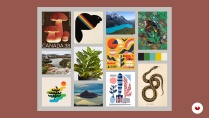
You'll learn how to source inspiration, create mood boards using Pinterest and collage techniques, and present your ideas effectively to clients or collaborators to shape your creative direction.
 Adobe Illustrator
 Adobe Photoshop
Love the course! Very detailed explanation with lots of inspirations, I like how Matt and Ross shared the journey of their studio, which is very inspiring on its own. The illustration was really nice and stylish, which is a perfect demonstration of how we make and utilize the textures. Highly recommended!
un corso veramente bello! i due insegnanti spiegano chiaramente ogni passo e il risultato finale rende molto bene. Sono molto soddisfatta!
Excelente aula. Adorei o conteúdo, que os professores consenguem passar com bastante clareza.
Excellent class, easy to follow and absorb all the great tips and tricks.
I thoroughly enjoyed this course and felt it significantly improved my digital illustration skills. Matt and Ross’s combined expertise and passion for traditional printing techniques are evident in every lesson. I highly recommend this course to anyone looking to enhance their digital creations with cool textures and a touch of analog magic.