Illustration and Storytelling in Clip Studio Paint
A course by Kim ROSELIERIllustrator
A course by Kim ROSELIER, Illustrator

Work with composition, color, and texture in Clip Studio Paint to develop a stunning narrative illustration, from sketch to mock-up
Have you ever experienced the magic of painting with digital tools? Discover the world of creative possibilities alongside Kim Roselier. This talented illustrator started out using traditional brushes, then specialized in digital drawing to simplify his strokes and strengthen his graphic impact.
In this online course, he teaches you how to create a beautiful and colorful illustration in Clip Studio Paint with an emphasis on storytelling. Step by step, he shares his tips to master this versatile digital tool without distorting your drawings, allowing you to play around with color and give your imagination a little boost. Create an image full of life and meaning with the power to transport the viewer to another world.
What will you learn in this online course?
17 lessons & 17 downloads

Defining the Main Lines of Your Universe
4 minutes, 19 seconds
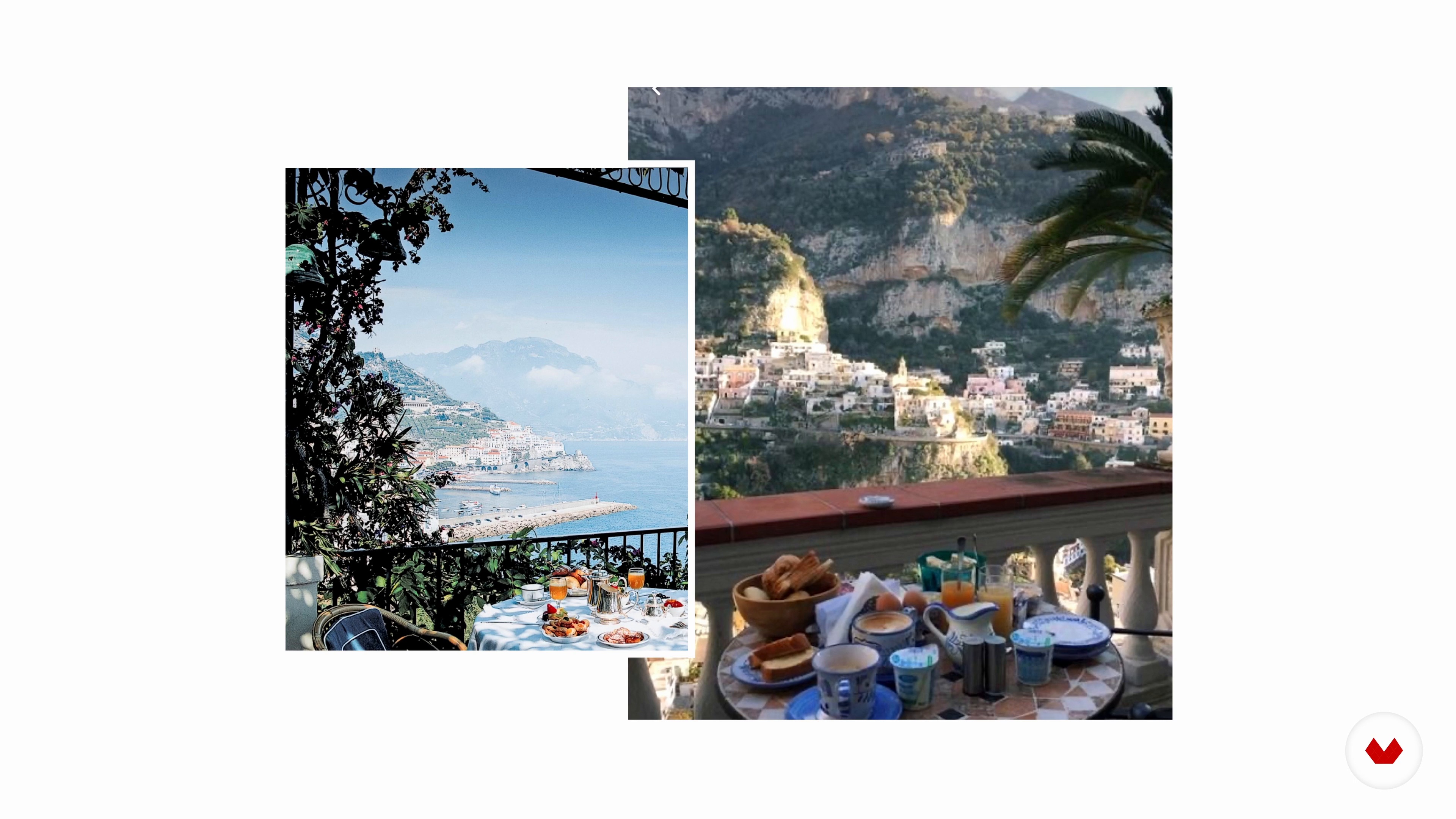
Choosing an Atmosphere
7 minutes, 44 seconds
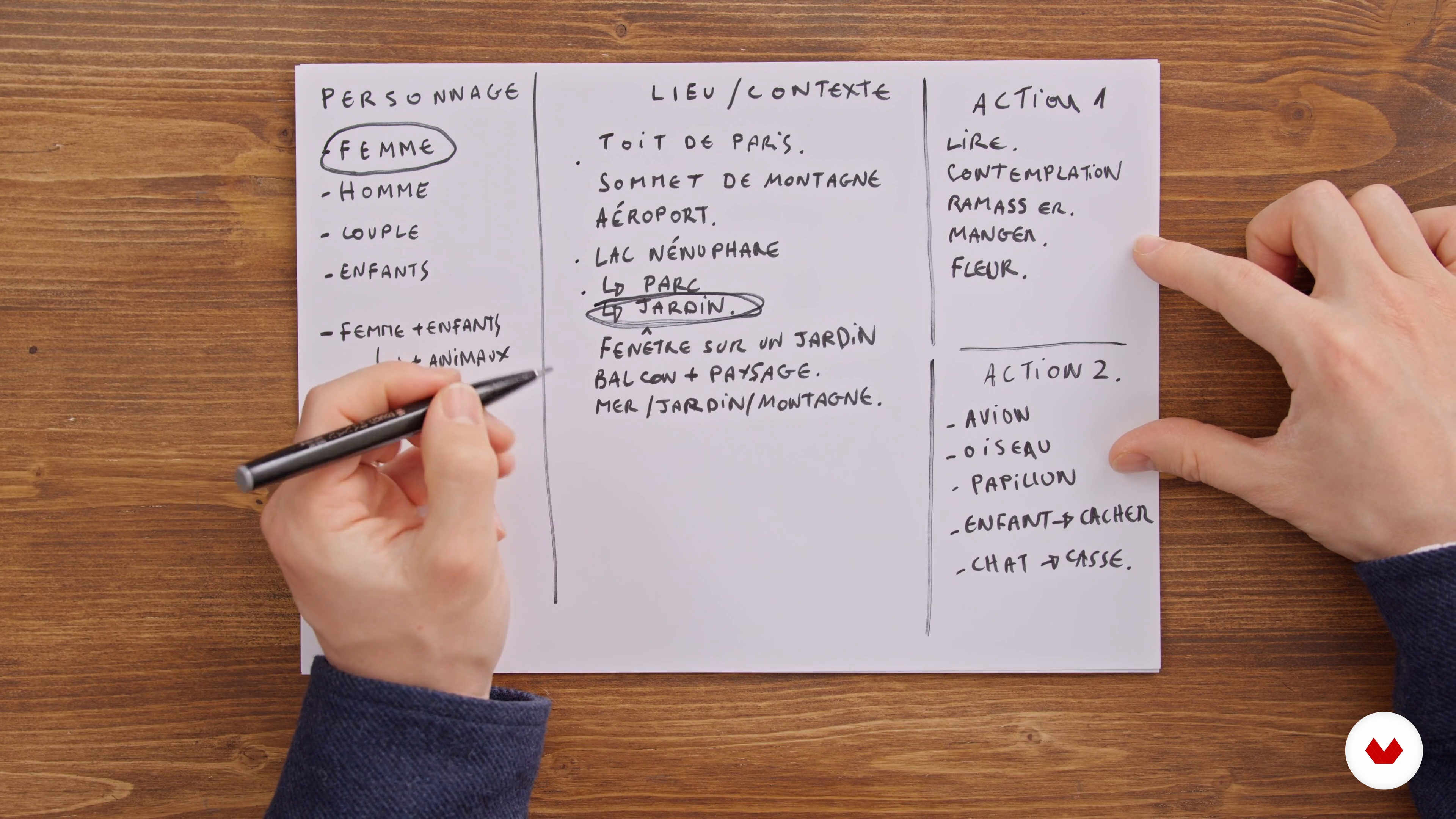
The narrative concept
12 minutes, 13 seconds
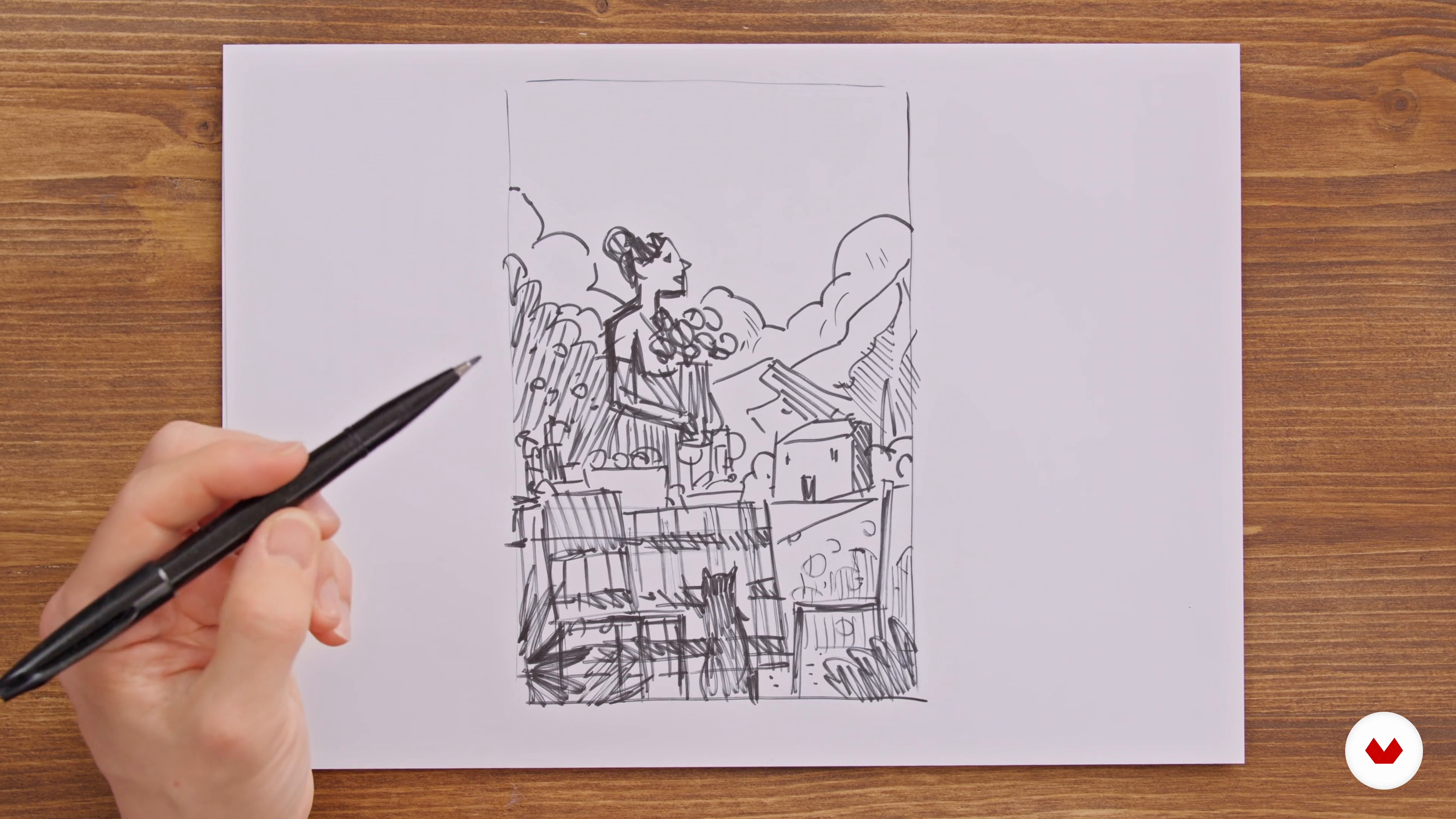
A First Sketch
12 minutes, 2 seconds
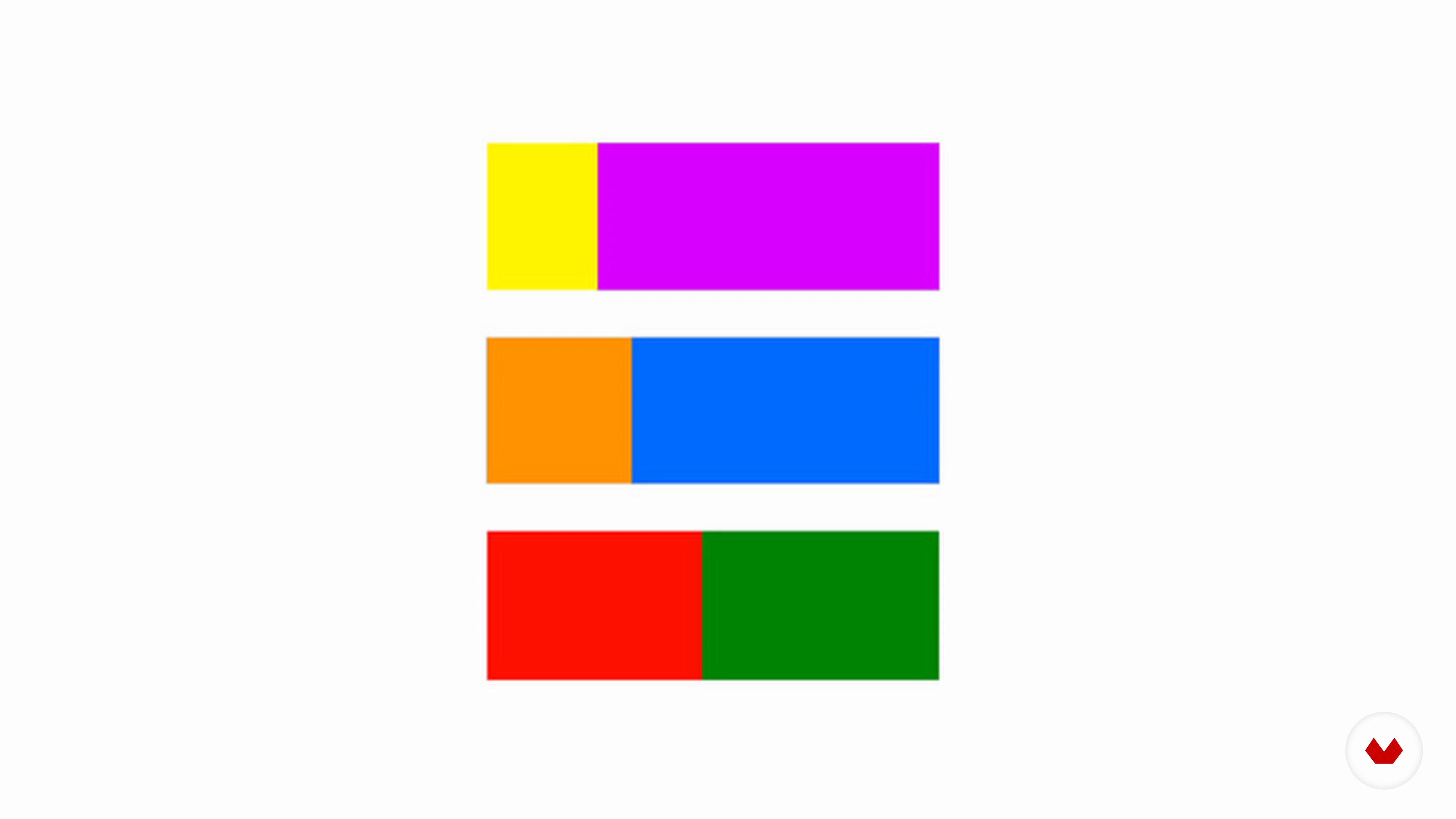
Color Associations
7 minutes, 17 seconds
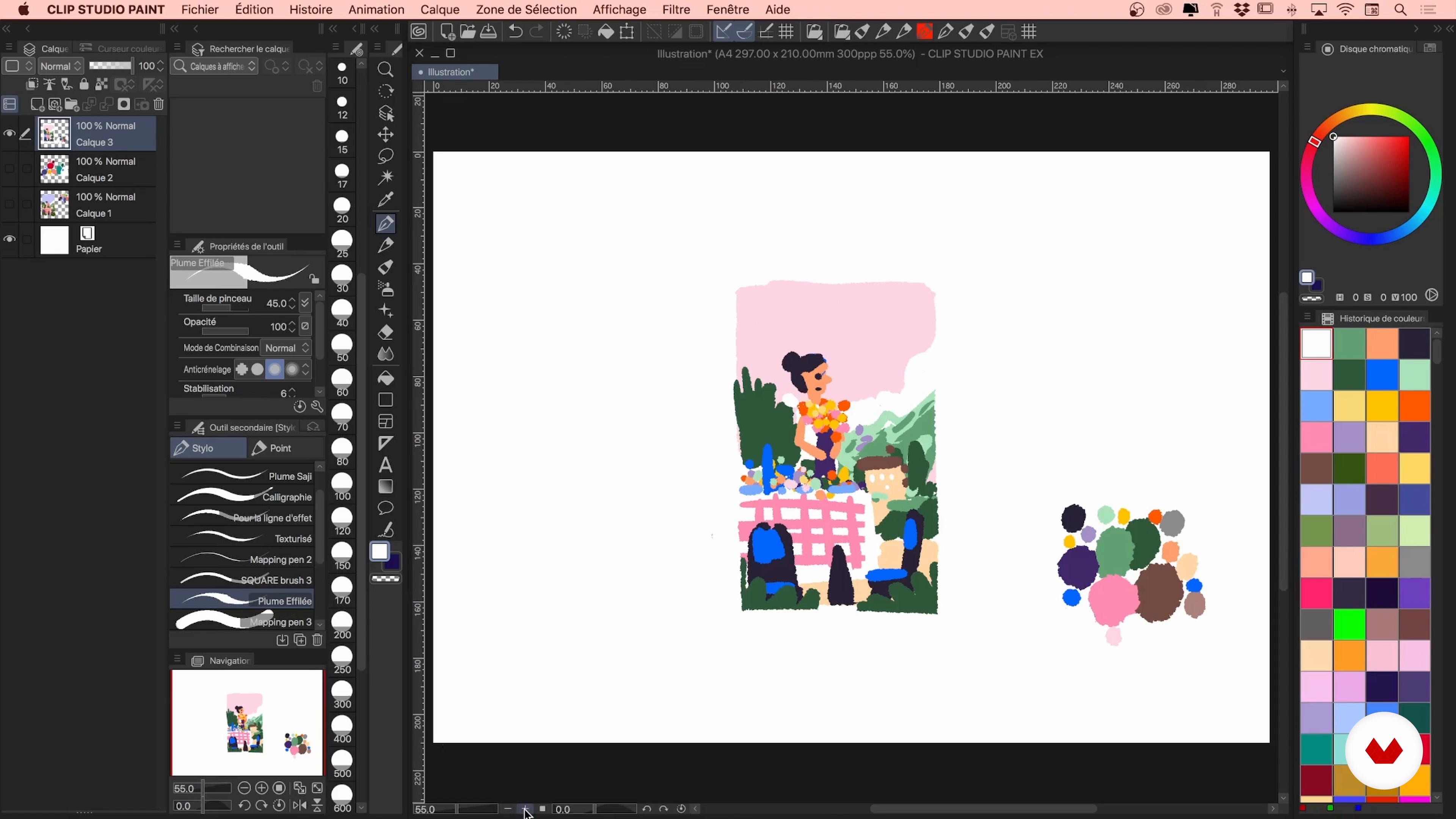
Color Intentions 1
17 minutes, 18 seconds
What's included in this course?
Start off by getting to know Kim Roselier, his artistic universe, and his career in illustration. Discover the artists who inspire him, especially poster artists from the beginning of the 20th century, such as André Edouard Marty and George Barbier.
Next, look at the importance of a mood board in creating your own universe. Kim shows you how to make a narrative chart for your illustration, working on the characters, the world, and the action. Now you're ready to start telling your story!
Let your creativity flow by hand-drawing a sketch to make up your scene. Then, work on color, learning about the best combinations through the color wheel, before exploring some useful features of Clip Studio Paint and Adobe Photoshop.
Time to move on to the digital drawing in Clip Studio Paint. First, outline the composition of your image and then focus on the character and gradually work your way up to the background elements. Finish up by fine-tuning your colors and textures. Don't be afraid to play around with imperfections.
Finally, Kim shows you how to create a mock-up to showcase your work online and the printing options available to you, including pigment printing, which keeps your colors strong.
What is this course's project?
Create a narrative illustration with strong, meaningful graphics.
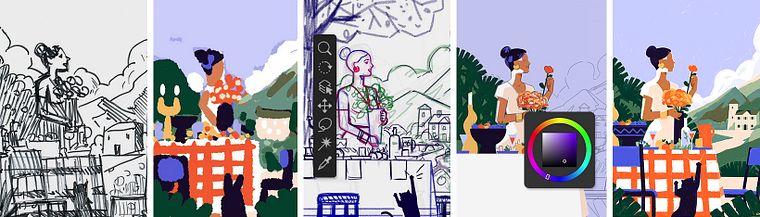
Projects by course students


Who is this online course for?
Anyone with a passion for digital painting who wants to improve their knowledge of color, storytelling, and Clip Studio Paint.
Requirements and materials
Basic knowledge of drawing software such as Clip Studio Paint is required to take the course.
As for materials, you need a computer with the software installed, a black marker, and colored pencils.

Reviews
- 7 months ago
Excelente curso, con gran claridad y de manera sencilla el profesor logra transmitir las nociones para hacer una ilustración atractiva con potencia narrativa y conceptual.
- 8 months ago
Ottimo corso!
- 1 year ago
Curso introdutório para que abre o pensamento para a ferramenta. Como é difícil de encontrar ferramentas boas para desenhar em Androids, achei o curso um ótimo começo. O professore guia super bem apresentando o método dele e dali é praticar mais para aperfeiçoar! Parabéns!
- 1 year ago
This course was amazing, I love Kim's art style and he explained his process really well. I'm excited to work on my project!
- 2 years ago
Muy buen curso

Throughout his career, Kim has worked for magazines such as Capital, Usbek & Rica, Le Temps, and Les Echos, as well as Reporters Without Borders, Thierry Magnier editions, and Netflix.
Content
- U1
Introduction
- About Me
- Influences
- U2
The Search for an Artistic Universe
- Defining the Main Lines of Your Universe
- Choosing an Atmosphere
- The narrative concept
- U3
Sketches and Colors
- A First Sketch
- Color Associations
- Color Intentions 1
- Color Intentions 2
- U4
Digital Drawing In Clip Studio Paint
- Sketch and Composition 1
- Sketch and Composition 2
- Colorization 1
- Colorization 2
- Details and Textures 1
- Details and Textures 2
- U5
Showcasing the Work
- Export and Mock-up
- Printing the Creation
- FP
Final project
- Illustration and Storytelling in Clip Studio Paint
What to expect from a Domestika course
Learn at your own pace
Enjoy learning from home without a set schedule and with an easy-to-follow method. You set your own pace.
Learn from the best professionals
Learn valuable methods and techniques explained by top experts in the creative sector.
Meet expert teachers
Each expert teaches what they do best, with clear guidelines, true passion, and professional insight in every lesson.
Certificates
PLUSIf you're a Plus member, get a custom certificate signed by your teacher for every course. Share it on your portfolio, social media, or wherever you like.
Get front-row seats
Videos of the highest quality, so you don't miss a single detail. With unlimited access, you can watch them as many times as you need to perfect your technique.
Share knowledge and ideas
Ask questions, request feedback, or offer solutions. Share your learning experience with other students in the community who are as passionate about creativity as you are.
Connect with a global creative community
The community is home to millions of people from around the world who are curious and passionate about exploring and expressing their creativity.
Watch professionally produced courses
Domestika curates its teacher roster and produces every course in-house to ensure a high-quality online learning experience.
FAQs
Yes, this course is mainly designed for intermediate illustrators looking to develop a personal style, explore the creative process, and strengthen skills in composition, color, and visual storytelling.
A basic drawing foundation and familiarity with digital tools like Clip Studio Paint are recommended to get the most from the course, but many techniques are explained step-by-step.
You’ll learn how to structure narrative illustrations, create color palettes, simplify compositions, manage contrast, adapt your work to various media, and develop a personal illustrative style inspired by renowned poster artists.
Prepare a sketchbook, rice paper, watercolor supplies, digital tools (computer, graphics tablet with Clip Studio Paint), and internet access for resources and moodboards.
Yes, the course guides you in creating effective moodboards, researching references on Pinterest, and organizing your inspirations to shape your creative process.
The program includes style analyses of poster artists, exercises on simplification and detail, and methods to assert your graphic identity through experimentation and critique.
Yes, the course covers print-specific details like file preparation, color management, and technical constraints for screen printing on silk or various papers.